【NGAF】Application Control Based On Domain Name Doesn’t Take Effect
Issue Description
Application control allow PC access to some domain failed.

Handling Process
- Go to System > Troubleshooting > Troubleshooting, enter the source IP of the PC and press on the Turn On button.
- Found that it have packet drop, packets are dropped by default policy.
Root Cause
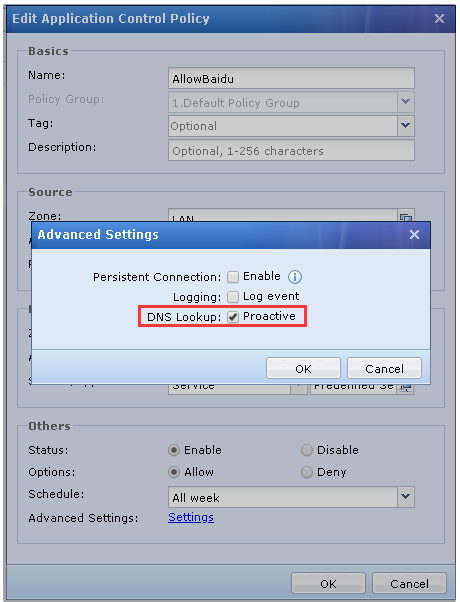
To configure application control policy base on domain name, you will need to ensure the DNS resolve traffic pass through NGAF else you are required to enable the Proactive DNS lookup.
Solution
Go to the corresponding policy, click on the Setting and enable the Proactive on the DNS lookup.