
【NGAF】Auto Logout From WebUI
Issue Description
There are two firewalls on the intranet run simultaneously on the internal network. Try ping firewall will has drop packets on the network port, and the console login to device will auto logout form webUI after few seconds.
Handling Process
-
Check the customer network environment. The two AF are in the same segment. The computer directly connected to the switch will has packets dropped.
-
Check the interface IP to ensure there is no IP conflict.
-
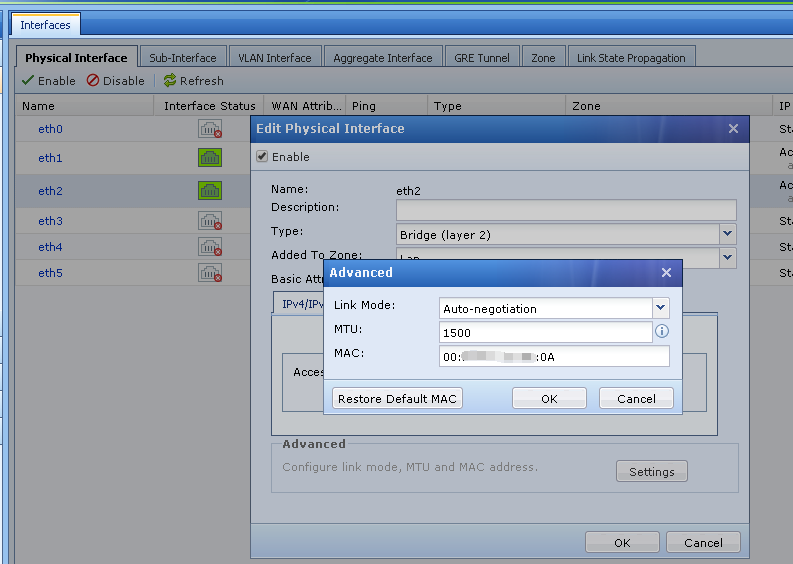
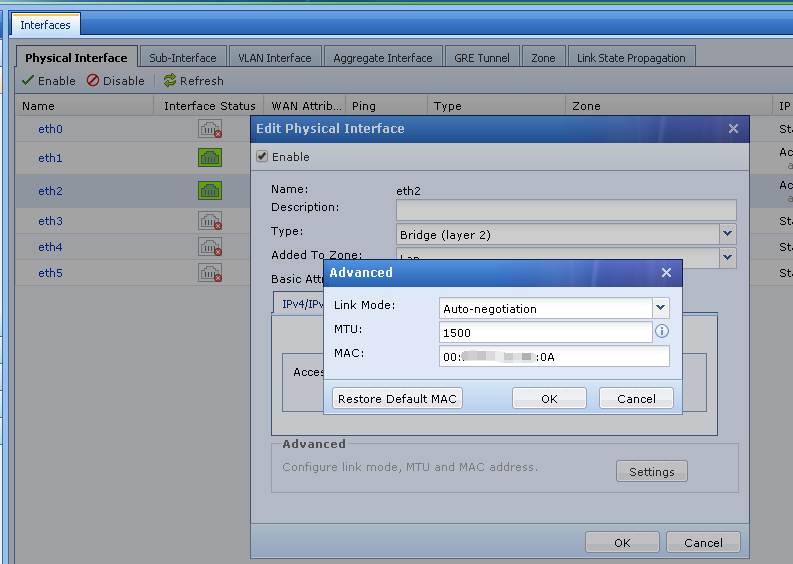
Check the MAC address of the interface found out all the MAC address is the same.
AF1
AF2
Root Cause
After restored the configuration from AF1, the MAC address of the AF2 interface is also overwritten by AF1, causing MAC conflict.
Solution
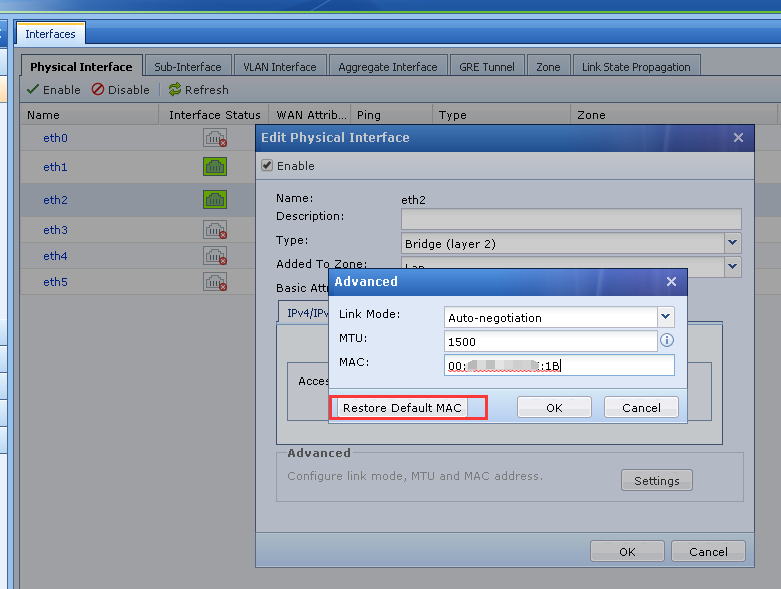
In [Network]–[Interface Area]–[Advanced Configuration], click to restore default MAC address.
Suggestions
After imported backup configuration from another device, remember to restore the default MAC address of each NIC.