
【NGAF】BNAT Not Working
Issue Description
Internal user cannot access internal server through a domain name. External user can access through the domain name.
Handling Process
- Check the BNAT configuration, the configuration is normal.
- Try perform nslookup in a PC, found out the domain cannot be resolve.
- Check the PC’s DNS server, found that user set the NGAF IP as their DNS server.
- Check the DNS setting in NGAF found they didn’t enable NGAF as DNS proxy.
- After enable the function, the user PC still cannot resolve the domain name.
- Configure google DNS in PC, found that it can success resolve the domain name but it will get a private ip.
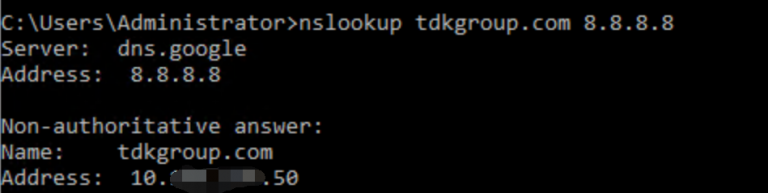
- Check the DNS mapping configuration, found out user configured the DNS mapping config.
- Delete the DNS mapping configuration, then user can access the internal resource via the domain name.
Root Cause
DNS mapping cause the DNS request being modify by NGAF and map to a private.
Solution
Delete DNS mapping setting.