
【NGAF】Business System Security displays public IP
Issue Description
Business System Security displays public IP,the following IPs are not for intranet users.

Handling Process
1.Go to Network > Interfaces confirm the zone of the corresponding interface.
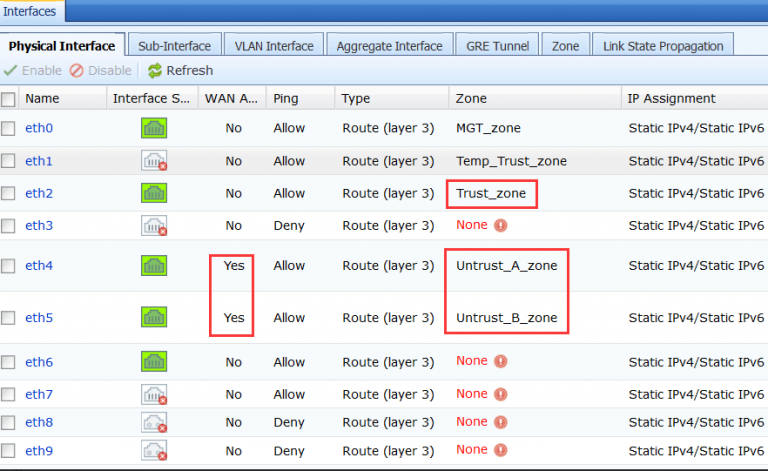
2 Go to Policies > Network Security > Policies find the server protection policy set the source zone to trust_zone.

Root Cause
Src zone and Dst zone filled in the wrong location. The server protection policy: Source zone should select untrust zone, and destination zone should select trust zone.
Solution
1.Go to Policies > Network Security > Policies set the source zone to untrust_A_zone(public zone).