
【NGAF】Click save IPSec VPN Phase 1 setting prompt an error
Issue Description
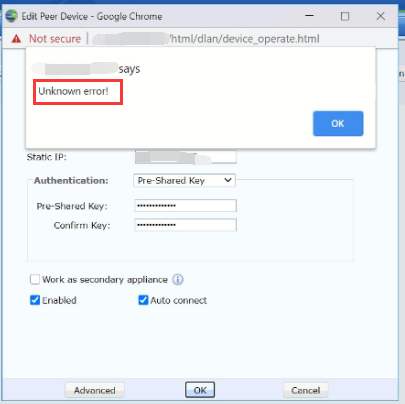
When save the IPSec VPN Phase 1 prompt an error.
Handling Process
- Check the phase 1 setting found that the share key contain some symbols.
- Try to use simple share key like sangfor found that able to save the configuration.
Root Cause
Share key contain some special symbol which are not allow.
Solution
- Change the share key to another one which do not include the following symbols in share key:
\"<'>&%'
Suggestions
Do not include the following symbol in the share key:
\"<'>&%