
【NGAF】DHCP relay unable to work with multiple DHCP server
Issue Description
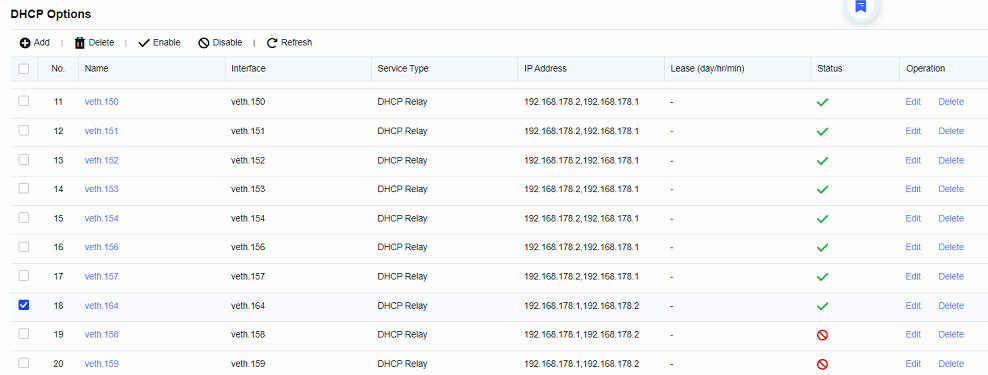
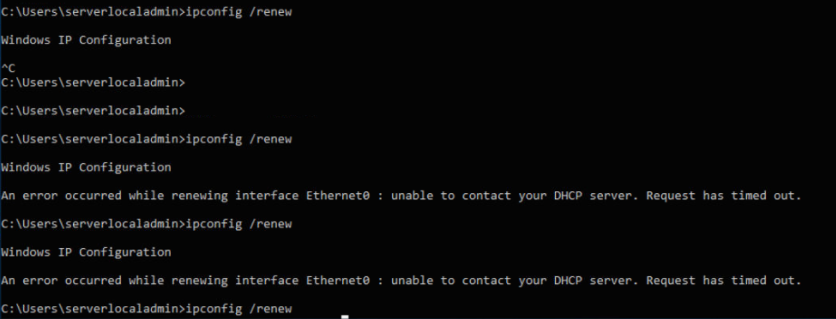
Customer having DHCP relay with multiple server scenario. Customer feedback the DHCP relay was work with existing VLAN but not for newly created VLAN.
Error/Warning Information
Handling Process
-
Configuration was correct.
-
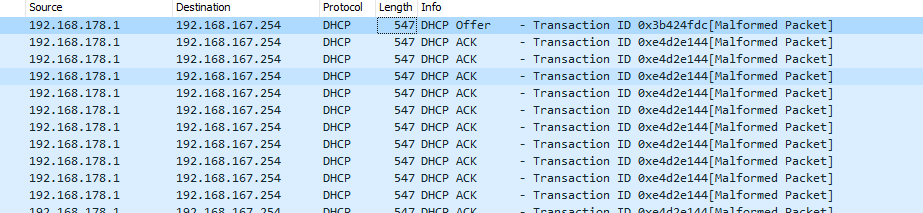
Perform packet capture, the DHCP server was able reply the packet. But NGAF not able to reply the packet to client PC.
-
Further checking on the process, found that there are 2 DHCP relay process (Usually it should only have one process). The working DHCP relay process was started with 192.168.178.2 only follow by 192.168.178.1. However, take a look on the extra process, it was started from 192.168.178.1 only follow by 192.168.178.2.

-
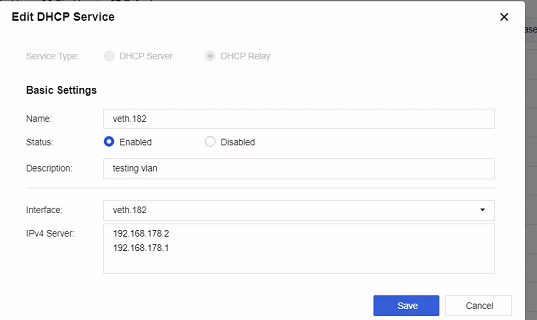
Try adjust the sequence of the DHCP relay configuration by following the working process (192.168.178.2 follow by 192.168.178.1). As result, the subnet PC was able to obtain DHCP IP successfully.
Root Cause
When changing the sequence of the DHCP IP, it will generate a new string and new process. As result, the new conflict process will locate the source wrong VLAN interface and resulted the subnet PC could not obtain the DHCP IP.
Solution
Change the IP sequence same as other working DHCP Relay configuration.