
【NGAF】Enable Software Bypass Show “Fluxlog”
Issue Description
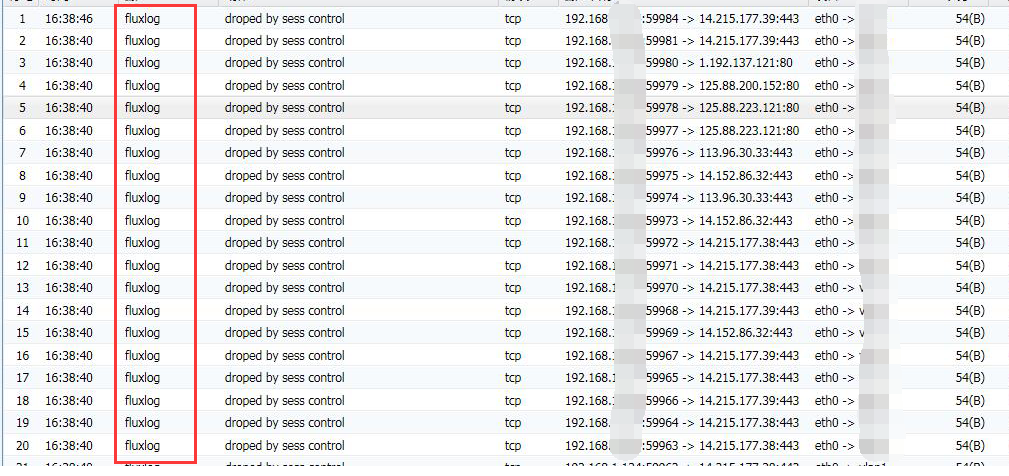
The PC cannot access to external network. The troubleshooting log prompts as follows:
Handling Process
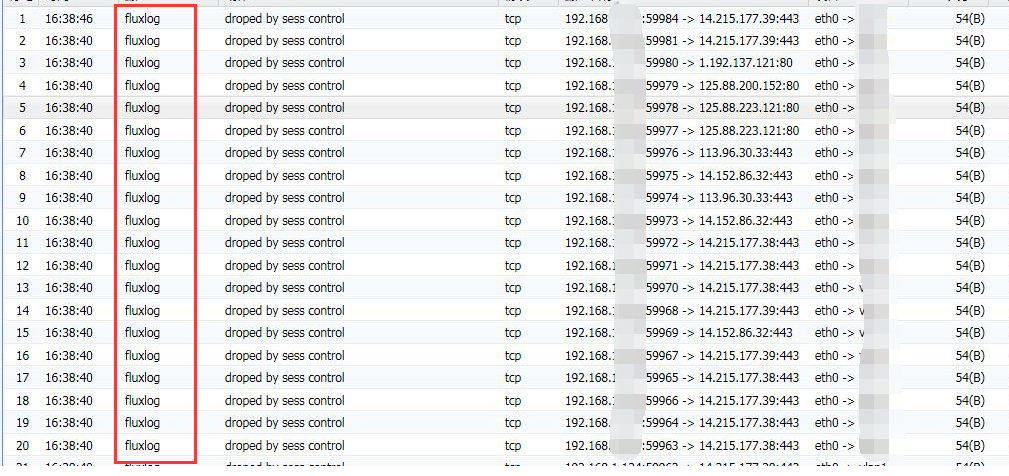
- Go to System > Troubleshooting start Bypass and show “fluxlog”
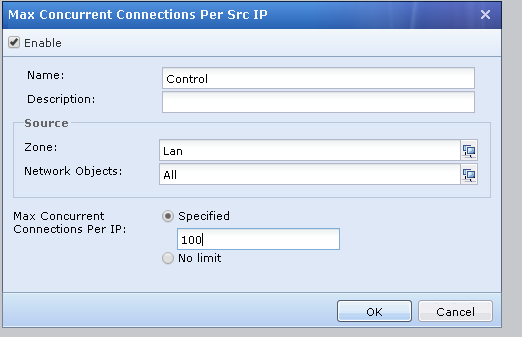
- Check the connection control policy for source
Path: Policies > Application Control> Connection Control
Root Cause
Internal IP addresses had been limit the concurrent connection to 100, which may result the internal pc cannot access to external network
Solution
Increase the limit of concurrent connection per IP or delete the policy.