
【NGAF】Failed to import license to HA Standby device
Issue Description
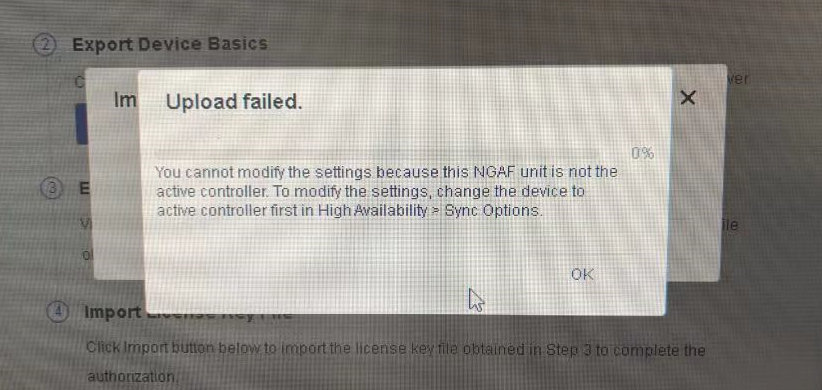
Customer have 2 NGAF devices deploy in HA(High Availability) Active-Standby deployment. Recently, they have renew their license and plan to import to both device. When importing in Standby device, it failed with error below:
Error/Warning Logs:
Handling Process
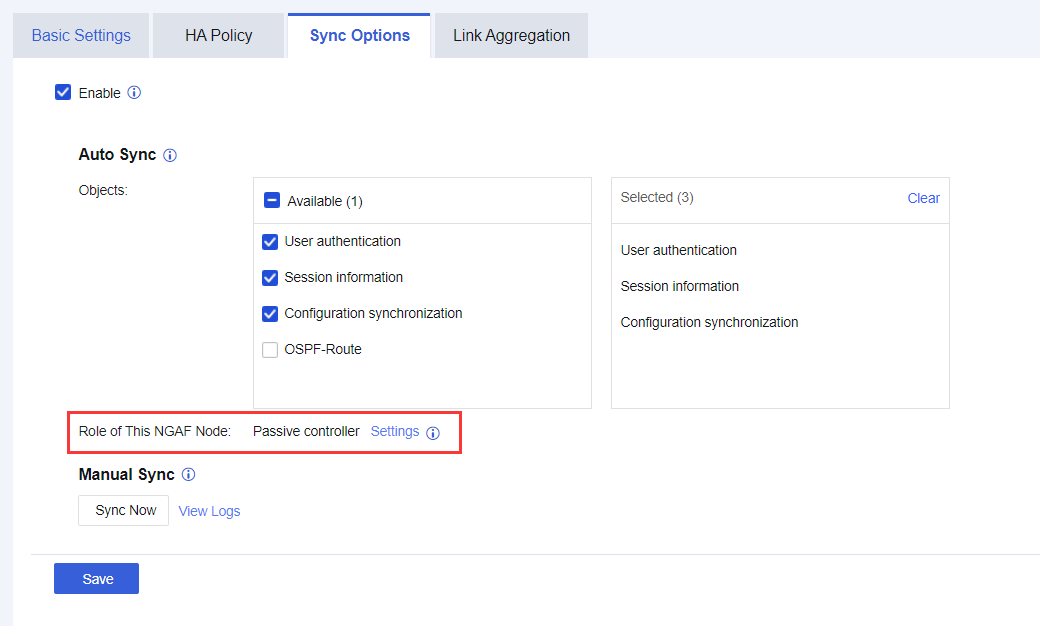
- Check if the device enabled Sync Option.
- The role of this(abnormal) device is Passive Controller.
Root Cause
This is because Passive Controller doen’t allow to modify config or import license.
Solution:
Disable the Sync Option, then perform license import. Afer license import successfully, need to enable back the Sync Option to ensure configuration can be sync successfully.