
【NGAF】Internal Device Unable to Ping 8.8.8.8
Issue Description
Internal devices unable to ping 8.8.8.8.
Handling Process
- Ping 8.8.8.8 from NGAF, result is normal.
- Check the routing in NGAF, found out traffic to 8.8.8.8 use dedicated interface as figure shown below:
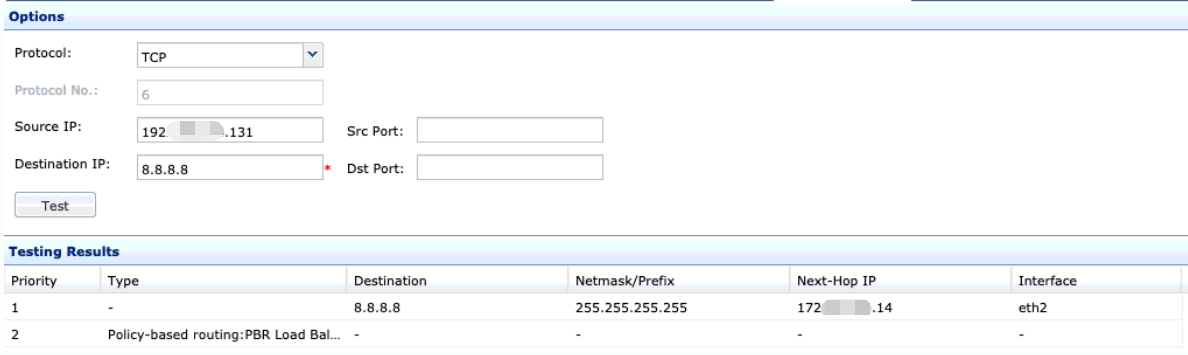
- Ceck the PBR, found that the PBR enabled the Link State Detection and ping 8.8.8.8. It will generate a routing as figure shown above.
- Check the NAT configuration, there is not NAT for this interface.
Root Cause
In the PBR after enable the link state and link state ping to 8.8.8.8 will cause every destination ip is 8.8.8.8 will use the interface that set in the PBR to go out.
Solution
Although there had set SNAT for the interface that use in PBR but not all private segment use that SNAT to go internet. Add a SNAT and destination to 8.8.8.8 and select a private network segment.