【NGAF】IPsec VPN cannot Select Outgoing Line
Issue Description
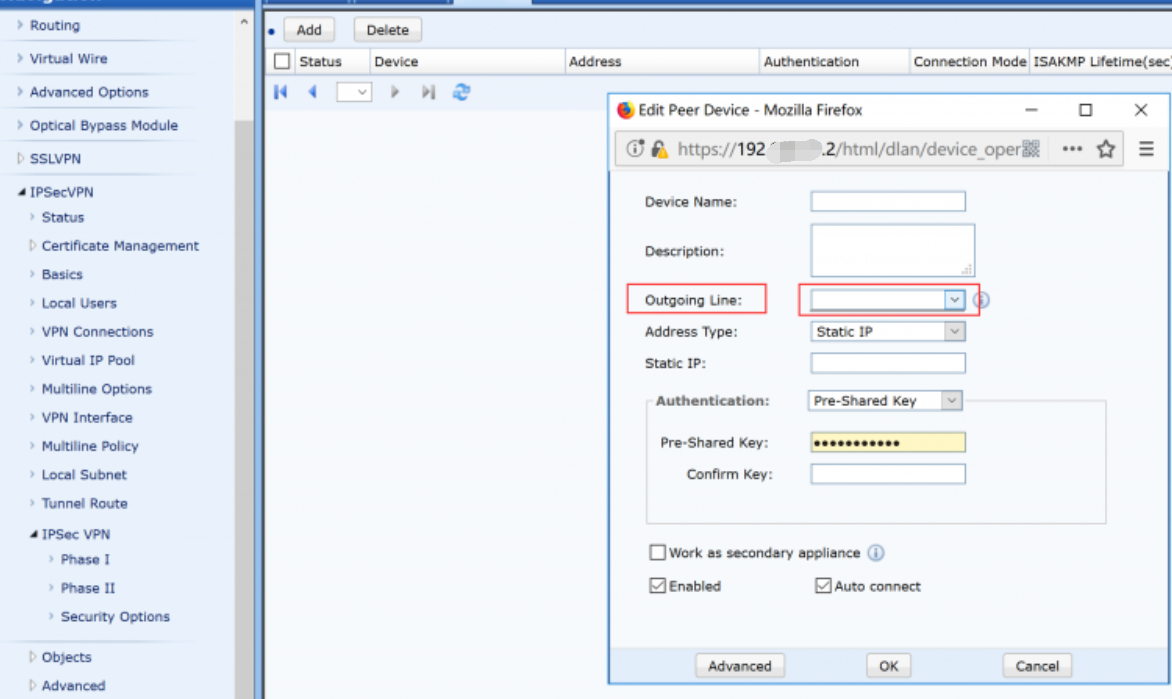
IPsec VPN can not select Outgoing Line in Phase I.
Handling Process
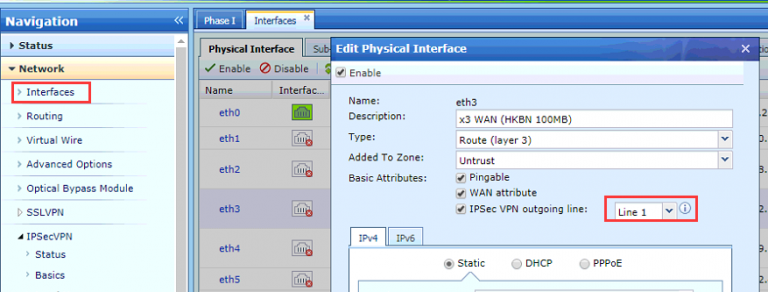
- Go to Network > Interfaces check that the interface has been configured with the corresponding Outgoing Line.
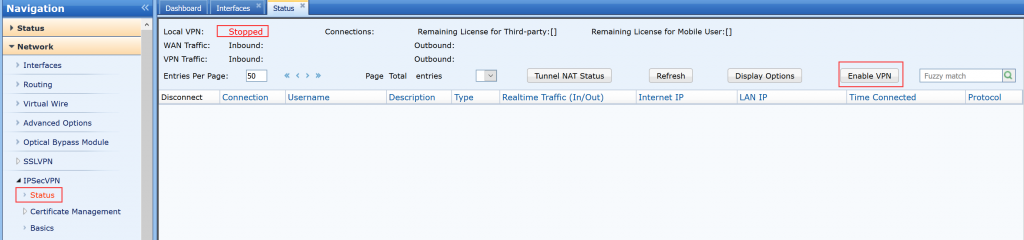
- Go to Network IPSec VPN > Status to check the VPN status, found that the VPN service is not running.
Root Cause
Outgoing Line is not allowed to be set when VPN service status is stopped.
Solution
Go to Nework > IPSec VPN > Status enbale VPN.