
【NGAF】Link Aggregation Unable to Establish with Core Switch
Issue Description
The port Lag(Aggregate Interface) at firewall is not working with core switch.
Handling Process
- Configure the Aggregate interface to load balancing as picture above load balancing.
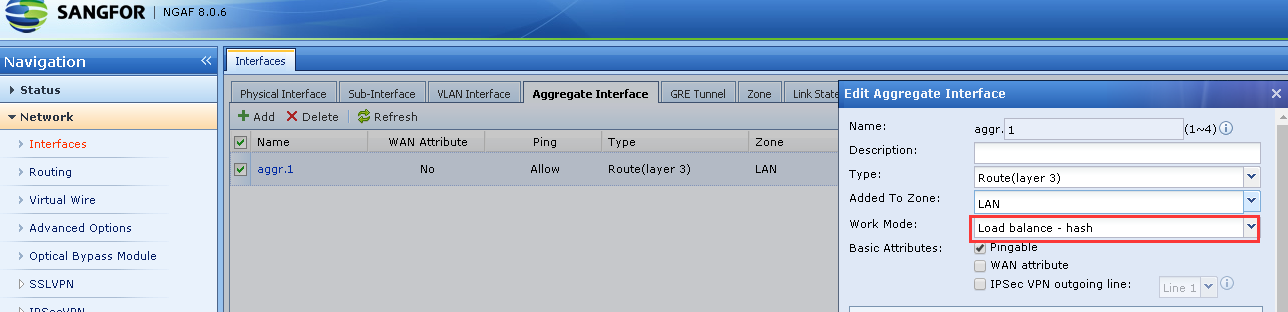
- Try to connect both devices, but still unable to ping.
- Access to cisco device and check the status for eth port group channel. Use the enable command to enter EXEC mode, use show run to check the version and port channel IP address.(different version has different command)

- After verified the port used for link aggregate, use show etherchannel summary to check the port belong to which port channel.
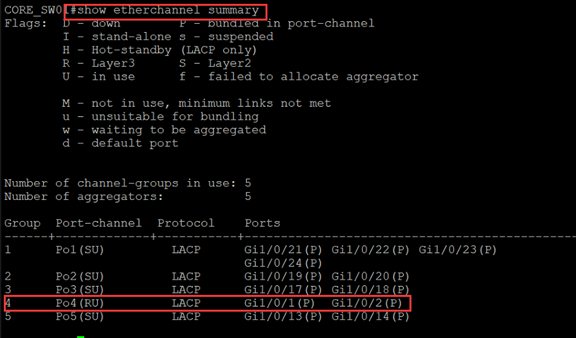
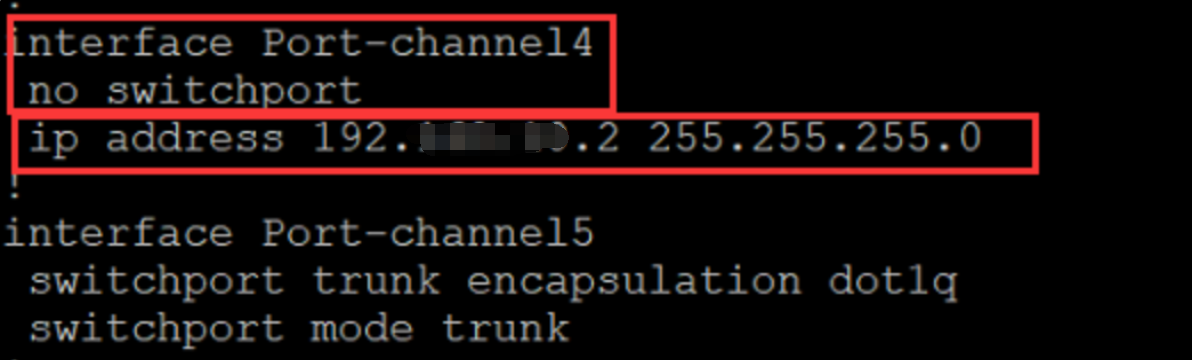
- Check the IP is correct by using show run.
- Check the etherchannel status by using show interfaces etherchannel.
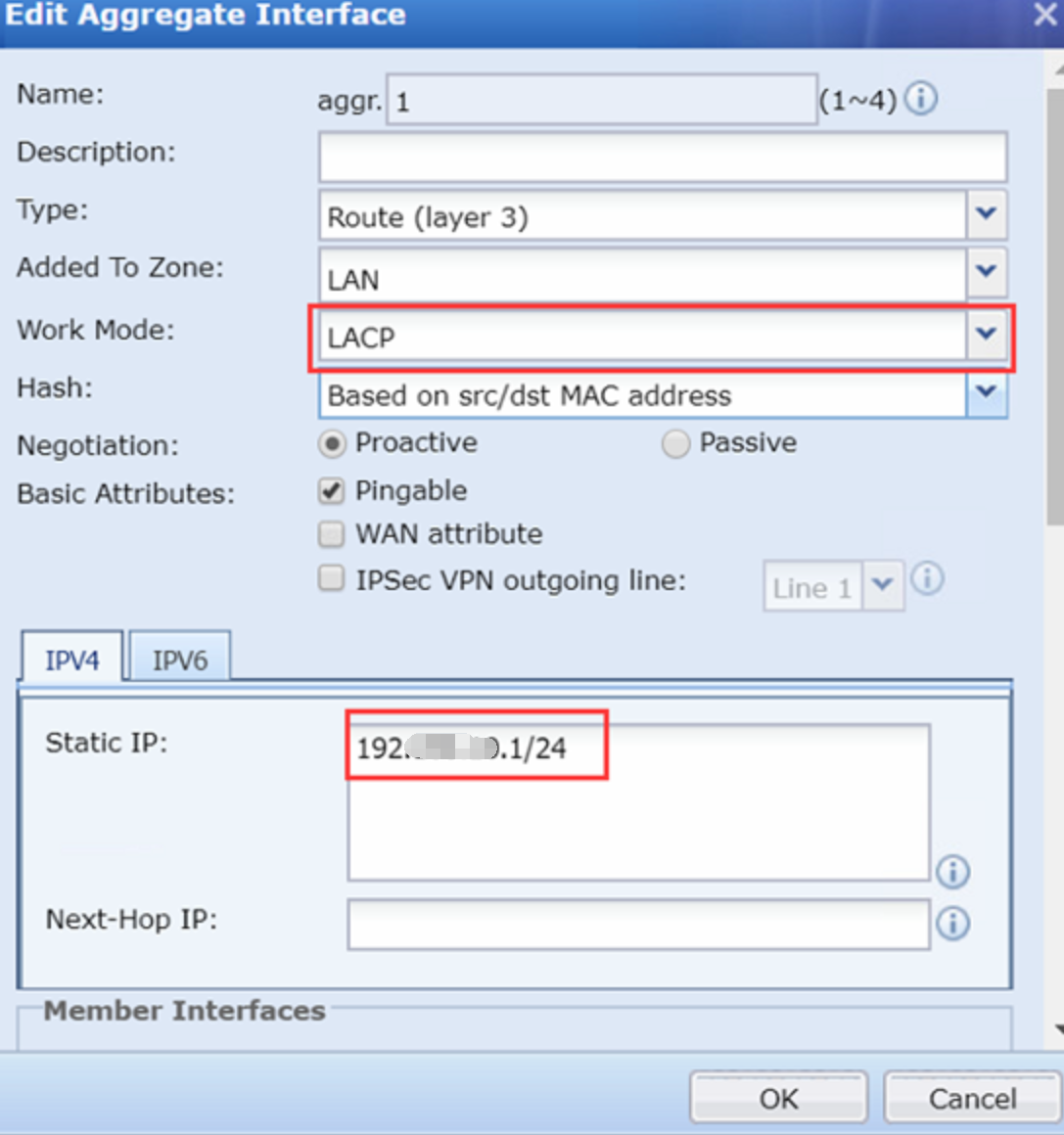
- Found the switch is using LACP protocol and Mode Active.
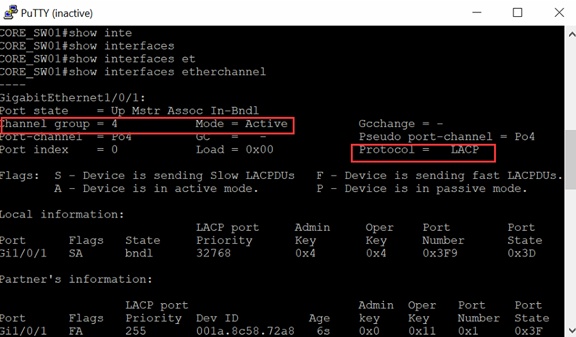
- Found that the current NGAF version didn’t support the LACP mode. NGAF support to use LACP link aggregation in version 8.0.8 and above.
- Proceed to upgrade the NGAF firmware version.
- Configure the link aggregate as picture shown, make sure that the IP address is correct.
Root Cause
The version 8.0.5 not support LACP.
Solution
- Change the LAG mode to another mode which supported by the current NGAF firmware.
- Upgrade the NGAF to new version so that it support LACP mode.
Suggestions
- Make sure that 2 device must using the same LAG protocol.