
【NGAF】Login to SSLVPN but unable to get virtual IP
Issue Description
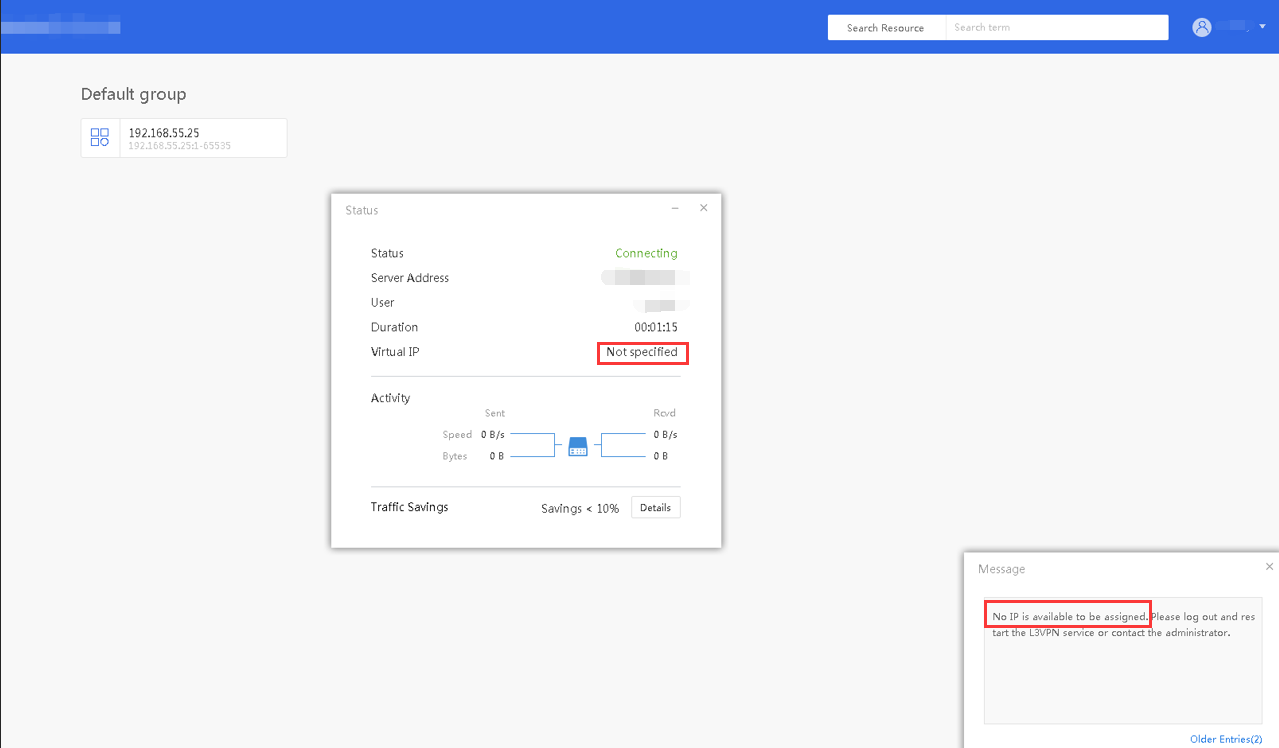
Created a new users but found that the user unable to get virtual IP and access resources.
Error/Warning Information
Handling Process
-
Check the Device Manager, the Sangfor SSL VPN VNIC is normal.

-
Check on the role, the user bind with a L3VPN resource.
-
Check on the SSLVPN system log, found that that it have the log below:

-
Check on the virtual IP pool, found that the virtual IP pool is available and for Default Group.
-
Check the Local User configuration, the Virtual IP Assignment is set to Automatic.
-
Check the user is belongs to / group, change the user group to Default Group.
-
Login SSL VPN again, found that issue has been solved.
Root Cause
The virtual IP pool is assign to Defaul Group while user under / group.
Solution
Change the user group from / to Default Group.