
【NGAF】NGAF MAC Address Binding Failed
Issue Description
Client feedback said they have policy for MAC address binding user but it failed.
Handling Process
- Create a policy for the testing and use MAC address as the username. Found that it get another MAC address which is not same with the PC.
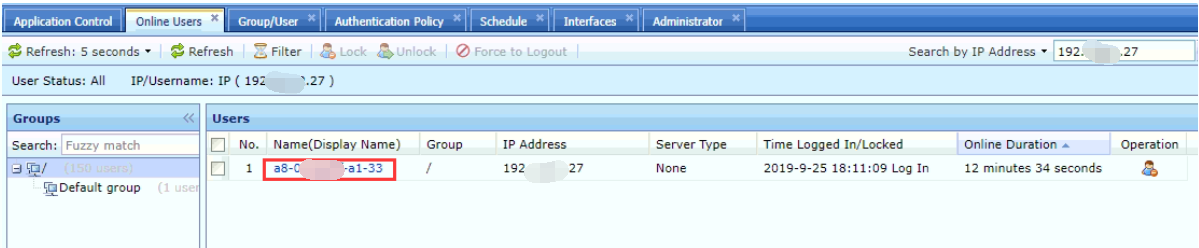
- Try to bind the policy to another PC which at the same location, found that it get the same MAC address with previous PC.
- Ask customer whether they have core switch in their environment or not. Answer is they have a Sundray Core Switch below the NGAF.
- Try to arping to the core switch, found that the MAC address is belong to the core switch.
Root Cause
Found that it is caused by the layer 3 core switch, customer didn’t configure the SNMP between NGAF and core switch so the NGAF only able to get the core switch MAC address instead of PC’s MAC address。
Solution
Configure the SNMP configuration on NGAF (It need to enable the SNMP setting on core switch also).
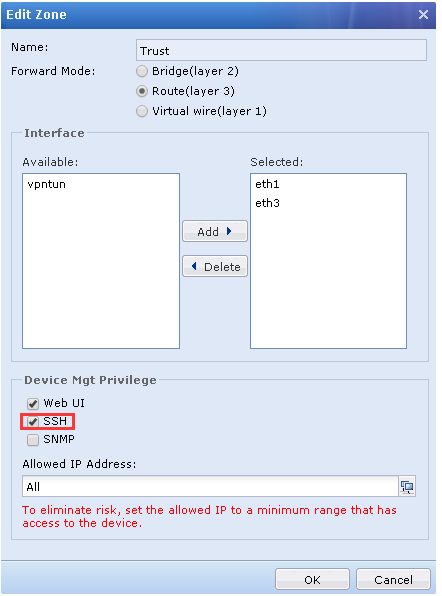
- Go to Network > Interfaces > Zone, choose the LAN interface that connected to core switch and enable the SNMP on the interface.
- Go to Authentication System > Authentication > Options > Obtain MAC by SNMP, fill in the core switch IP and select all the server after that click on the Add button.
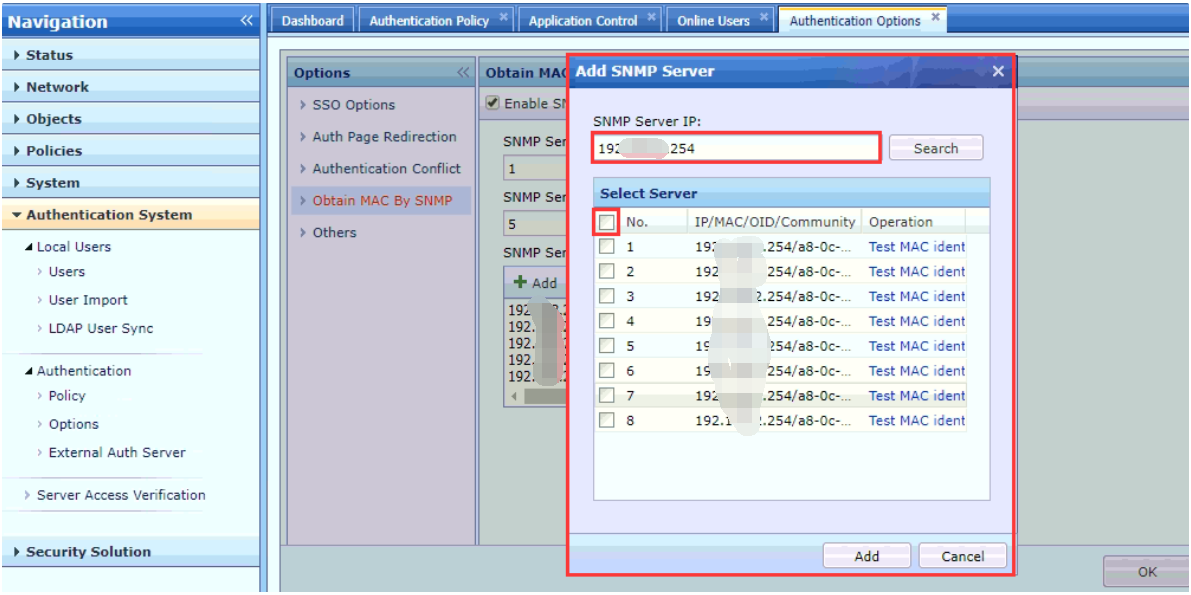
- You can click on the Test MAC indent to show the MAC address that NGAF obtained.
Note: SNMP is support in layer 3 environment.