
【NGAF】NGAF upgrade failed due to disabled policy
Issue Description
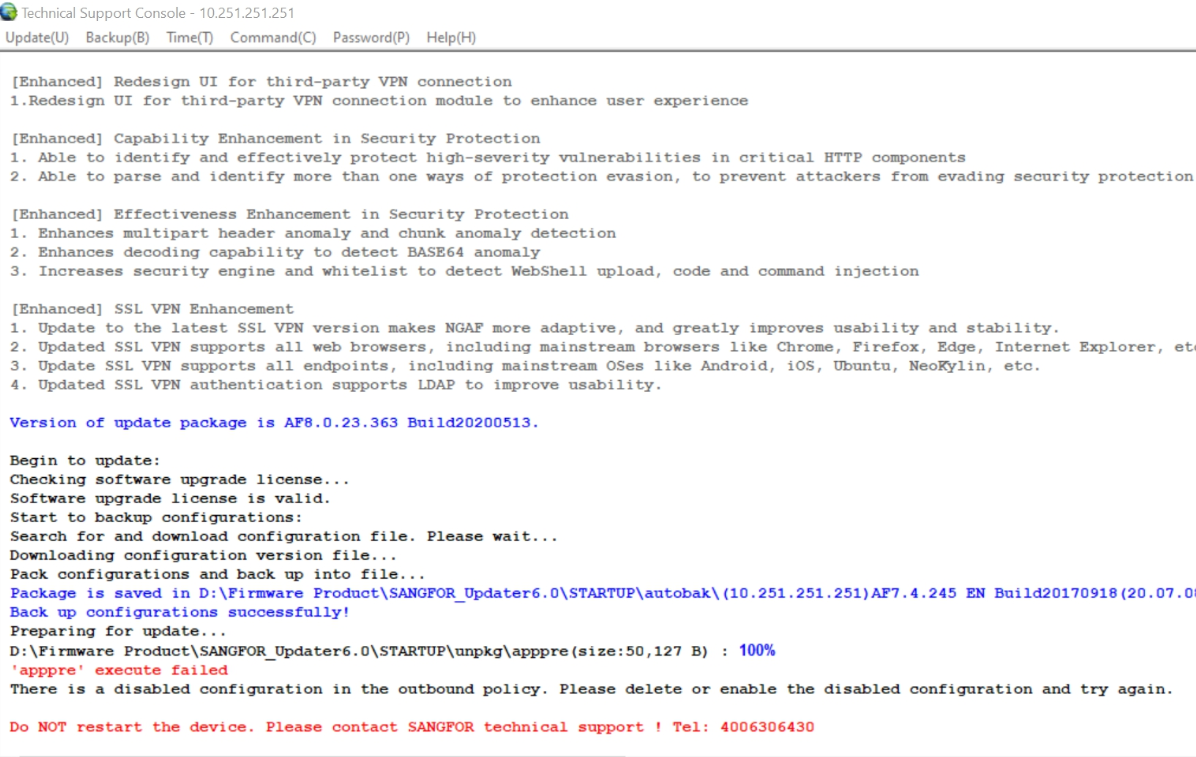
Customer plan to upgrade their NGAF device from 8.0.17 version to 8.0.23 version but failed. The error message shown "There is a disabled configuration in the outbound policy. Please delete or enable the disabled configuration and try again."
Error/Warning Information
There is a disabled configuration in the outbound policy. Please delete or enable the disabled configuration and try again.
Handling Process
-
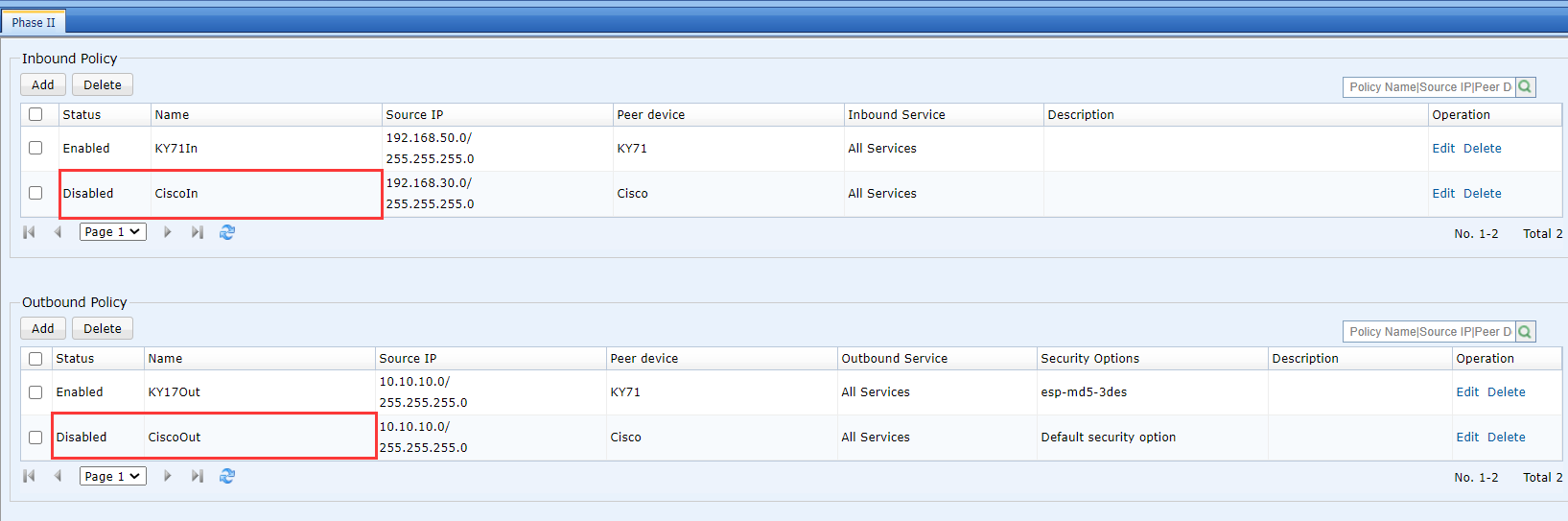
Check on the device, found that there are disabled policies on IPsec configuration phase2.
Root Cause
It is caused by the phase 2 inbound and outbound policy has been disabled.
Solution
Enable disabled policy in phase 2.