
【NGAF】SSL VPN unable to enter username when using Internet Explorer
Issue Description
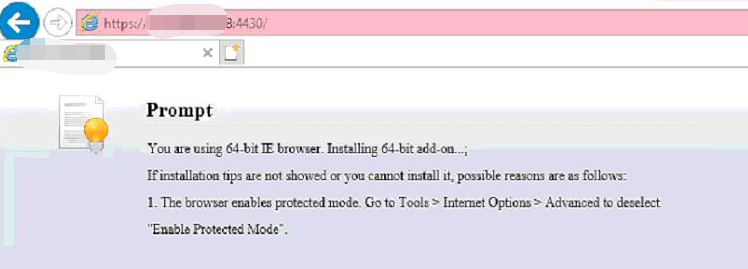
When using the Internet Explorer browser access to the SSL VPN login page, it prompt You are using 64-bit IE brower. Installing 64-bit add-on.
Handling Process
- Try to use another PC access to the SSL VPN login page, result is normal. This indicates that the SSL VPN service on the NGAF device is normal, this issue may be related to a specific PC.
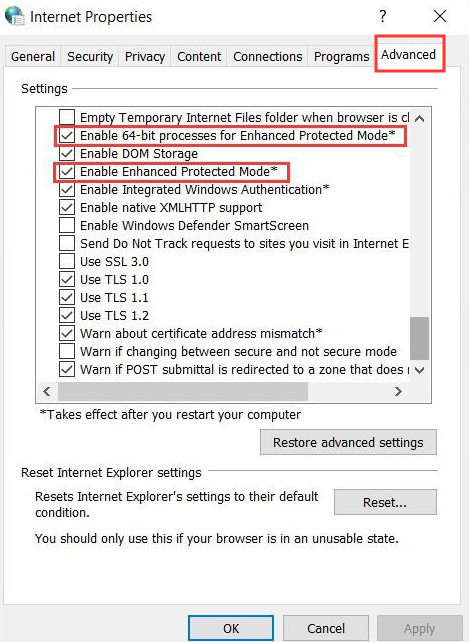
- Open IE browser, go to Tools > Internet Options > Advnaced select Enable 64-bit process for Enhanced Protected Mode and Enable Enhanced Protected Mode.
Root Cause
SSL VPN controls are using 32-bit programs, but the IE browser settings prohibit enable 32-bit programs.
Solution
Open IE browser, go to Tools > Internet Options > Advnaced deselect Enable 64-bit process for Enhanced Protected Mode and Enable Enhanced Protected Mode.