【NGAF】Traffic being blocked because of DoS attack
Issue Description
Customer’s PC block by NGAF due to DDoS attack. Customer already formatted the PC in order to make sure it is clean but still being blocked.
Handling Process
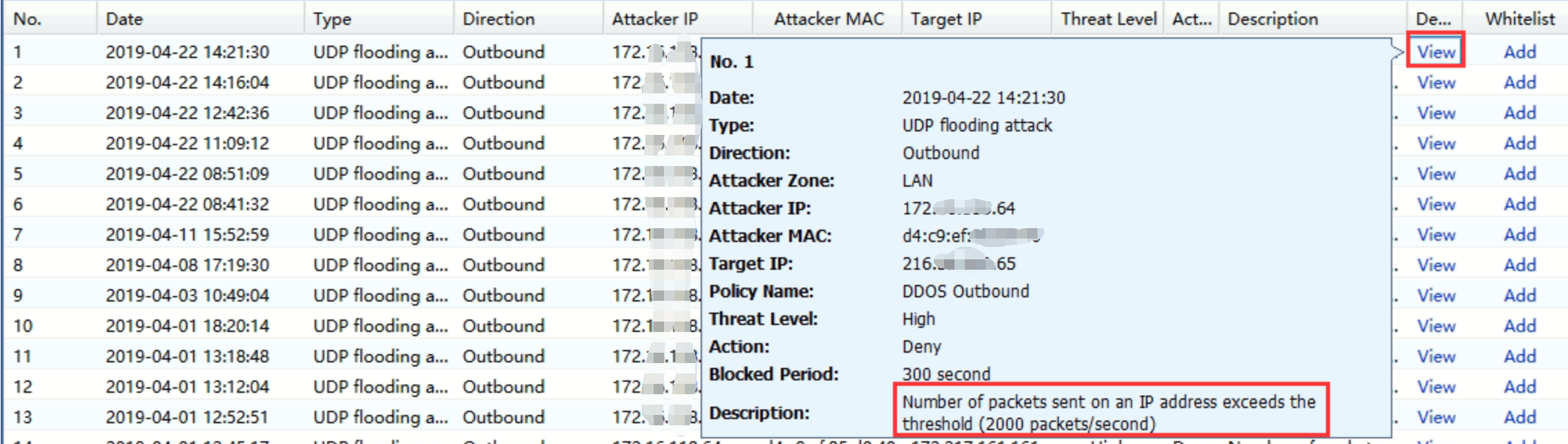
- Go to Report center, check the DoS Attack log.
- Found that the IP has been blocked because of number packets exceeds the thershold of UDP flooding.
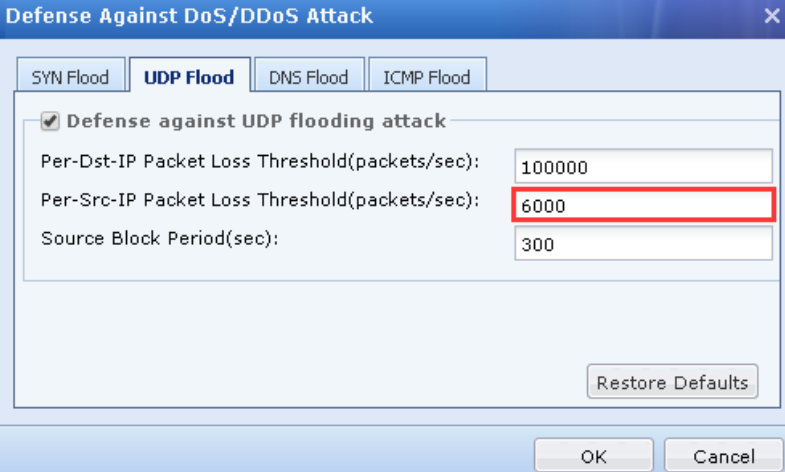
3.Go to Policies > Network Security > Anti-Dos/DDoS, select the outbound policy and change the UDP flooding threshold to 6000 packets/sec on Defense Against DoS/DDoS Attack. - Monitor again and found that the traffic will not detect as UDP flooding.
Root Cause
Intranet users have excessive number of packets, it triggered the Anti-DoS policy and being blocked. Normally file upload traffic will be easily recognized as the UDP flooding.
Solution
Appropriately increase the UDP flooding threshold on outbound of Anti-Dos policy.