
【NGAF】Unable to create Local ACL policy
Issue Description
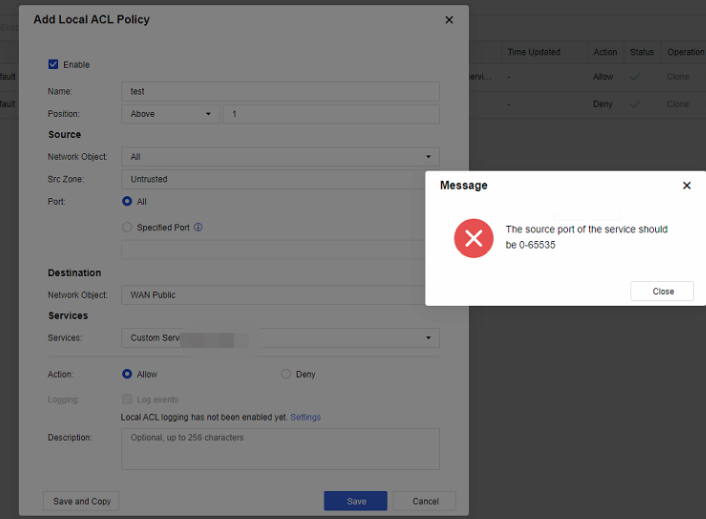
When configure the Local ACL, it show the error "The source port of the service should be 0-65535"
Handling Process
-
Try different browser to perform testing, the result is same.
-
Checked it is a custom service, proceed to check on Service > Custom Service page and check on the configuration.
-
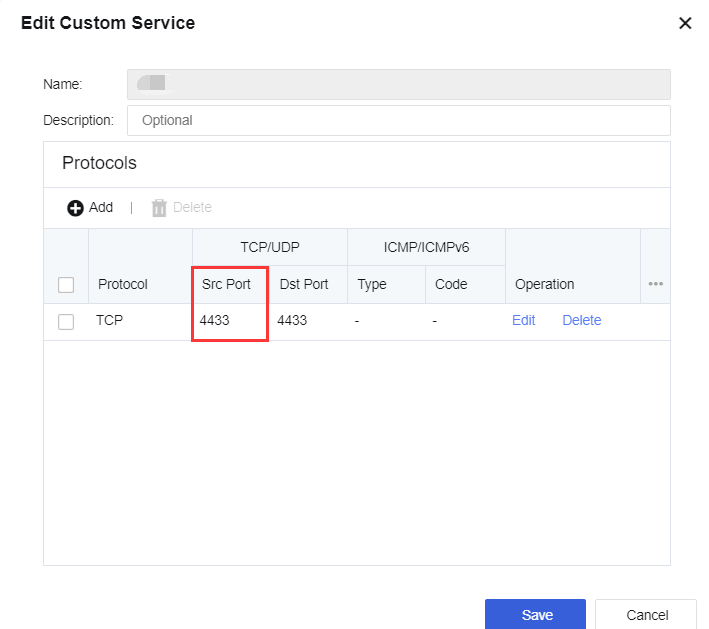
Found the custom service Src Port and Dst Port is set to 4433. In this case if PC use browser perform testing, browser will use random source port to access device’s 4433 port.
Root Cause
There is an error with the custom service configuration, the Src Port is misconfigured and causing the issue.
Solution
-
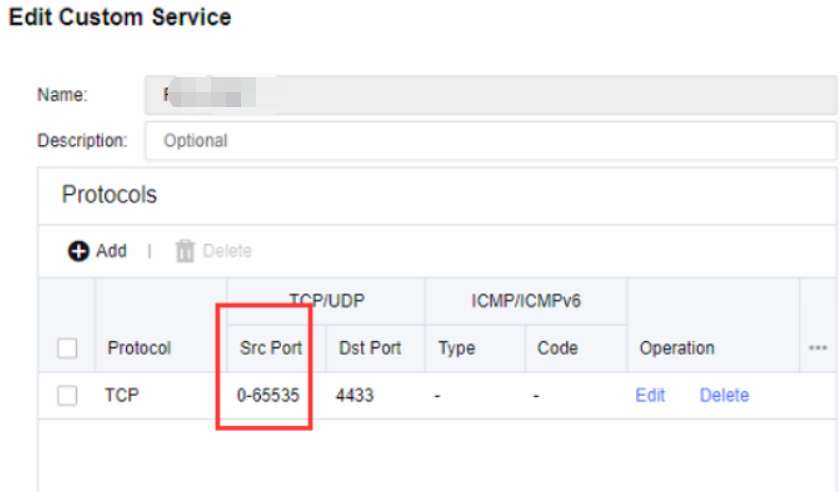
The custom service Src Port is set to 0-65535, and the Dst Port remains 4433.
-
After saving, the policy is able to match.