【NGAF】Unable to ping PC on different VLAN
Issue Description
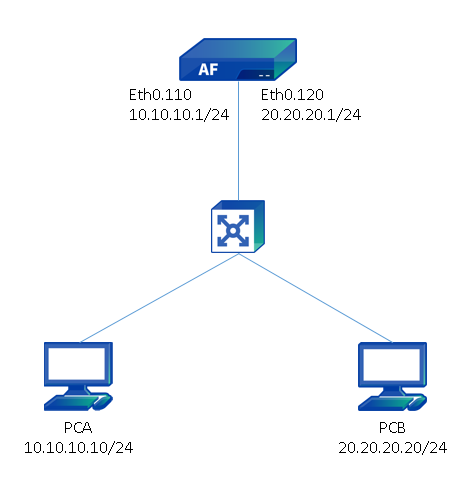
PC A (Vlan110) cannot ping to PC B (Vlan120), PC B(Vlan120) cannot ping to PC A(Vlan110), PC A and PC B can ping to 8.8.8.8 and gateway.
Handling Process
- Go to Network > Interface check the sub-interface configuration, the configuration correct.

- Go to System > Troubleshooting, enable troubleshooting bypass, found that the packet was rejected because it matches a Application Control Policy.

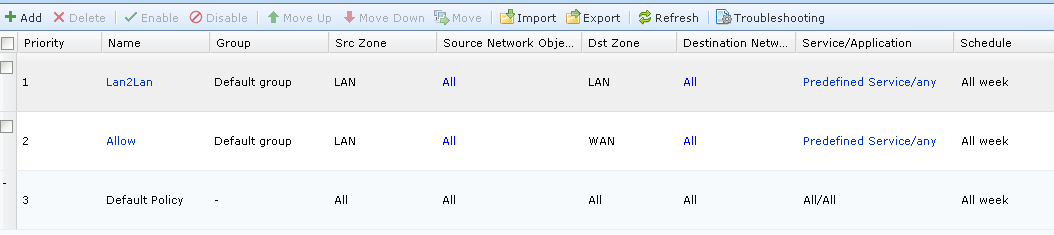
- Go to Policies > Access Control check on the application control policy. Found that the application only allows connection from Lan to Wan, therefore Lan to Lan connection will be dropped by NGAF.

Root Cause
The inbound traffic was on Lan, the outbound traffic was also on Lan, therefore it needs to create a allow policy from Lan to Lan.
Solution
Go to Policies > Access Control create a Lan to Lan allow policy.