【NGAF】Video Conference didn’t Show Image
Issue Description
NGAF deployed as route mode. The video conference unreachable and didn’t show image.
Handling Process
- Get confirmation from video server vendor that they have their own NAT function. (or alg application layer gateway).
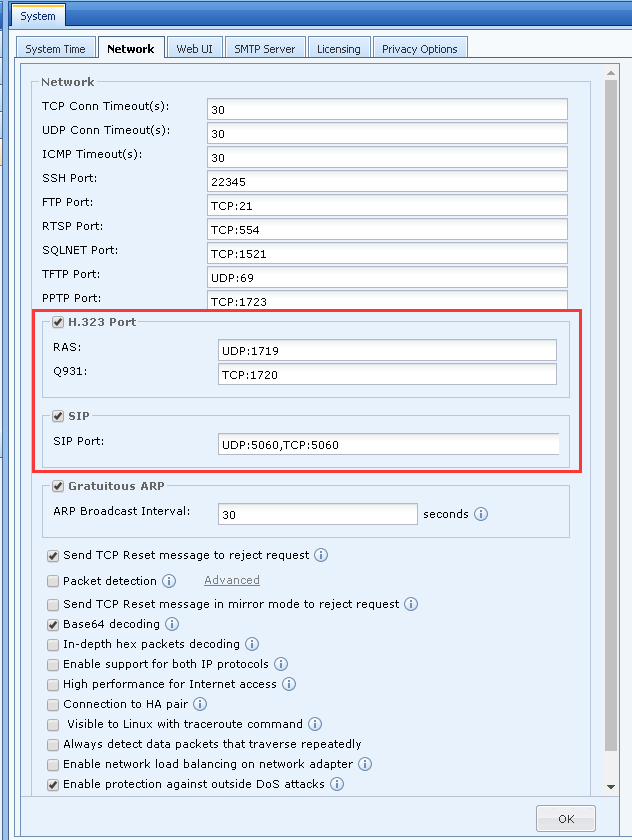
- Disconnect the video conference first, then disable the H.323 port and SIP port, then click OK to save the configuration. After saving the configuration, you need to wait for 5 minutes for the session to be disconnected before you can perform a new test.
- Then, connect the video conference and find that the communication is normal.
Root Cause
The video conferencing server or terminal had enable ALG function and AF does not require to enable ALG conversion.
Solution
When configuring a video conference, if the video conference server or terminal performs the ALG function, you do not need AF to perform ALG conversion. Require to disable SIP and H.323 port.
Path: System -> System -> Network.