【NGAF】Windows unable to get Virtual IP
Issue Description
User has connected to SSL VPN on Sangfor NGAF and unable to get a Virtual IP.
Test the same user account on different PC and able to get virtual IP.
Error/Warning Information
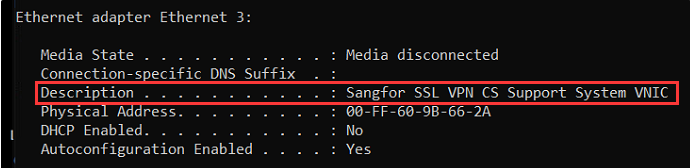
ipconfig /all does not have the following network adapter.
Handling Process
- Remove/disable any antivirus tools.
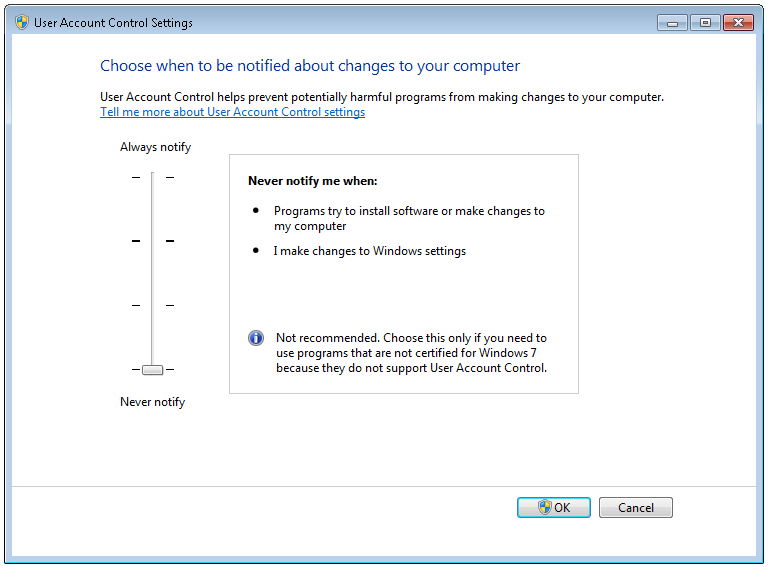
- Login using administrator account and lower windows UAC
- Download Sangfor VPN Helper tools and perform scanning, unable to fix network adapter issue.
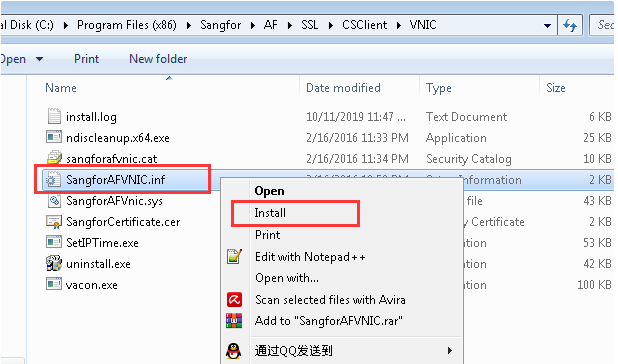
- Manually install the Sangfor Network Adapter drivers on the windows.
Root Cause
PC software issue. May have some security software that blocks the operation and cause abnormality.
Solution
1.Manually install Sangfor Network Adapter on windows.
https://drive.google.com/file/d/14Kk14sfV1UMi4jW2DoXedlOjsb4guVnY/view?usp=sharing