
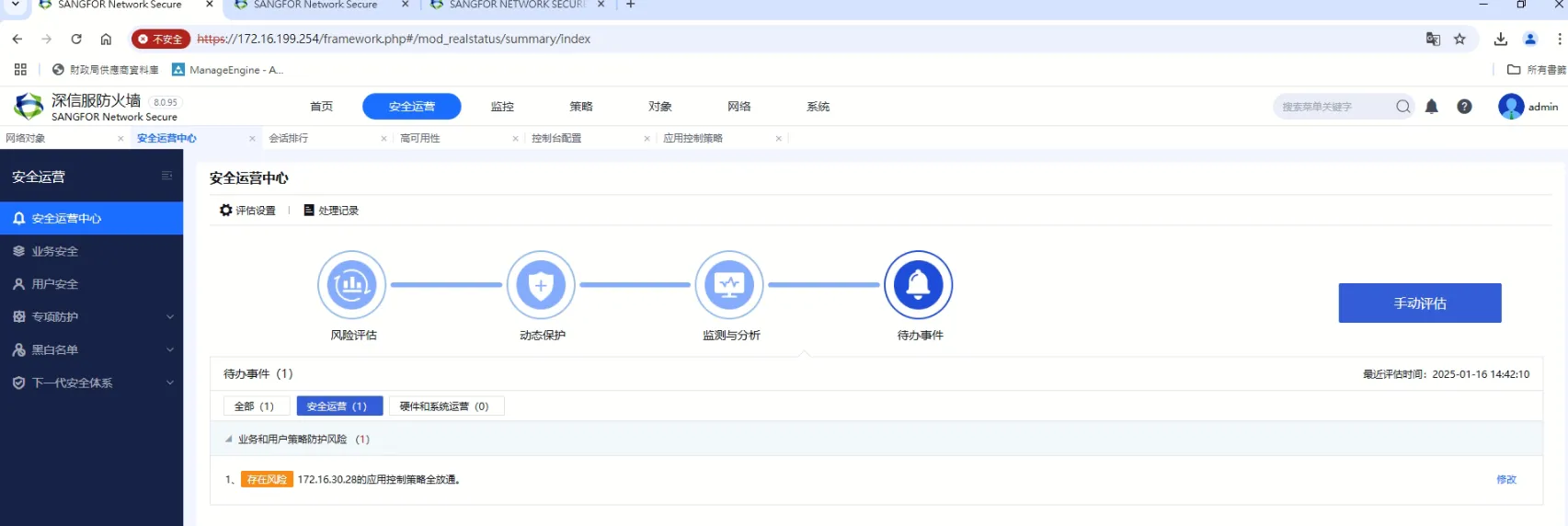
【NSF】Security operations shows that a single IP is fully allowed in the application control policy.
Issue Description
From the Security Operation under the SOC module found the alert that a private IP matched with allow all application control policy.
Error/Warning Logs
Handling Process
- Indentify the Applicaton Control that allow all traffic for IP as specific.
- Confirm whether the policy including other IP segment as well.
- Verify if the IP belong to the Server Discovery (Objects > Network Objects > Server Discovery)
- Verify if the IP is configured as Business Assets Address or User IP Address.

Root cause
When the IP is identify as Server, Business Assets Address and User IP address being allows all access in Application Control Policy will be identify that risky configuration.
Solution
- May remove the IP from Server, Business Assets Address and User IP address.
- May Adjust the Application Control Policy which not allows IP to access All destination.