
SSL VPN Cannot Install Client Control
Issue Description
When user trying to login to SSL VPN for the first time, they need to install the Client Control, but after they install IE still ask user to install it again.
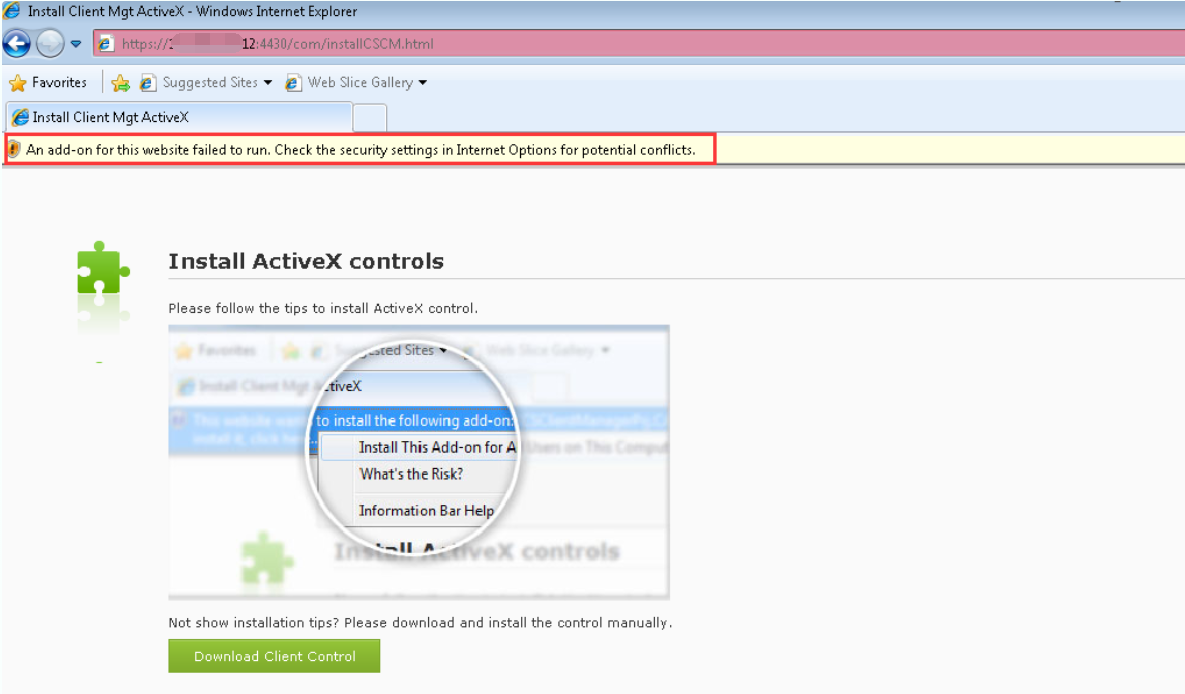
Handling Process
- Logout then try re-login again, make sure the Client Control installed.
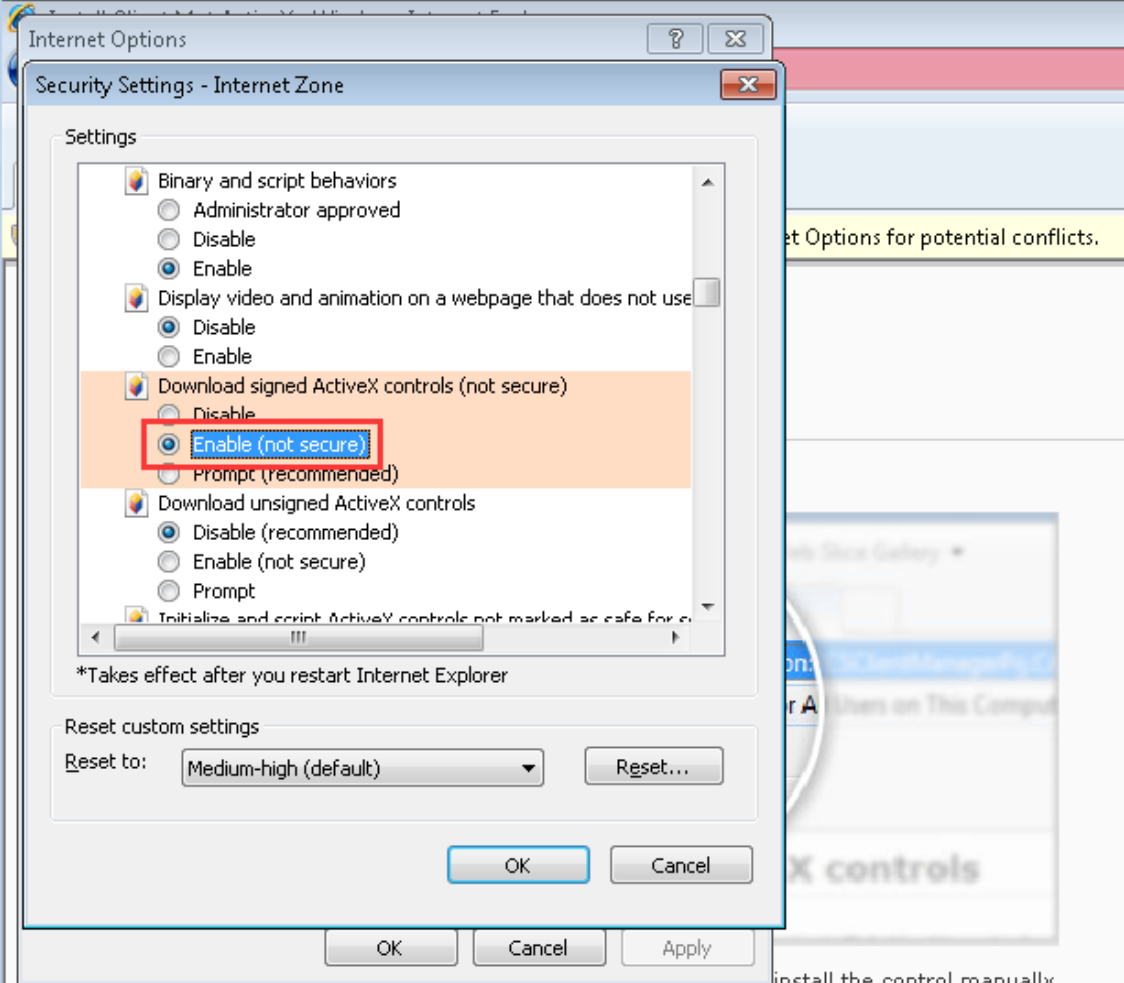
- Check on the security setting on Internet, found that the Download signed ActiveX controls is Disable and change it to Enable.
Root Cause
Because of the Download Signed ActiveX Control in Internet Options is Disabled, so IE cannot install the ActiveX control and cause the IE request to install it again.
Solution
Change the Download signed ActiveX controls in Internet Options to Enable.