
How to configure EDR integrate Omnipoint Secure
Requirement
Client want to install the Omnipoint Secure Client without manually download & install.
Condition: Endpoint already has EDR installed / is planned to have EDR installed together with the Omnipoint Secure Client.
Configuration Steps
SASE side configuration
- Obtain download URL from the SASE platform.
In this example, we will show you how to obtain the download link if EPP is already installed.
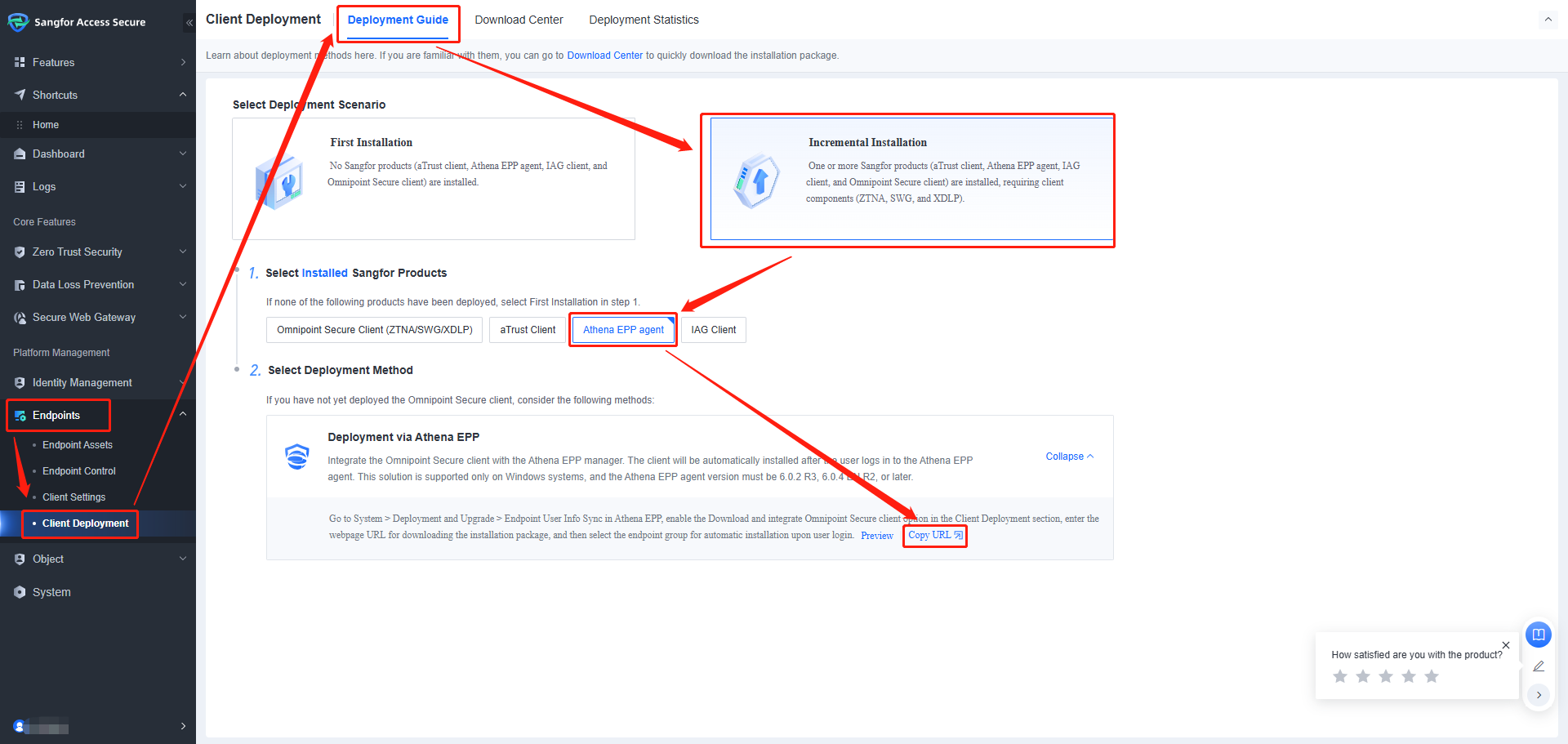
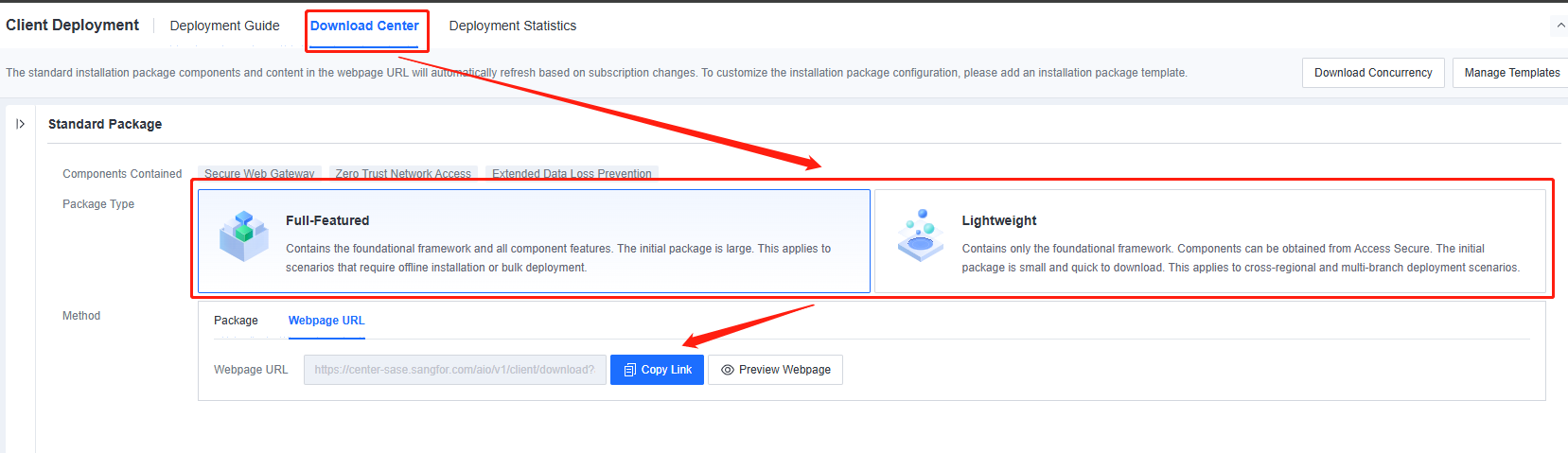
You may choose either Full-Featured or Lightweight, depending on your requirements. - After copying the URL, proceed to Step 1 of the EPP side configuration.
EPP side configuration
-
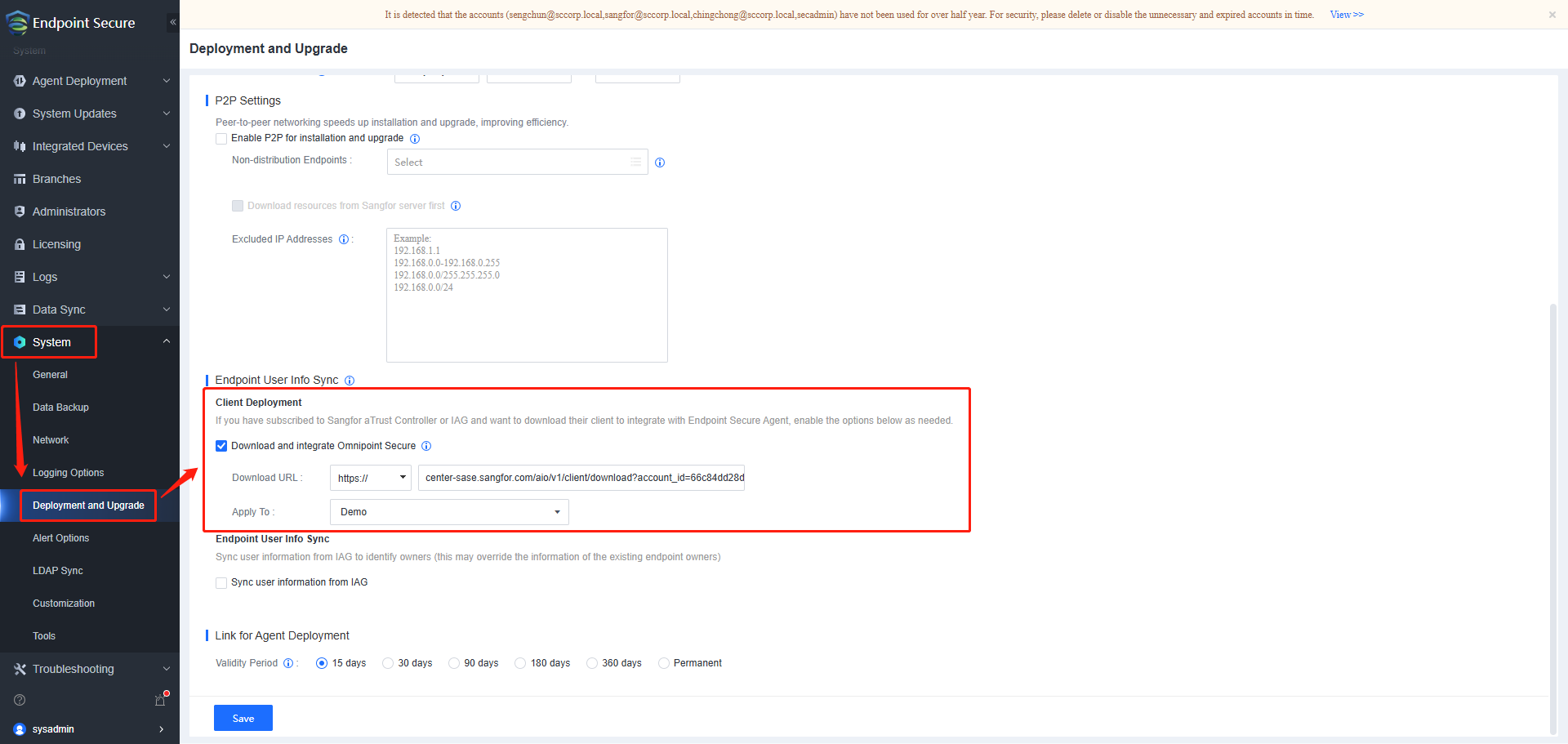
Navigate to System – Deployment and Upgrade – Endpoint User Info Sync (Client Deployment)
-
Paste the copied URL into the Download Link field and select the group of endpoints where the Omnipoint Secure Client will be installed and click "save".
Result
Based on the configuration, all existing and new endpoints in the group named Demo will have the Omnipoint Secure Client installed silently in the background.