
【SCP】Backup Copy Configuration Guide_V6.7.3
Introduction
Backup Copy Policy provides backup replication policy services for a virtual machine and regularly replicates backups. It allows the backups have copies on multiple storages to meet the data security requirements of some customers for industries such as finance, manufacturing, government departments, and high-end customers in the education industry have mandatory requirements for data security. It is required that data must be stored in three different locations: local, one local to other clusters/remote locations, and external storage. At the same time, it is necessary to support the storage method of external storage devices.
Note:
The source and destination storage of backup replication cannot be the same.
Configure Backup Copy Policy
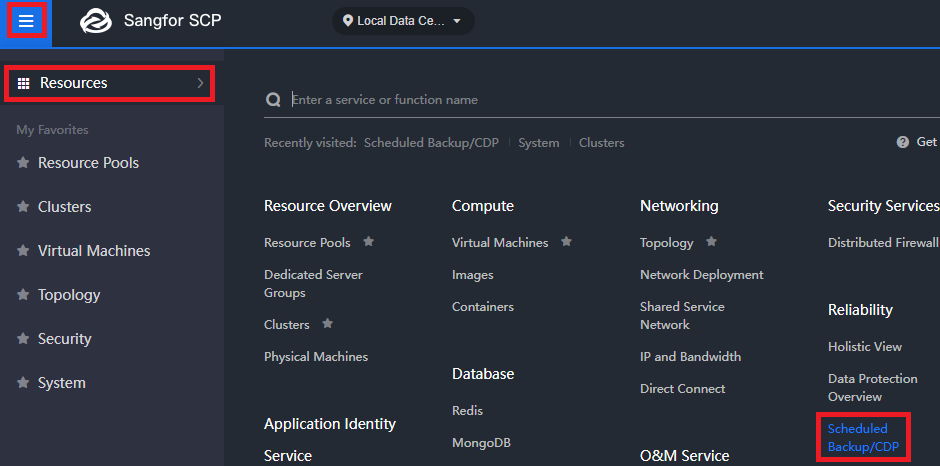
- Go to Menu Under Resources > Scheduled Backup/CDP > Backup Copy Policy > New to create the Backup Copy policy.
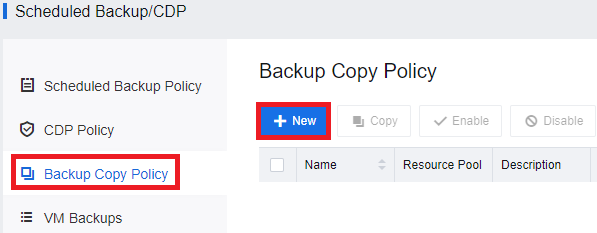
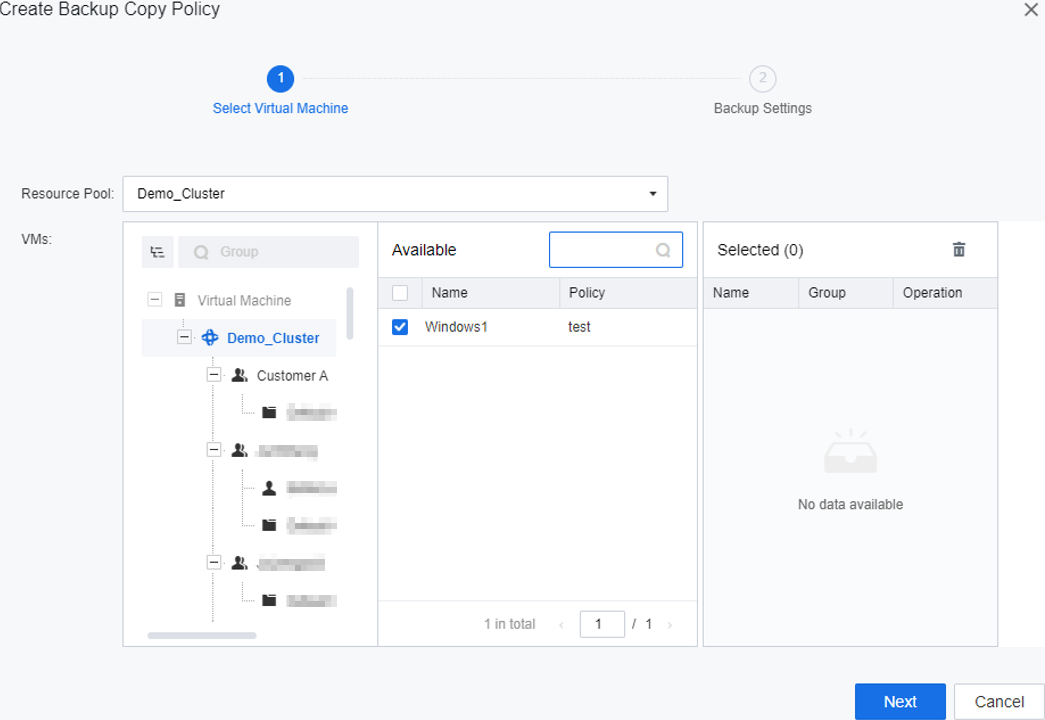
- Select the Resource Pool, select the Virtual Machine that needs to be configured, and click the Next button.
-
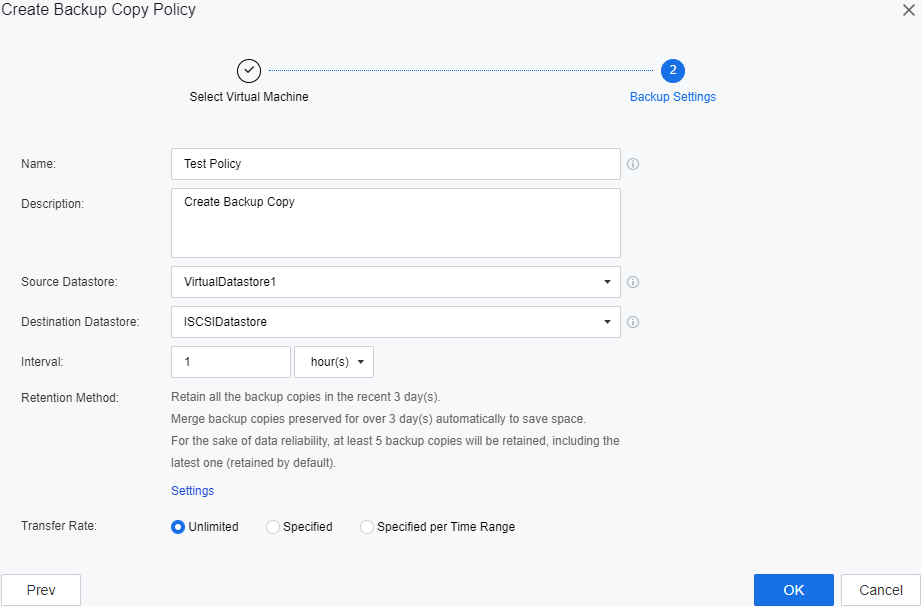
Configure the following for the policy:
a) First, select the Source Datastore (the source datastore of the original backup for the virtual machine).
b) Next, select the Destination Datastore (the new destination that the backup file will copy to).
c) Next, configure the Interval (How long will the Policy trigger to copy the backup file).
- Retention Method:
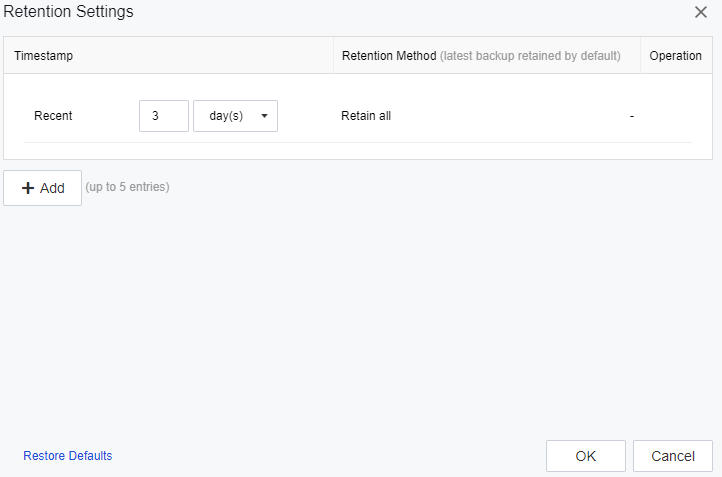
- You can manually set the backup retention mode, click the Settings button, and support setting the backup replication cycle by day, week, month, and year. You can click the Add button to set maximum 5-time plan. If multiple time plans are added, the last backup within the time plan will be retained by default.

-
Select whether to limit the data Transfer Rate according to the actual needs and click the OK button after the setting is complete.
-
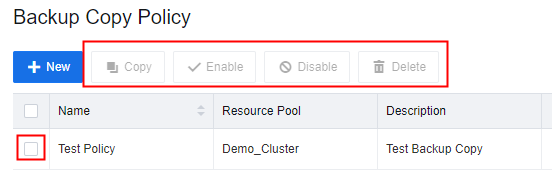
When the configured policy is selected, you can click the following button:
-
Copy: Click to trigger the policy and copy the backup immediately for the selected policy.
-
Enable: Click to enable the selected policy.
-
Disable: Click to disable the selected policy.
-
Delete: Click to delete the selected policy.
Prerequisites
- You will need to have a normal backup and new storage available for the backup repository to configure the Backup Copy policy.
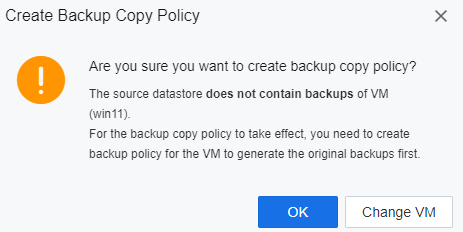
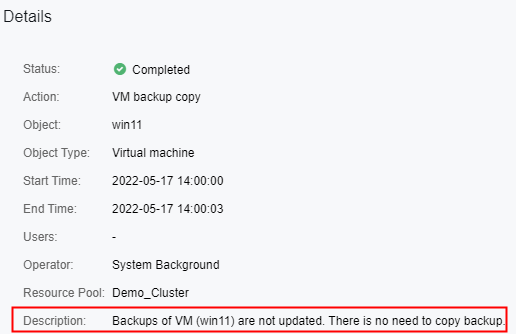
- If SCP detects this VM doesn’t have any backup, it will not copy the backup to the destination datastore, but the policy will still trigger and show Backups of VM (win11) are not updated. There is no need to copy backup, as shown below.
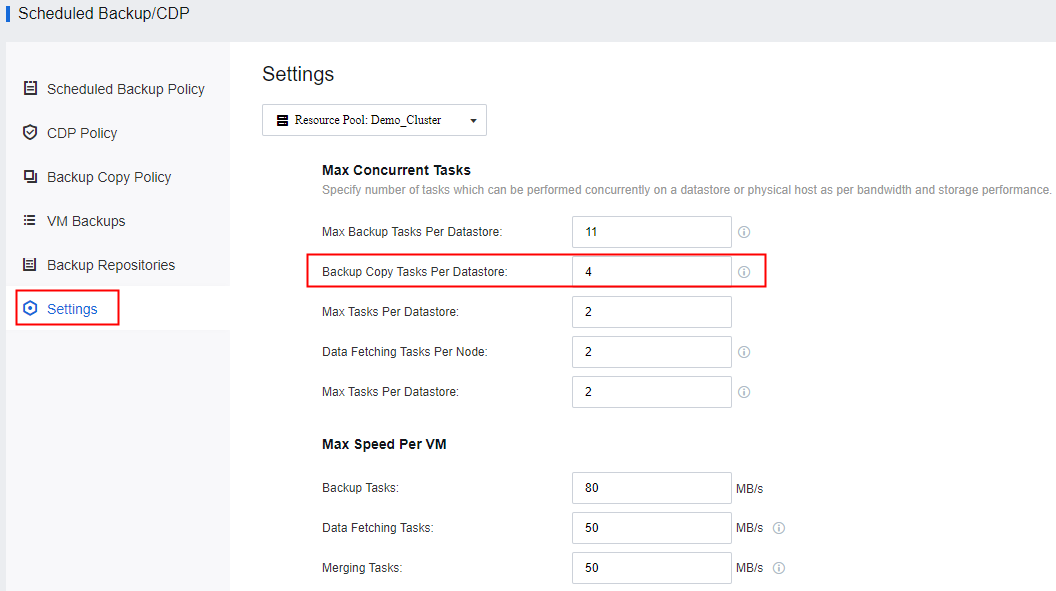
- You also can configure the maximum concurrent Backup Copy Task Per Datastore.
Note:
When you configure the Policy Interval as 1 hour, it will trigger every hour at xx:00. For example, when you configure this policy at 09:30, the backup copy task will trigger at 10:00, and it will trigger at 10:00, 11:00, 12:00, etc.