
【aCloud】 Virtual network device vAF Licensing prompts “Not Licensing (resource mismatch)”
Problem Description
Virtual network device vAF Licensing prompts "Not Licensing (resource mismatch)"

323015cb60700c3583.png (62.08 KB)
Process——
- Check that the Licensed Resources of the vAF virtual component are sufficient;
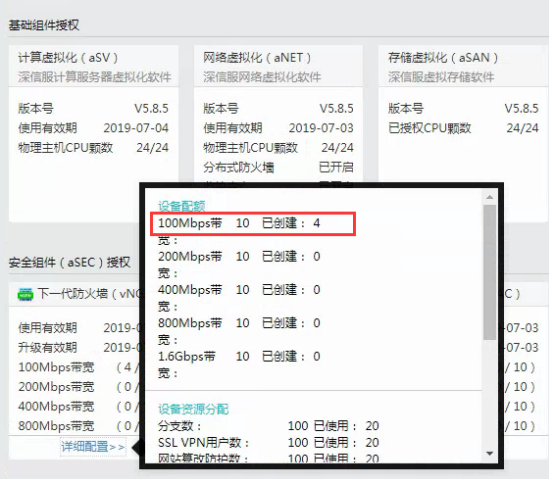
194105cb6067c82919.png (249.72 KB) - Open the vAF console and confirm that Licensed;
- Compare the vAF version 6.9R4 that prompts the abnormal authorization and the vAF version 7.1.R3 that has normal Licensing;
- Confirm that the vAFs in the platform are upgraded from 5.8R3 to 6.9R4 or 7.1R3.
solution
- Confirm that vAF is version 5.8R3 and can only be upgraded to 7.1R3;

508305cb608270efd7.png (12 KB) - The 6.9R4 version of vAF cannot be directly upgraded to 7.1R3. Redeploy vAF and import the configuration into the newly deployed vAF.
- Check that vAF Licensing is normal.
Original Link
https://support.sangfor.com.cn/cases/list?product_id=36&type=1&category_id=19463&isOpen=true