
【aCMP】Elastic IP Troubleshooting
Issue Description
After configured Elastic IP in the correct way and still not able to access internet and ping default gateway from the VM.
Handling Process
In this case, this is an tenant VM that using VPC and tenant user Subnet are 192.168.100.0/27 and Elastic IP are 10.100.100.25.
- Check on the particular VM Network configuration.
- In this case user using third party platform. (ezMaster)
https://www.engeniustech.com/wp-content/uploads/2017/10/ezMaster_UM_151106.pdf - Found out user configured Public IP as VM local IP that is incorrect, VPC must be using VPC subnet IP which is under 192.168.100.0/27.
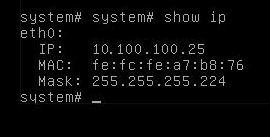
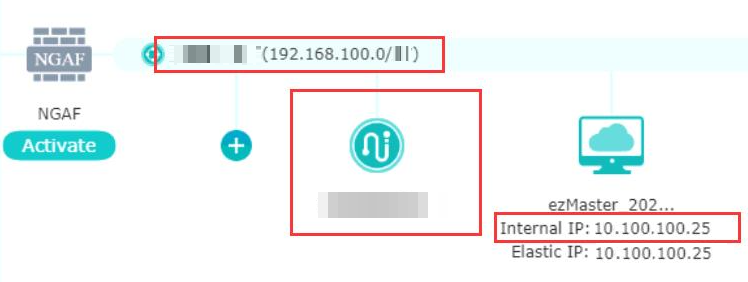
- Change the Public IP for this VM to local IP.
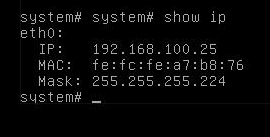
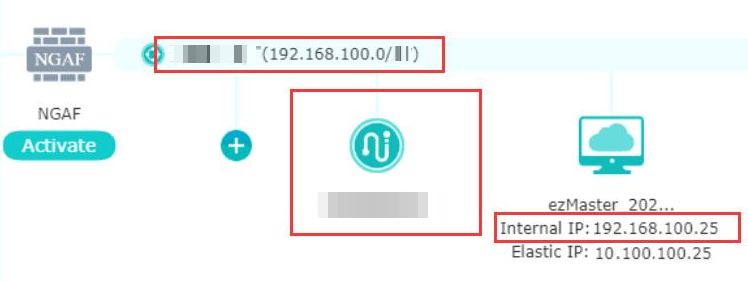
Command: config ip eth 0 192.168.100.25 255.255.255.224
After change Public IP to local IP you will able access to internet.
Root Cause
User configured Public IP as VM local IP that is incorrect, VPC must be using VPC subnet IP which is under 192.168.100.0/27.
For VM under VPC, it will access to internet using EIP either assigned to Router or VM itself. The EIP should not be configured as VM IP locally.
Solution
Change Tenant VM local IP to an available local IP.