
【aCMP】The directory structure on HCI and acmp is inconsistent with acloud
Problem Description
The directory structure on acmp is inconsistent with that on acloud.
Warning Information
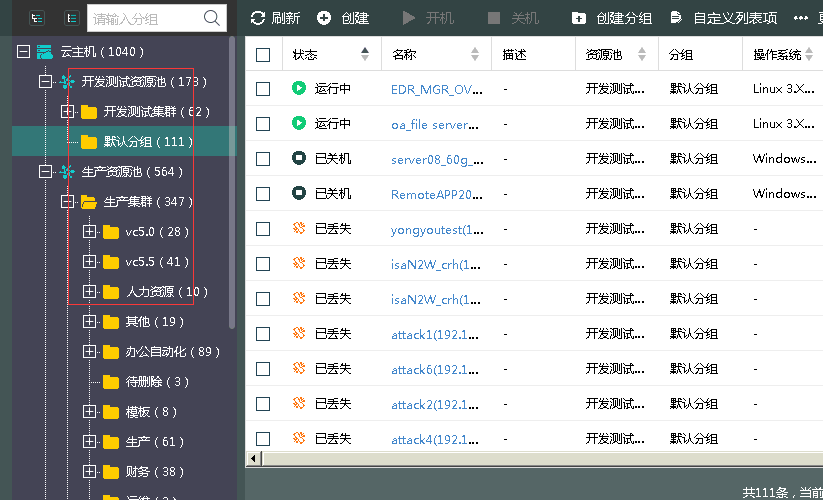
490025e9685a7657fb.png (43.51 KB)
solution
ps: You need to confirm that the Organization and Disaster Recovery plan are not in use.
- Confirm the Organization and Disaster Recovery plan that are not in use.
- In [Products and Services] – [Resource Pool] – [Delete], select the acloud Resource Pool that needs to be synchronized and delete it.
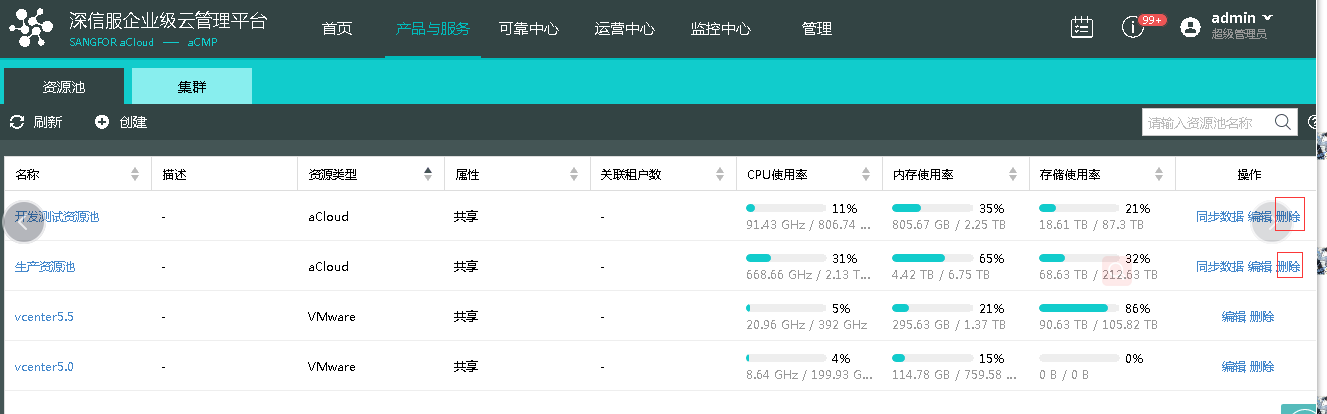
435595e968697be33e.png (43.85 KB) - In [Management] – [System Configuration] – [Cluster Licensing Overview] – select the corresponding Cluster for re-Licensing.
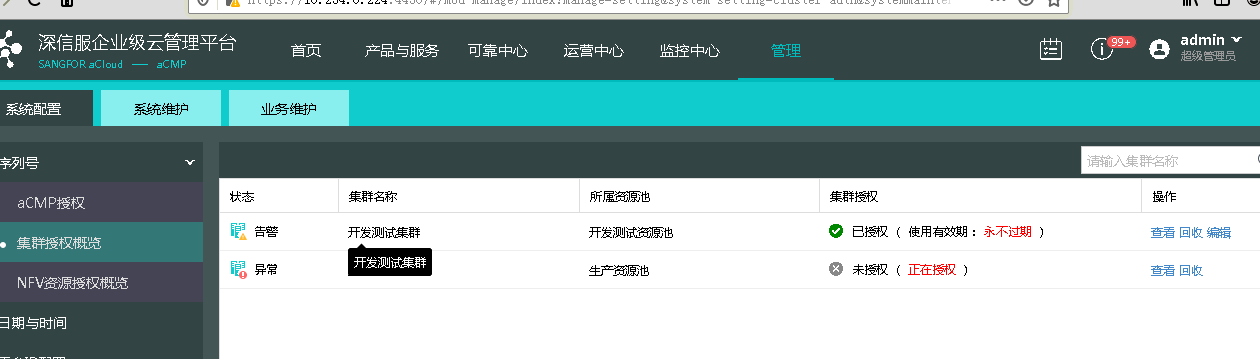
344295e9687a68d0a3.png (30.3 KB)
Suggestions and Conclusion
The directory is synchronized only when adding Cluster.
Original Link
https://support.sangfor.com.cn/cases/list?product_id=36&type=1&category_id=19470&isOpen=true