
【SCP】DMP Virtual Machine residual cleaning solution
Problem Description
Customer environments vary. A DMP platform may be built today, but the customer may delete DMP tomorrow. Then, there are many different ways for customers to delete DMP. Generally, Medium will be no problems if the advanced service in SCP are shut down. However, some customers may have peculiar ideas and think that it is faster to delete DMP in HCI, so they directly delete the VM of the DMP platform on HCI. The direct consequence is that a lot of DMP VM and loads are left. They only belong to the DMP platform and cannot be deleted on SCP and HCI. There is no way to operate the page. Some customers do not want to see the remaining resources, so we need to help delete them.
Effective troubleshooting steps
Confirm that the Virtual Machine left by DMP is easy to identify. The one on SCP is this Virtual Machine. It is likely to look like this. The SCP page is grayed out when you delete it. It cannot be deleted normally.
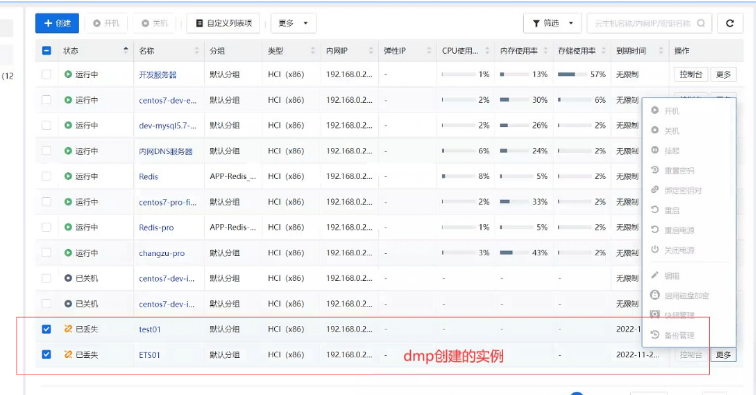
solution
Of course, if you cannot identify which VM are created by dmp on the page, and the number of Virtual Machine is large, you can only enter the SCP background Databases to query. The method to enter the background mysql is:
cr=$(crudini –get /sf/cfg/envpasswd.conf mysql platform_manage);pwd=$(python /sf/bin/encryption_tool.py –is_encrypt false –text "${cr}");mysqlx="mysql -uroot -p${pwd}";$mysqlx
After entering the Databases, switch to the apollo Databases
Use apollo
Then query VM table, filter type is dmp_mysql, and delete the field to be 0
select * from instances where type='dmp_mysql' and deleted=0;
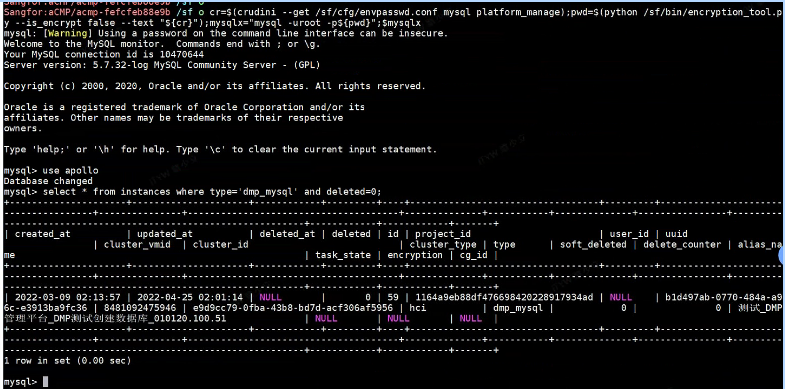
At this point we can find out which specific device was created on dmp, and then go to the Virtual Machine list page to check
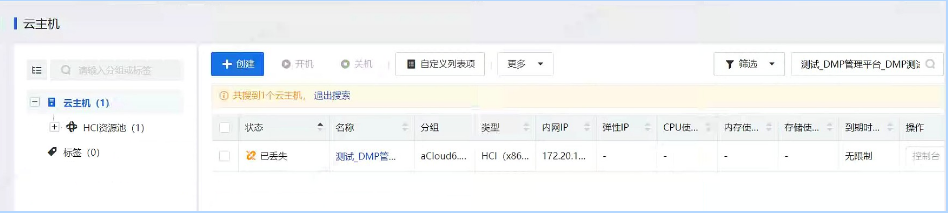
You can see that this device is lost. If it is lost, it means that the customer has deleted it on hci. At this time, you need to remove the record on scp. However, the page will prompt that Databases VM cannot be deleted. At this time, you need to update the background Databases field to operate. 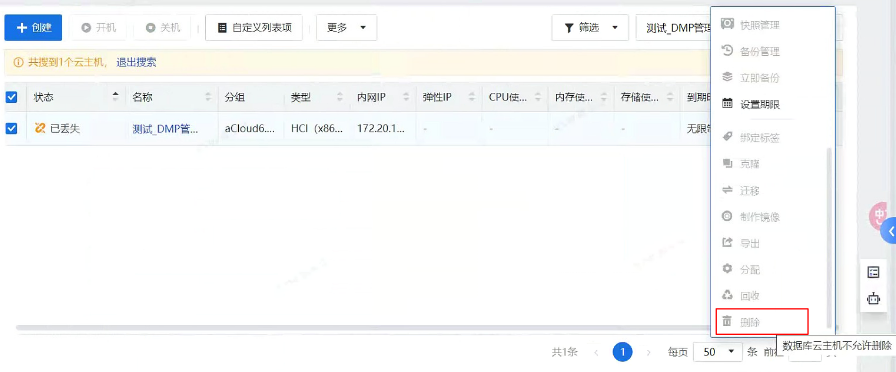
On the Virtual Machine list page, click the Virtual Machine name to enter the Virtual Machine details page and obtain the uuid of this device from the url
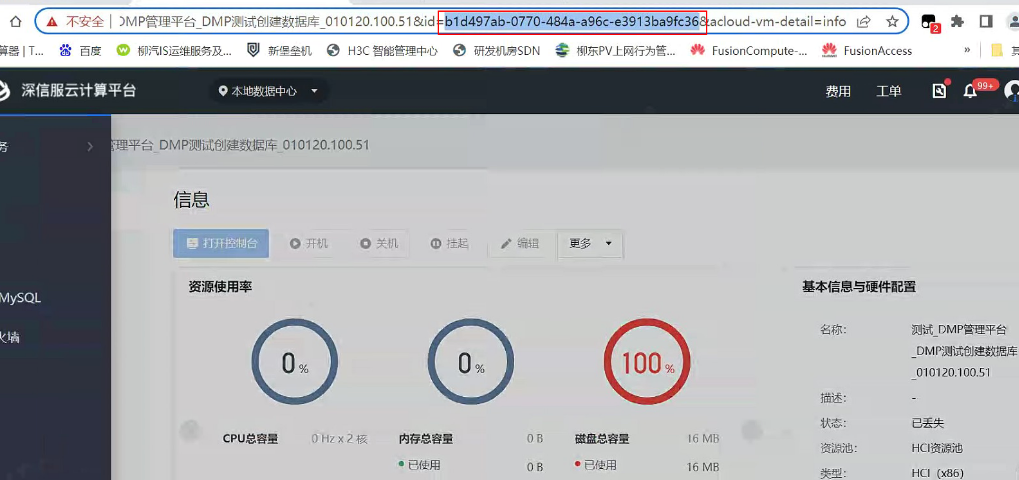
Go back to the SCP backend Databases, or the apollo Databases, and query this Virtual Machine. Because there is only one remaining in the current environment, the virtual machine queried through the uuid is still this VM.
select * from instances where type='dmp_mysql' and uuid='b1d497ab-0770-484a-a96c-e3913ba9fc36';
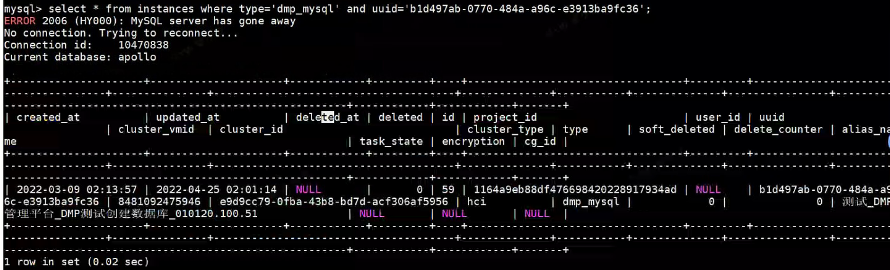
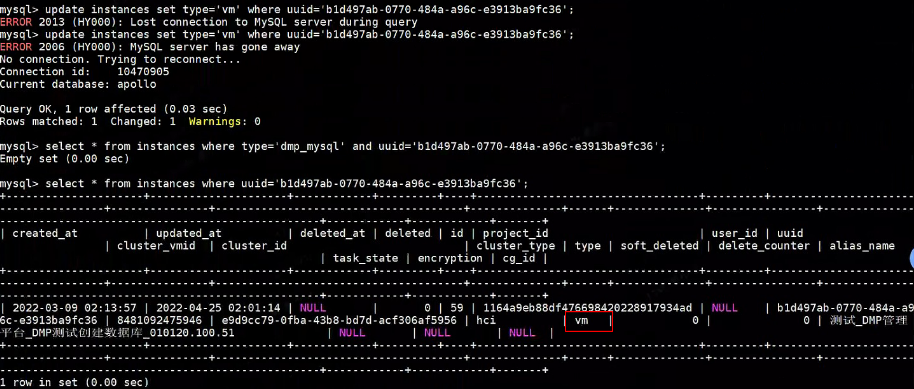
Here we need to update the type of this record to the normal VM type vm, so that this device can be deleted normally on the page. We edit it by uuid, and query again after editing.
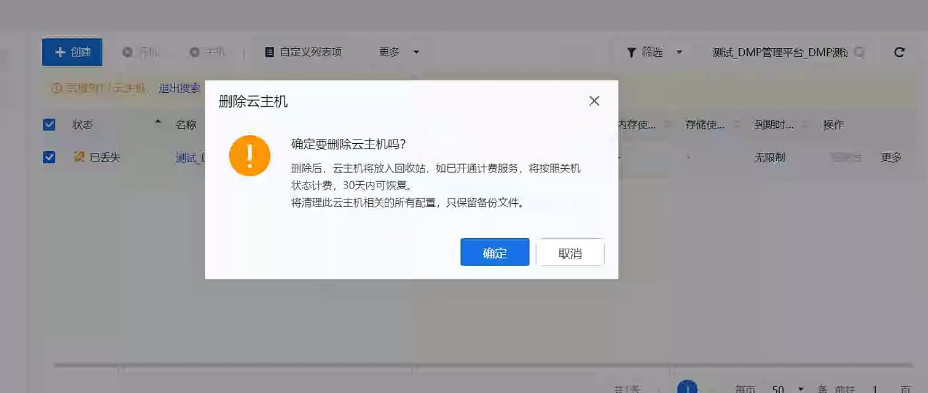
At this time, if you delete it on the page, you will find that it can be deleted normally. Remember to empty the Revoke Bin after deleting.
Original Link
https://support.sangfor.com.cn/cases/list?product_id=36&type=1&category_id=23274&isOpen=true