
【SCP】Email Alert Configuration Workflow
Problem Description
Email alert configuration seems to require only a few fields to be filled in, but many people still don’t know how to configure it. Here I will take QQ mailbox as an example to briefly explain how to fill in each field. 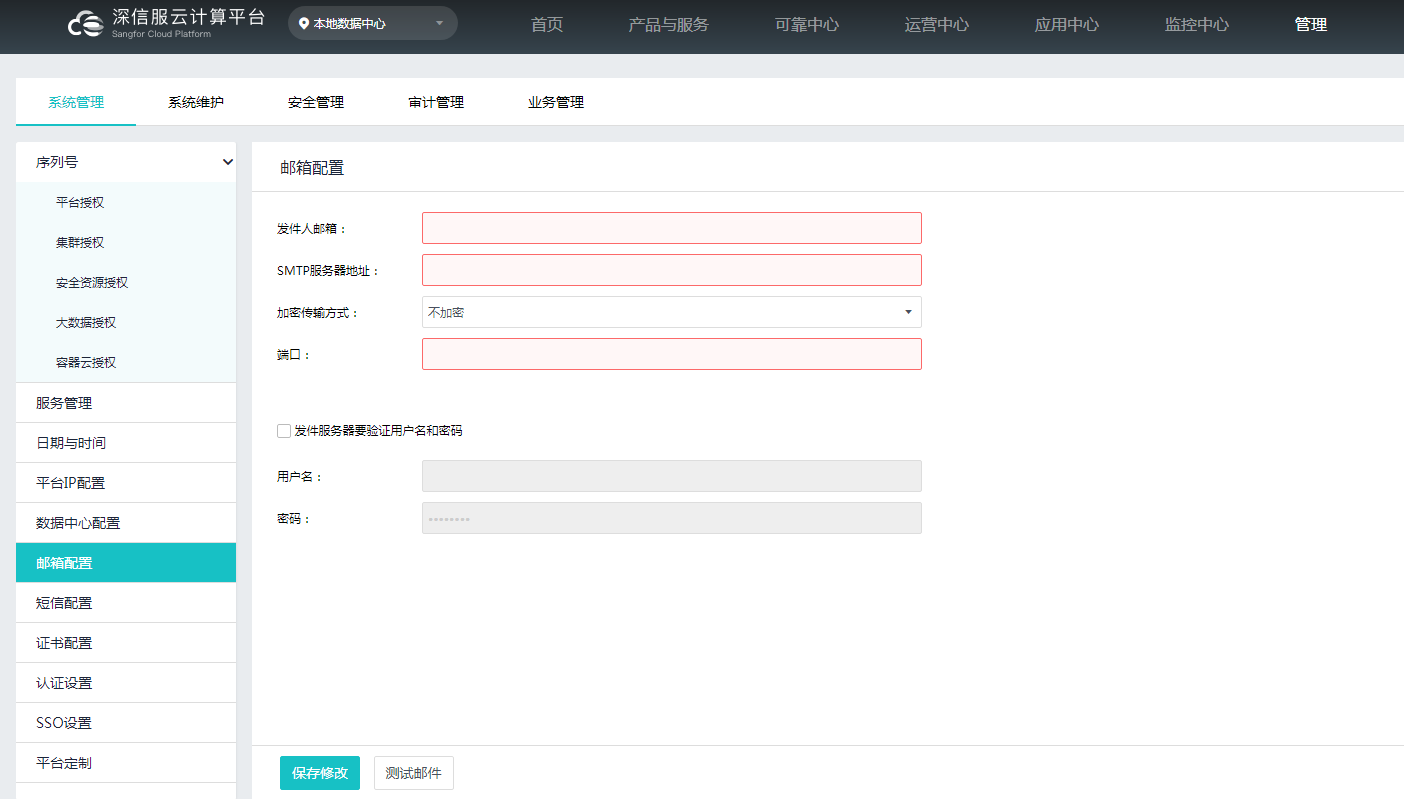
Effective troubleshooting steps
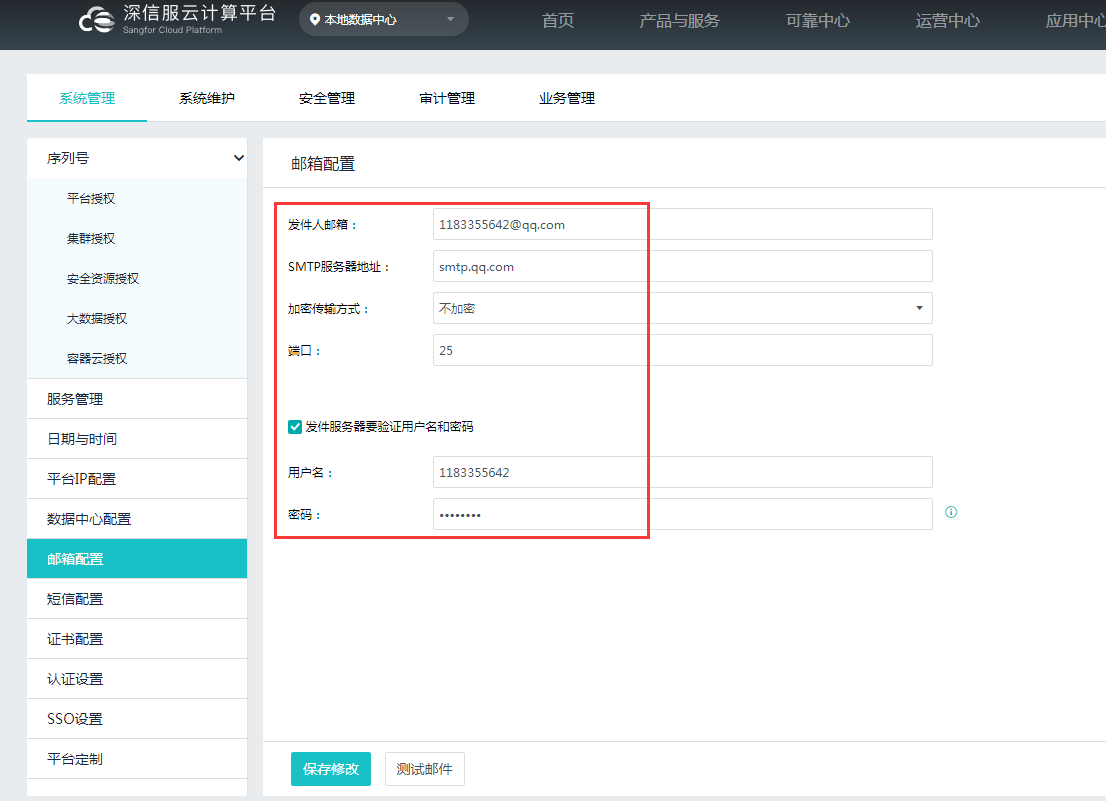
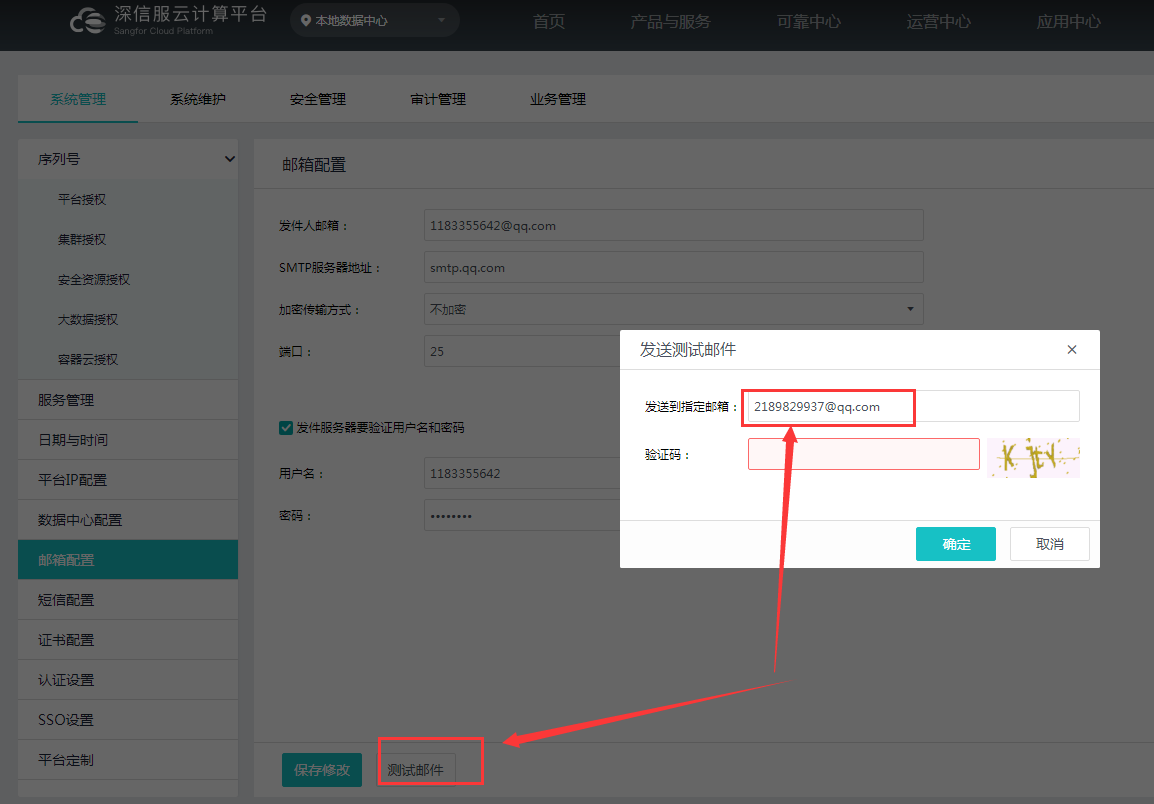
- [Sender's Email]: QQ email address, such as 1183355642@qq.com
- [SMTP server address]: The server of QQ mailbox is: smtp.qq.com
- [Encryption Protocols]: Not encrypted by default
- [Port]: Not encrypted by default, just fill in port 25
- The sending server needs to verify the username and password
【Username】: If you have a QQ email address, just fill in your QQ number, no suffix is required
[Password]: If filling in the email password does not work, you need to fill in the "Authorization Code", you can go to [QQ Mailbox-Settings-Account-Generate Authorization Code]
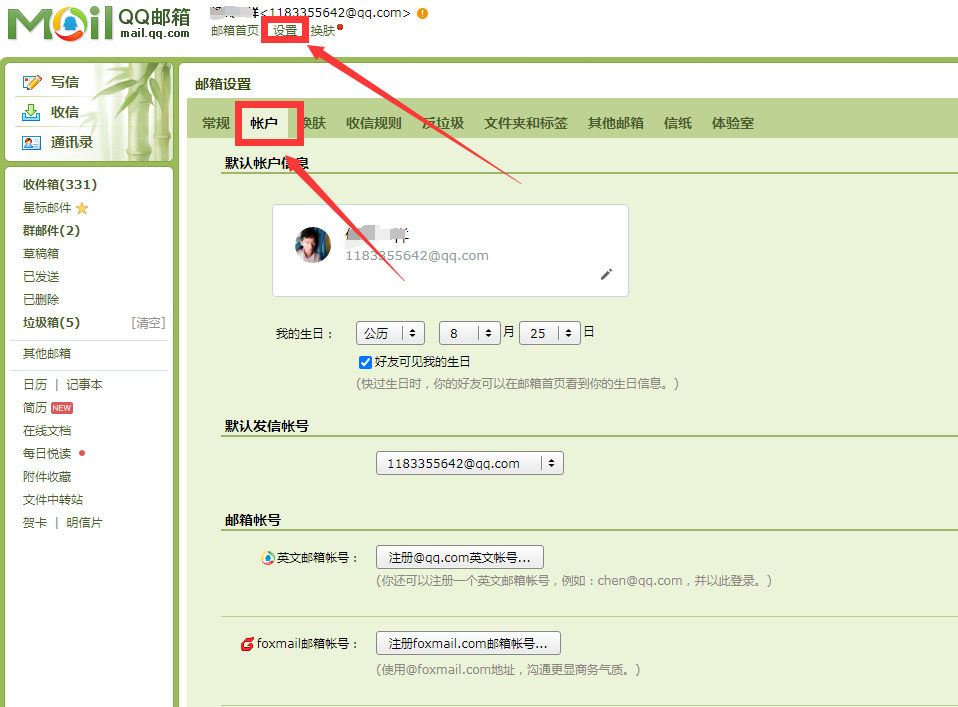
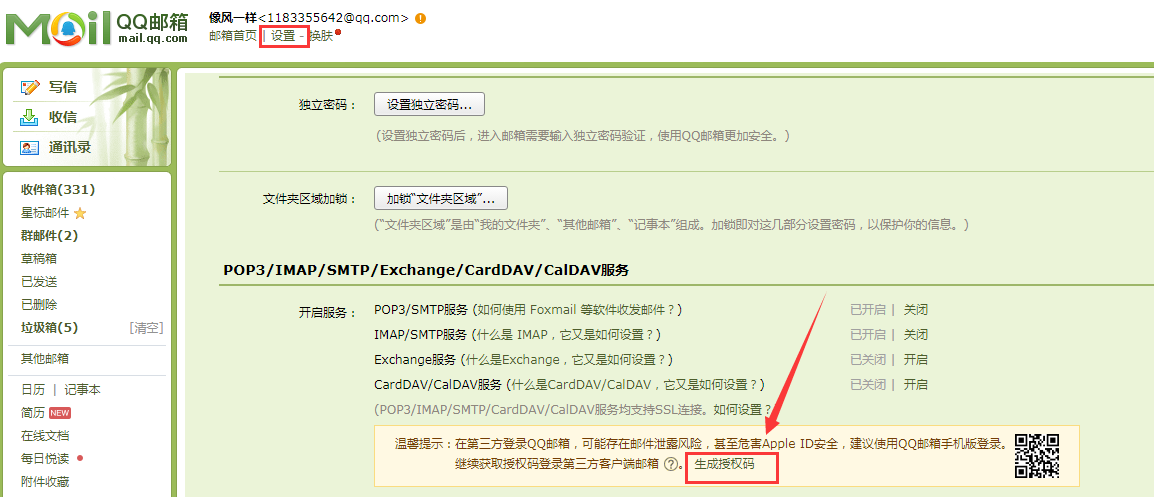
After the configuration is complete, you can send a test email to the target mailbox for verification:
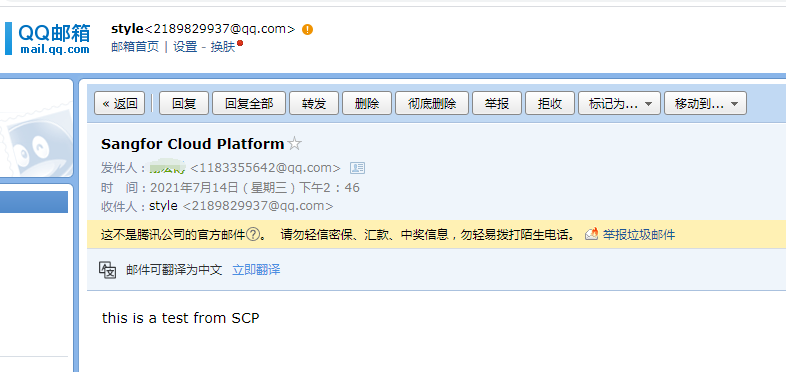
The target mailbox will receive the following test email:
Original Link
https://support.sangfor.com.cn/cases/list?product_id=36&type=1&category_id=19527&isOpen=true