
【SCP】Reset Windows password with old version aCMP
Issue Description
User forgot the virtual machine admin password.
Handling Process
-
Ensure the VM has installed VMtool.
-
Go to aCMP backend, enter below command:
Command : "source /sf/bin/keystonerc_admin"

-
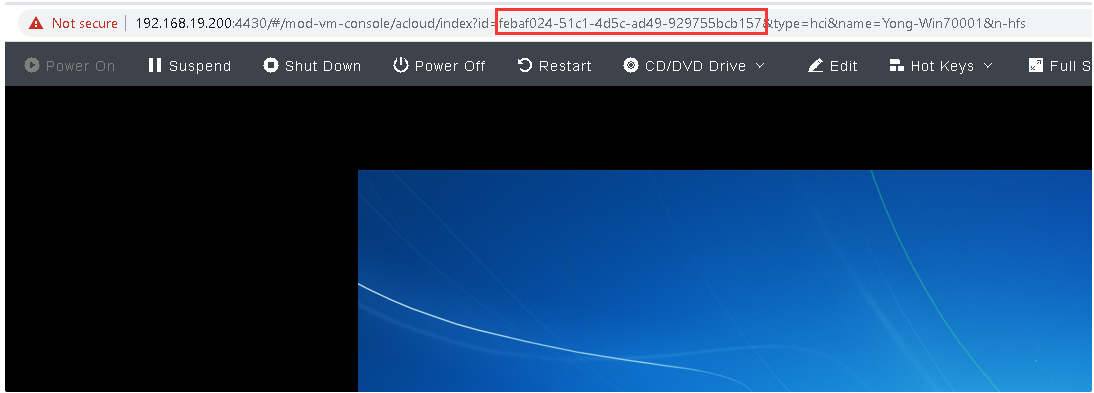
Access the VM using aCMP console, then get the VM UUID.
-
Go to aCMP backend, enter below command:
Command: " apollo server-password-reset –server-id $uuid –password $newpassword "
$uuid = The VM’s UUID
$newpassword = The new passoword of the VM
Result:

-
After enter above command, Try to access the VM using new password. It does not need to restart the VM and aCMP services.
Root Cause
User forgot the VM password.
Solution
- Reset the VM password through aCMP.
- New version support to reset password through Web UI.