
[acmp] Secondary Site Disaster Recovery Recovery” is displayed incorrectly
Problem Description
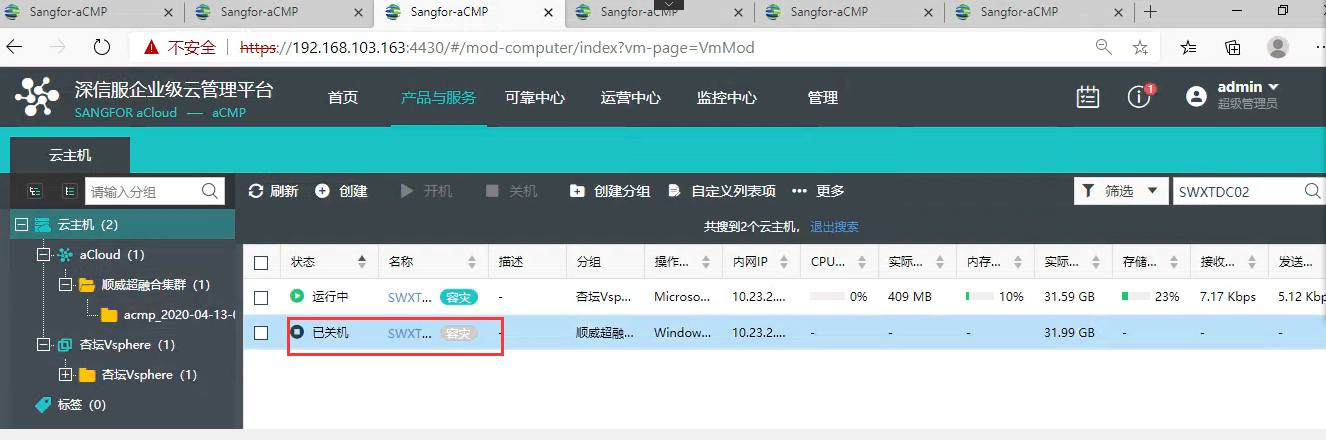
In vmware-hci Disaster Recovery, the Run Location of "Secondary Site Disaster Recovery" is displayed on the "Secondary Site". In fact, the virtual machine runs on the Primary Site vmware, as shown in the figure:
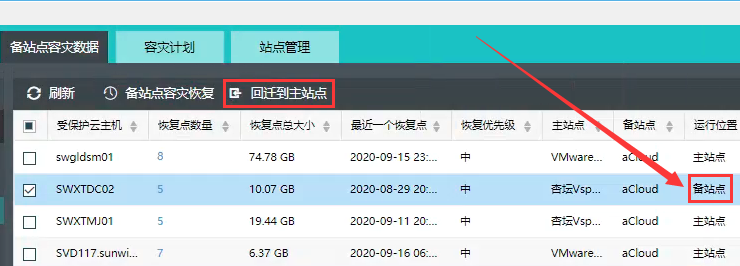
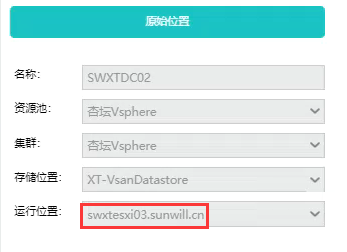
Problem: The platform displays the virtual machine running on Secondary Site, which does not trigger the Disaster Recovery plan and the Disaster Recovery strategy becomes invalid.
Effective troubleshooting steps
- Check the VM of the virtual machine and find that disaster recovery has been done
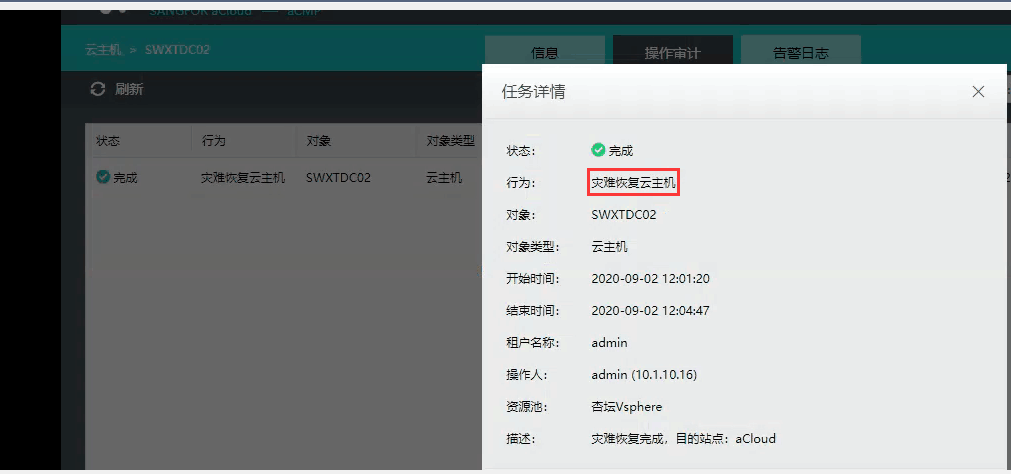
Root cause
After disaster recovery to acloud, the acmp platform updates the Run Location of the VM to the "Secondary Site". The customer later ran the VM on the VMware vCenter by himself. This operation did not cause the ACMP platform to be updated to the "Primary Site".
solution
[High-risk operation] You need to be aware that the VM on VMware is already running services, so you must not directly click "Migrate back to Primary Site". Because this operation will cause the loss of new business data! ! !
Correct approach:
- Find the Disaster Recovery plan and delete it
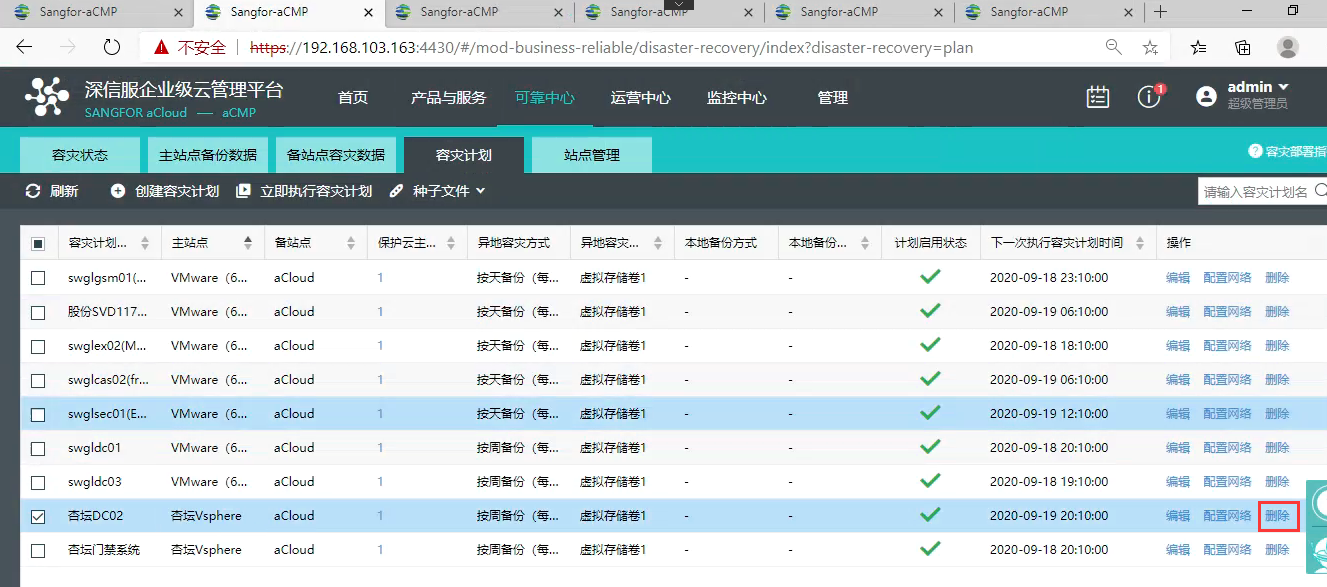
- It is recommended to rename or delete the previously migrated VM (to prevent disaster recovery errors caused by duplication in the future)
- Rebuild a Disaster Recovery plan
Suggestions and Conclusion
After completing the disaster recovery, you need to migrate the disaster recovery VM back to ensure that the Disaster Recovery module is Run Location normally.
Original Link
https://support.sangfor.com.cn/cases/list?product_id=36&type=1&category_id=19487&isOpen=true