
[ACMP] When migrating a VM from the cloud management system Migrate to VMware vCenter platform, the storage location cannot be selected
Problem Description
The storage location cannot be Migrate to VMware vCenter VM from the cloud management system to the VMware platform
Effective troubleshooting steps
- Log in to the cloud management platform, click [Products and Services] – [Cluster], find the VMware Cluster, and select More;
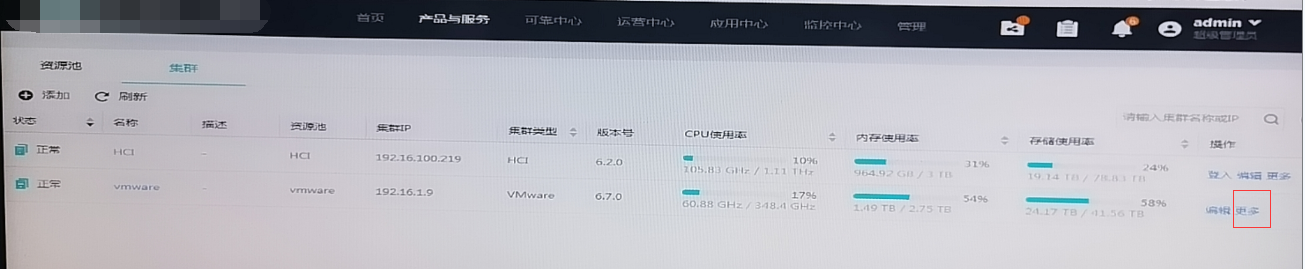
- Click [Configure Storage Performance] to check whether the storage performance Tag is configured;
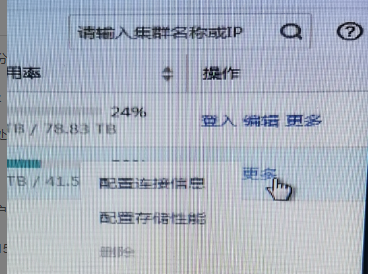
- Check and find that there is no storage performance Tag. You need to manually configure a Storage Tag.
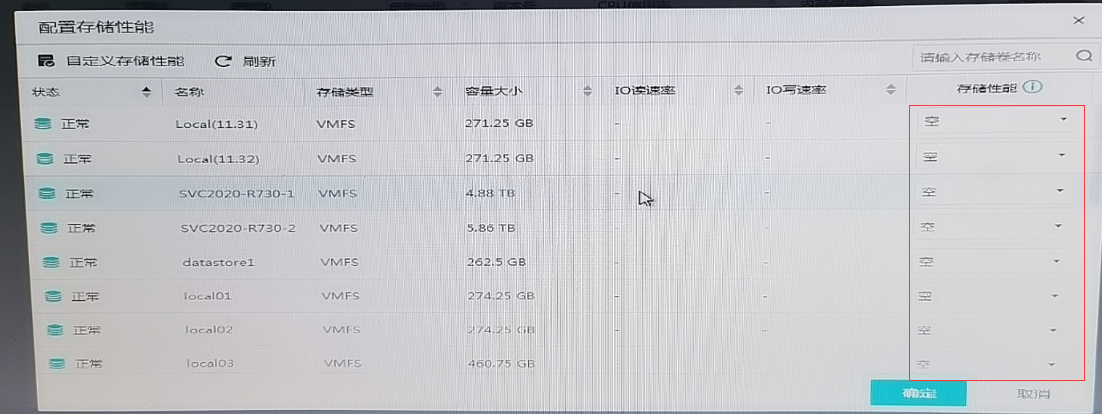
- Select the corresponding Storage Tag;
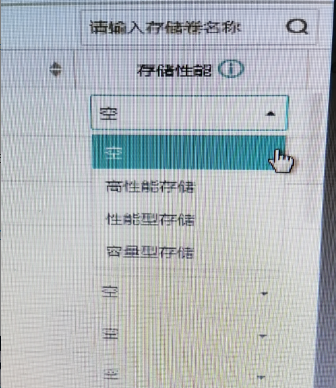
- After configuring Storage Tag, VM can Migrate to VMware vCenter platform and the storage location can be selected normally.
Root cause
Storage performance tags are not configured correctly for VMware Cluster on the cloud management Tag
solution
Log in to the cloud management platform, click [Products and Services] – [Cluster], find the VMware Cluster, select More, click [Configure Storage Performance], and select the corresponding Storage Tag as needed.
Suggestions and Conclusion
Descriptions of various Tag can be found next to it! **View detailed description
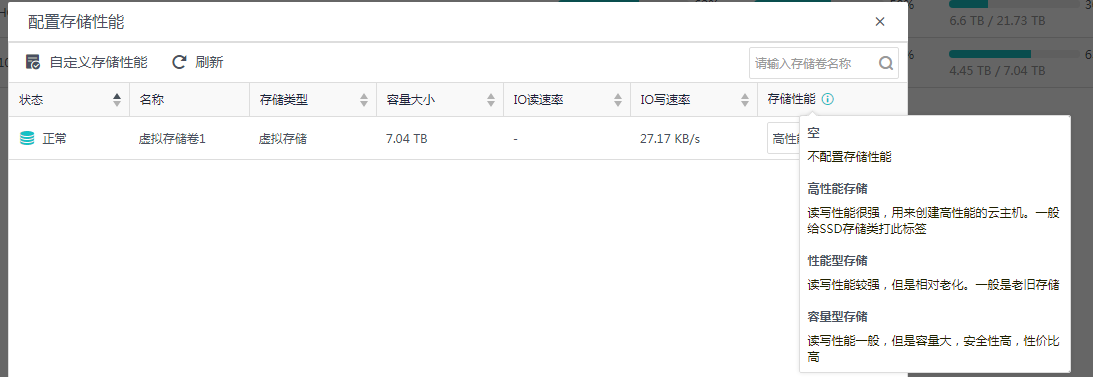
- Empty
Storage resource in the selected resource pool has not been configured.
- High Performance Storage
It has strong read and write performance and is used to create high-performance Virtual Machine. This Tag Medium given to SSD SC - Performance-oriented storage
The reading and writing performance is strong, but relatively old. Usually old storage - Capacity storage
Fair I/O speed with high capacity, security, and cost-effectiveness.
Original Link
https://support.sangfor.com.cn/cases/list?product_id=36&type=1&category_id=19544&isOpen=true