
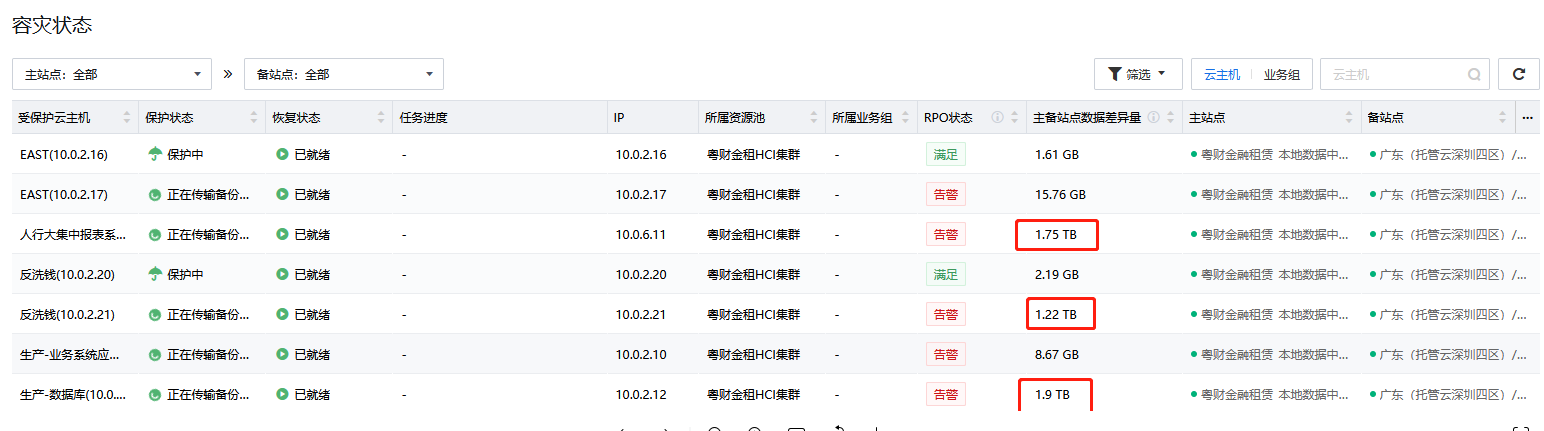
After the Managed Cloud Disaster Recovery is imported using Replica Seed, the Disaster Recovery Overview page shows that the primary and backup data are still very different
Problem Description
The customer's network bandwidth is low and Disaster Recovery transmission is slow, so the Replica Seed function and offline copy of full backup files will be used.
Warning Information
RPO is not satisfied
Displays the data difference Secondary Site or before importing the Replica Seed
Effective troubleshooting steps
Confirm that the Operation Logs log of the Replica Seed import is successful and the backup file can be seen in the Backups list of Backups.
Root cause
The data difference between Secondary Site will be refreshed only after the backup transmission is completed. No updates after importing Replica Seed.
solution
Wait for the backup transfer task to complete once and it will be corrected.
If there is no backup transmission task, click Execute immediately for the Disaster Recovery strategy.


Original Link
https://support.sangfor.com.cn/cases/list?product_id=36&type=1&category_id=26322&isOpen=true