
[SCP] aSec failed to establish authentication with SCP: Establishing aSecurity linkage (verification phase): Failed to obtain aSecurity Cluster information. It is recommended to retry or contact technical support.
Problem Description
aSec failed to establish authentication with SCP. Establish aSecurity linkage (verification phase): Failed to obtain aSecurity Cluster information. It is recommended to retry or contact technical support.

Warning Information
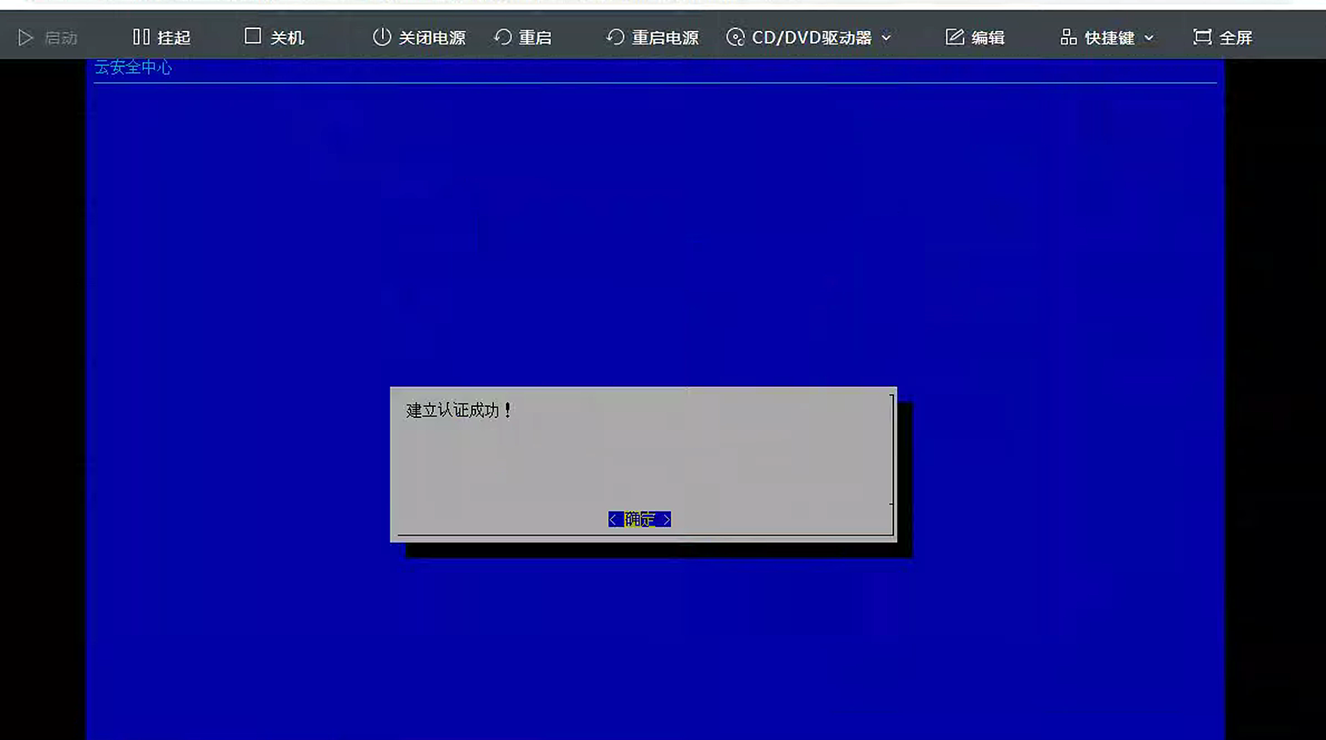
Failed to create authentication!
Failure reason: Establishing aSecurity linkage (verification phase): Failed to obtain aSecurity Cluster information. It is recommended to retry or contact technical support.
Effective troubleshooting steps
- Check that the asec VM is configured with a Gateway, bridged to the HCI Management Interface, and has normal connectivity with SCP;
- Partner service has been enabled;
- Reference: http://tskb.sangfor.com/forum.php?mod=viewthread&tid=34488
Check that SCP has created a new aSec administrator, and the aSec administrator is also used when establishing authentication. - Enter the asec VM (account and password root/9LYm3PU#GDnm5$5) and check the log/sf/log/today/cbsp-service.log. The following log is found:
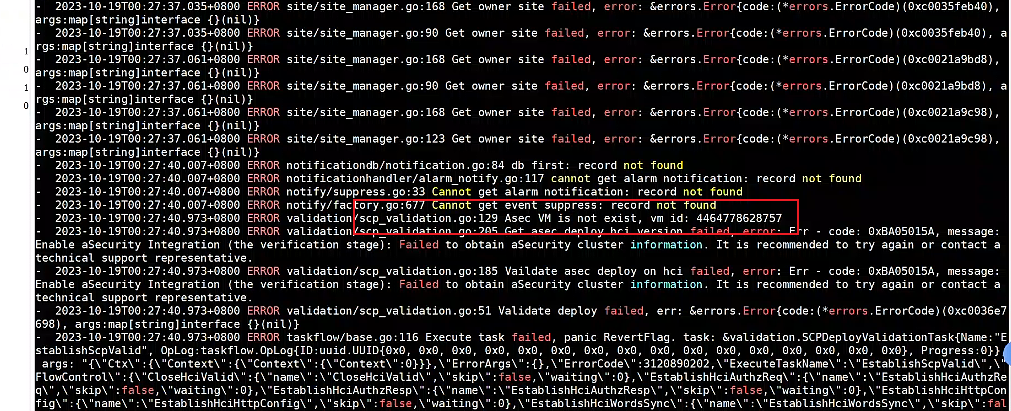
The consulting R&D department needed to check whether aSec was on the SCP Virtual Machine. The check found that it did not exist. The Resource Pool was not configured with storage performance, resulting in the HCI data not being synchronized to SCP. After SCP synchronized the data, the aSec Virtual Machine could be seen, and an attempt to re-establish authentication was successful.
Root cause
aSec Virtual Machine is not synchronized to SCP.
solution
In the SCP console, add a Resource Pool to the corresponding HCI resource pool and Storage Tag the Cluster data.
Original Link
https://support.sangfor.com.cn/cases/list?product_id=36&type=1&category_id=25416&isOpen=true