
[SCP] aSecurity prompts an alarm. It detects that the number of Licensing CPUs in the aSecurity is insufficient and the security capabilities of the Resource Pool have been disabled. It is recommended to reauthorize and then try to restore the security capabilities of the Resource Pool to normal on the Security Capability Management page.
Problem Description
The aSecurity prompts an alarm, detecting that the number of Licensing CPUs in the aSecurity is insufficient and the security capabilities of the Resource Pool have been disabled. It is recommended to reauthorize and then try to restore the security capabilities of the Resource Pool to normal on the Security Capability Management page.
Warning Information
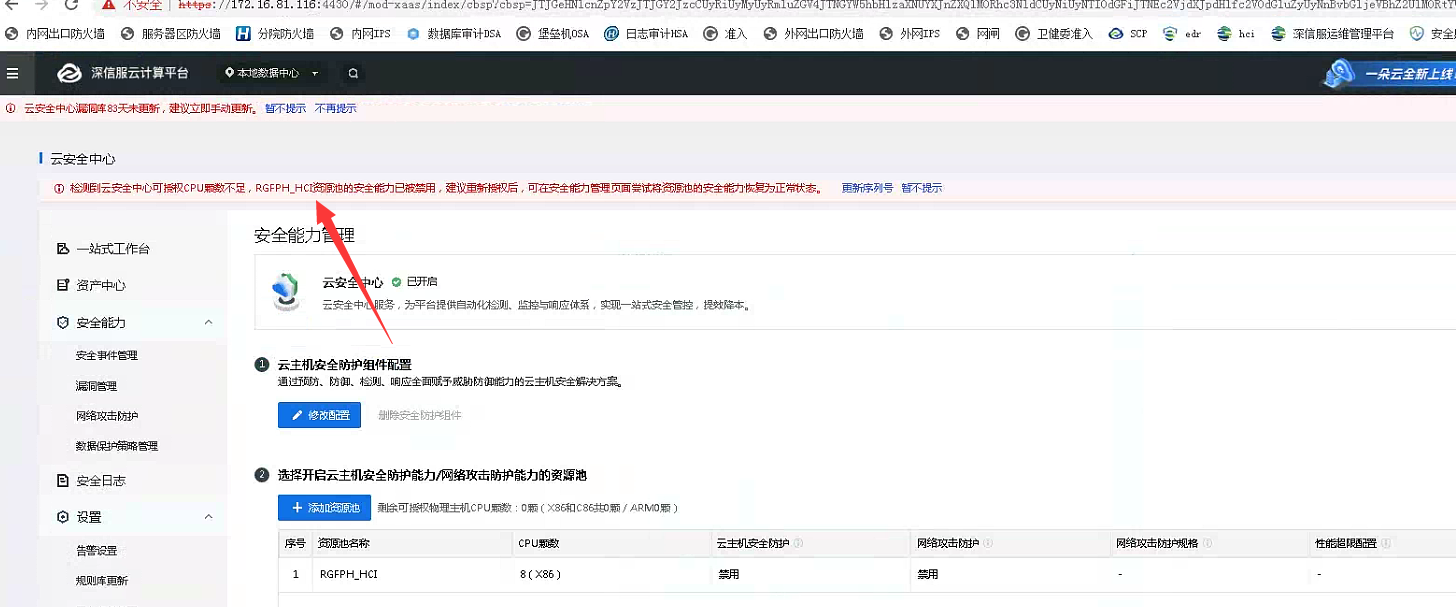
solution
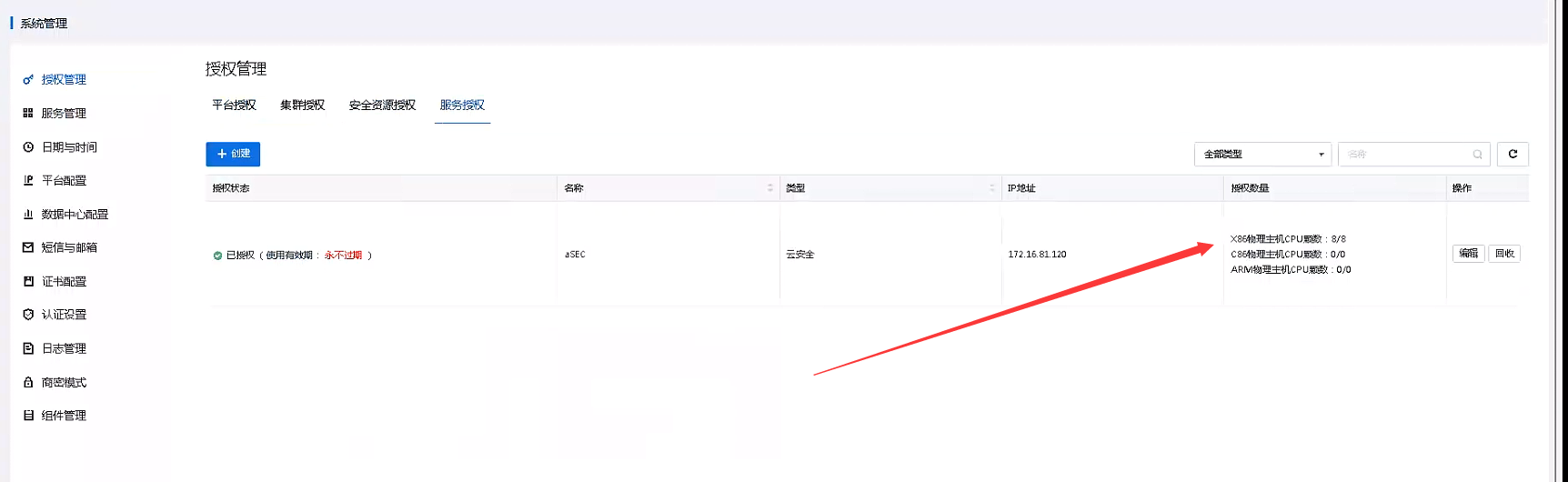
- Check in the [Service Management] – [Service Licensing] module, asec Licensing has been issued and the status is normal.
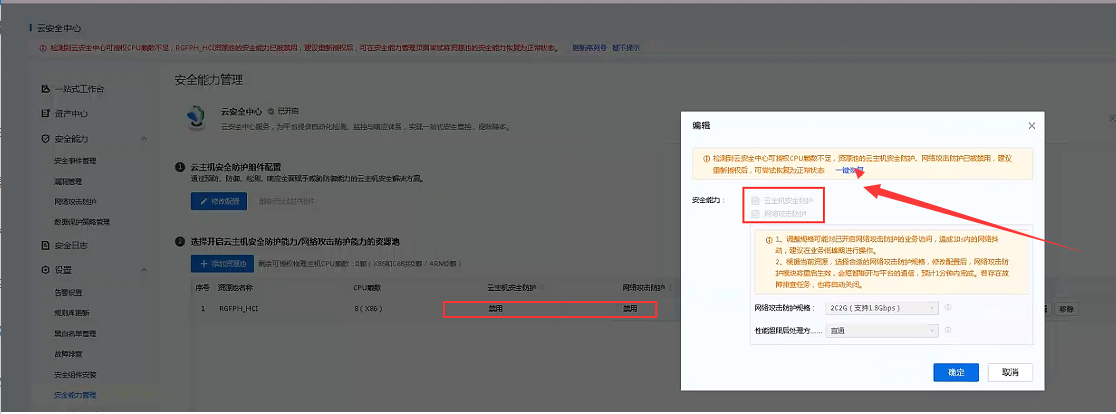
- Try to edit the aSecurity] – [Settings] – [Security Capability Management], and click the [One-click Restore] button to restore it. It should be normal after the repair.
Original Link
https://support.sangfor.com.cn/cases/list?product_id=36&type=1&category_id=25199&isOpen=true