
[SCP] Clear SCP expired trial license alert (Before SCP 6.3.0)
Issue Description
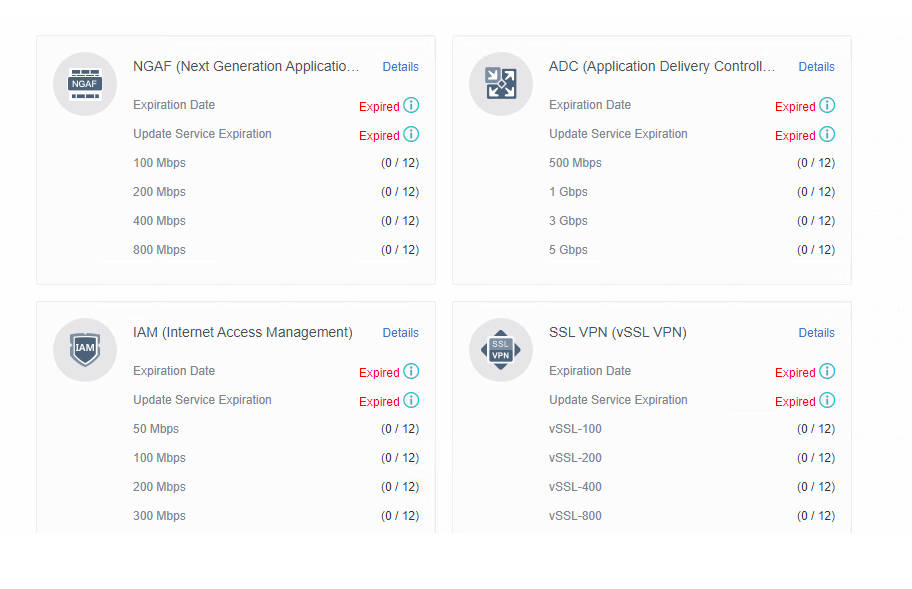
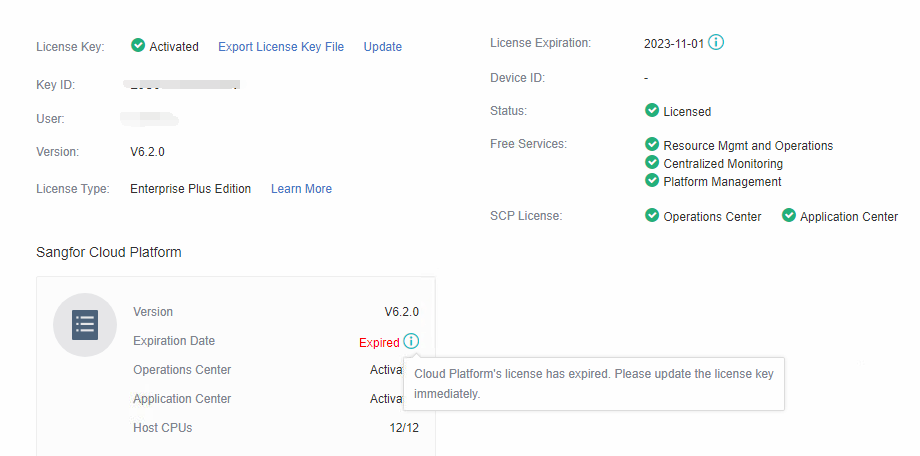
Customer would like to clear those trial license expired alerts from SCP as they do not purchase it.
Handling Process
-
Make a snapshot to the SCP vm before clearing the license.
-
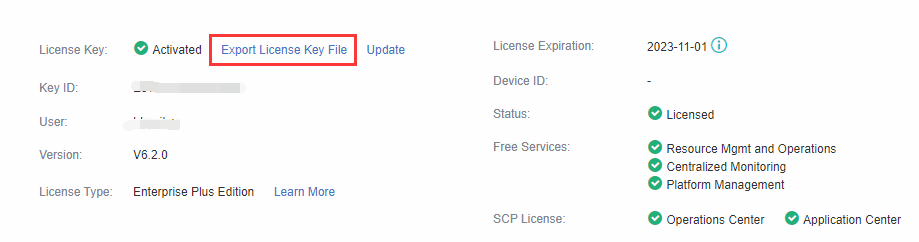
Export the license key file to further verify those license is it required by customer.
-
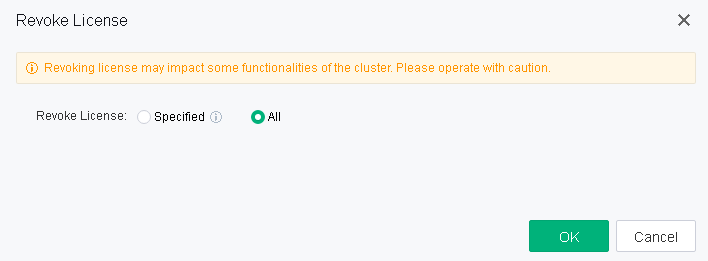
SCP Web UI revoke back the cluster license. (Before revoke, make sure you have the existing .lic file)

- Revoke all of the license.
-
Access to SCP backend and clear the license.
Command:
systemctl stop authorize_server.service authorize_client.service vtsn.service;
mysql fuel
update sysfiles set content='';
exit
systemctl start authorize_server.service authorize_client.service vtsn.service;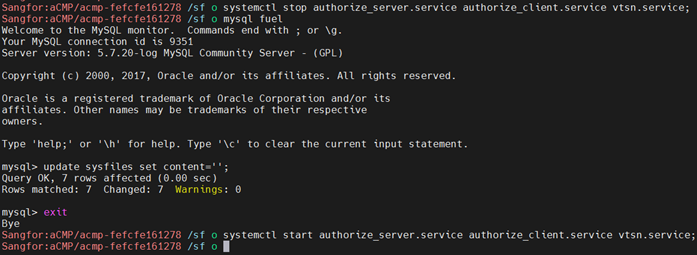
-
After clear the license information in SCP backend, the web UI license status should be displayed as Inactivated.
-
Import the existing license again and allocate the license to cluster.
-
License expired alert should be clear now.
Root Cause
Client previously has applied trial license which include all the NFV and other licenses.
Solution
Refer to the handling method.
Suggestions
- Above method only work for the SCP version before 6.3.0.
- Before make the changes, make a snapshot to the SCP vm.
- If there is any abnormal, please contact RND for assist.