
[SCP] Cloud management update License Key, registration License Key failed
Problem Description
The test Licensing expired, and I re-applied for Licensing import, but the registration component (AD) License Key failed.
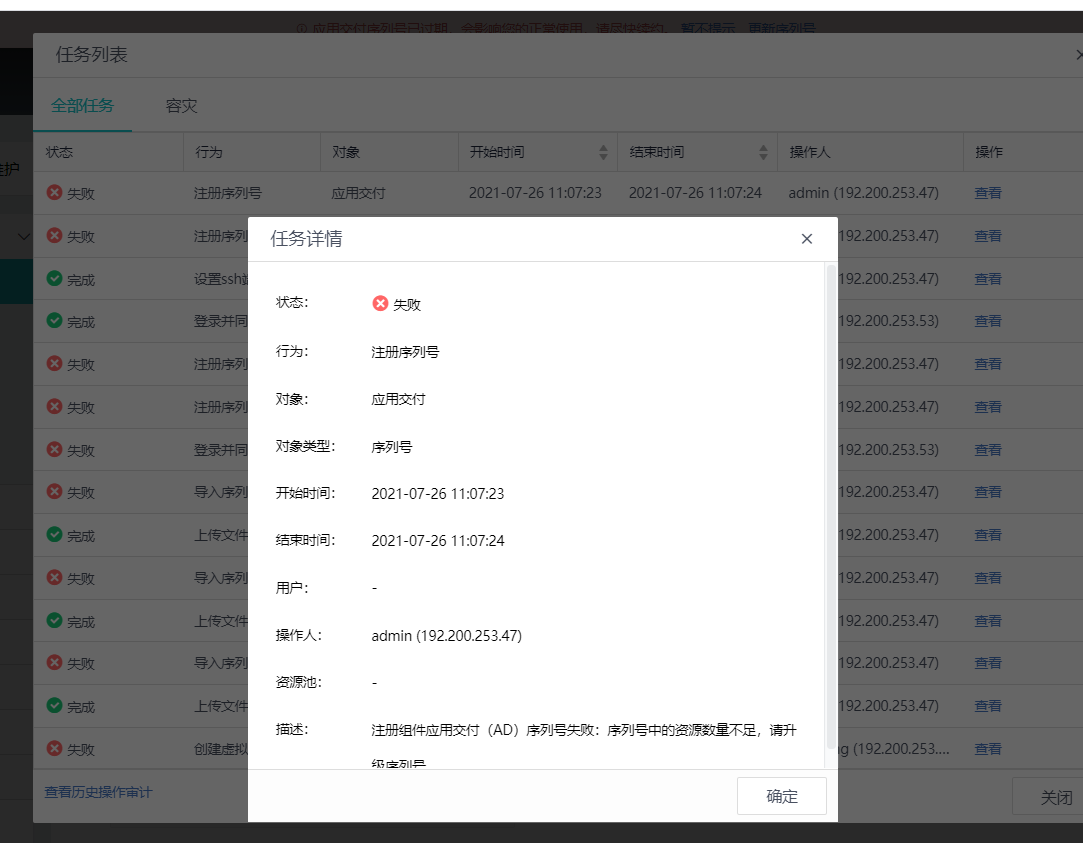
Warning Information
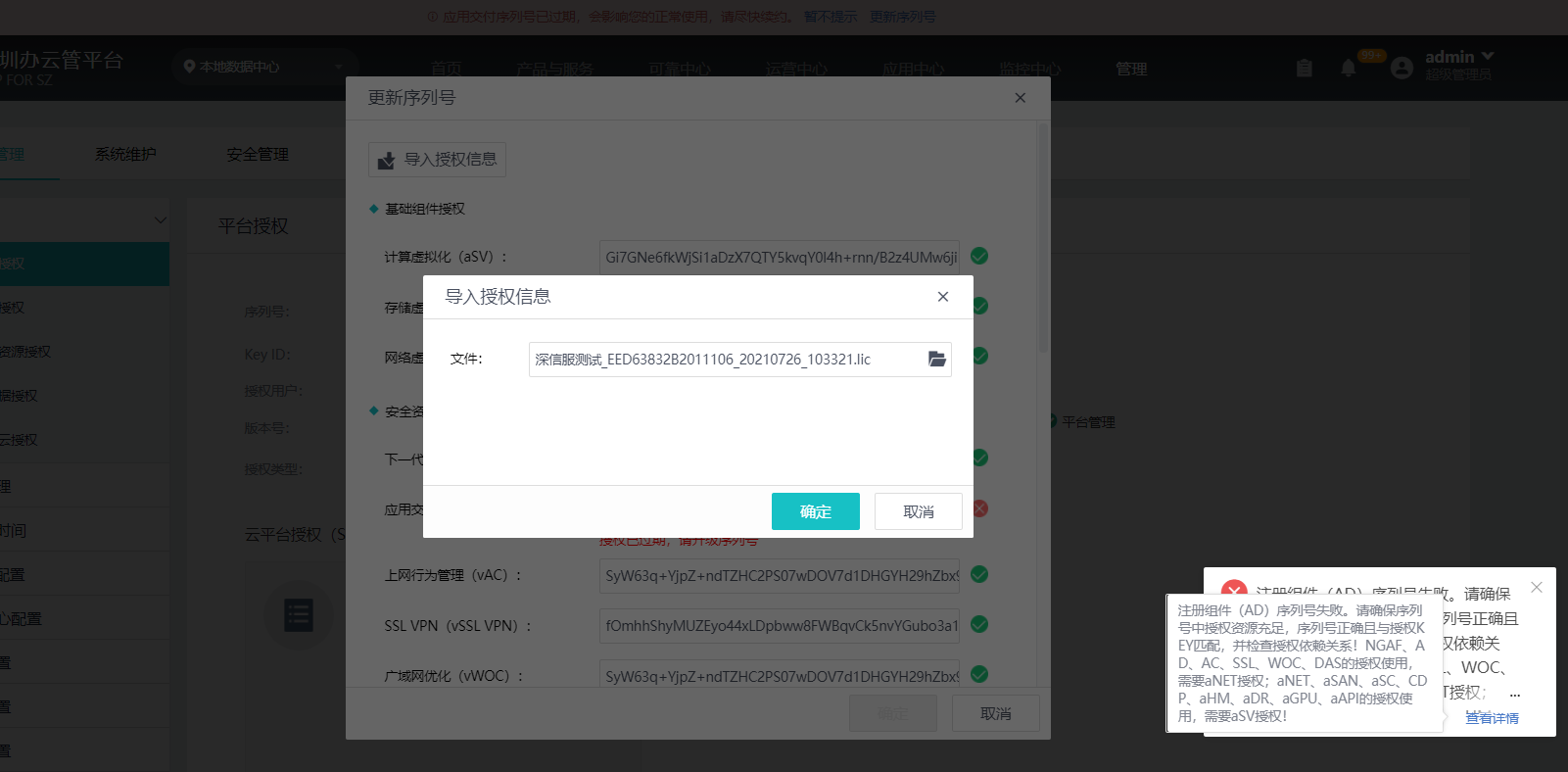
Effective troubleshooting steps
- Manually delete the AD License Key and re-import it
- Contact the storage and transportation company to re-Licensing, increase Licensing, and try again if it exceeds the existing Licensing.
Root cause
The Licensing License Key AD cannot be opened with a bandwidth below 500Mbps. Subsequent scenarios will be prohibited from using low bandwidth for testing or use. The scenarios do not match, so R&D has deleted this.
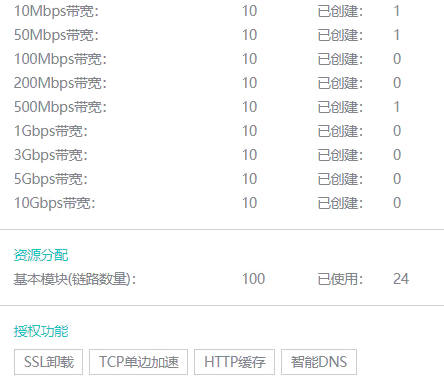
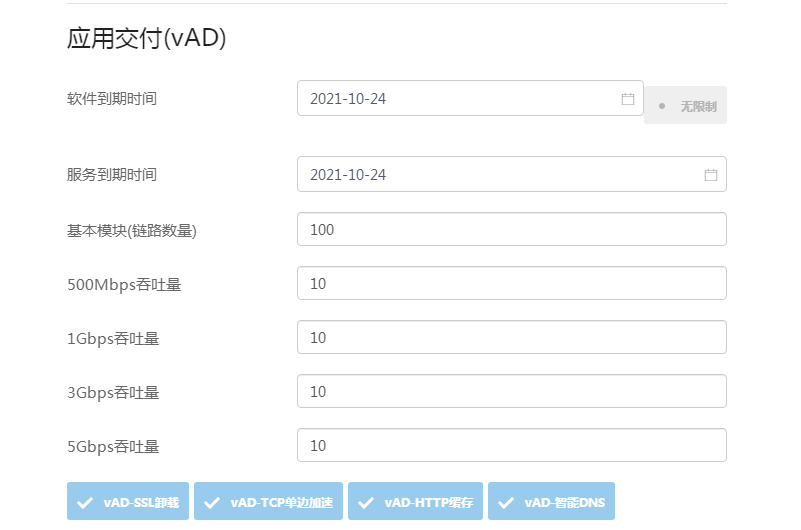
solution
- You need to reclaim the HCI authorization on SCP and then re-introduce License Key.
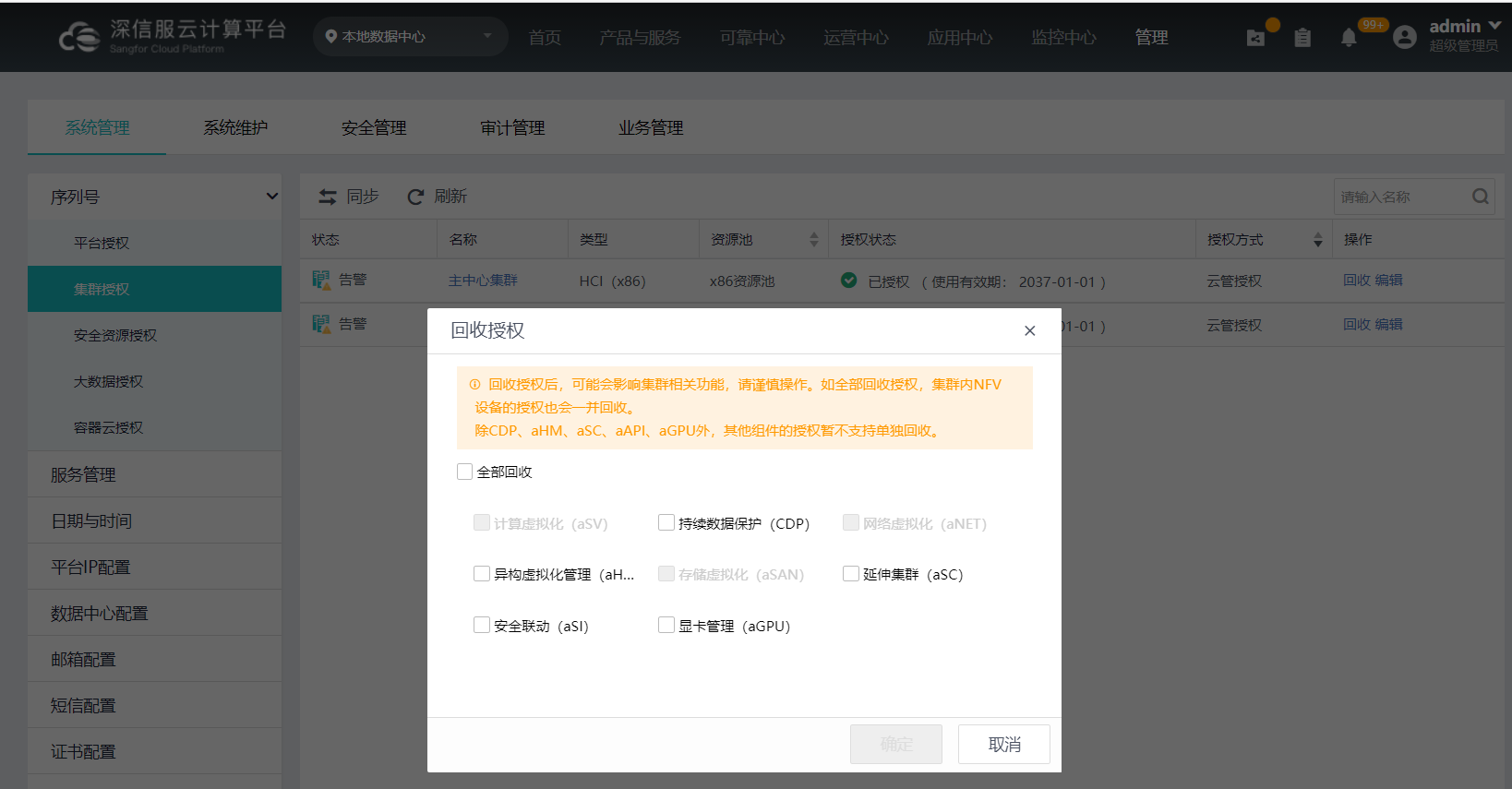
- Manually adjust the performance of AD to above 500Mbps and then Licensing
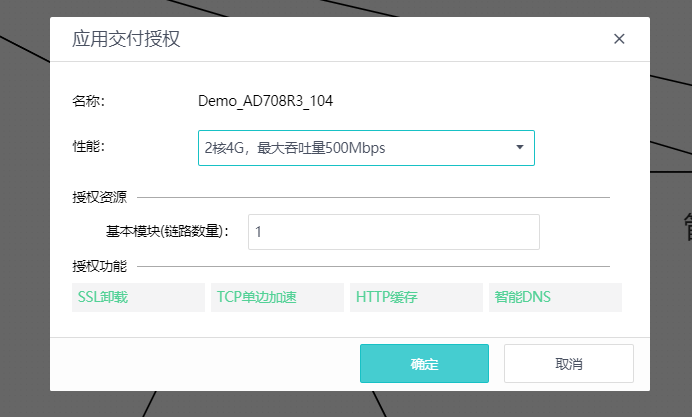
Suggestions and Conclusion
- It is recommended that AD not be used in low-performance bandwidth scenarios
- Licensing Revoke and re-Licensing require shutdown, which will affect business. The test environment can be evaluated
Troubleshooting content
See above
Original Link
https://support.sangfor.com.cn/cases/list?product_id=36&type=1&category_id=19525&isOpen=true