
[SCP] Licensing Management – Cluster Licensing, prompt: Licensed (resource mismatch)
Problem Description
SCP import Licensing is normal. When authorizing HCI, the Cluster Licensing page shows: Licensed (resource mismatch)
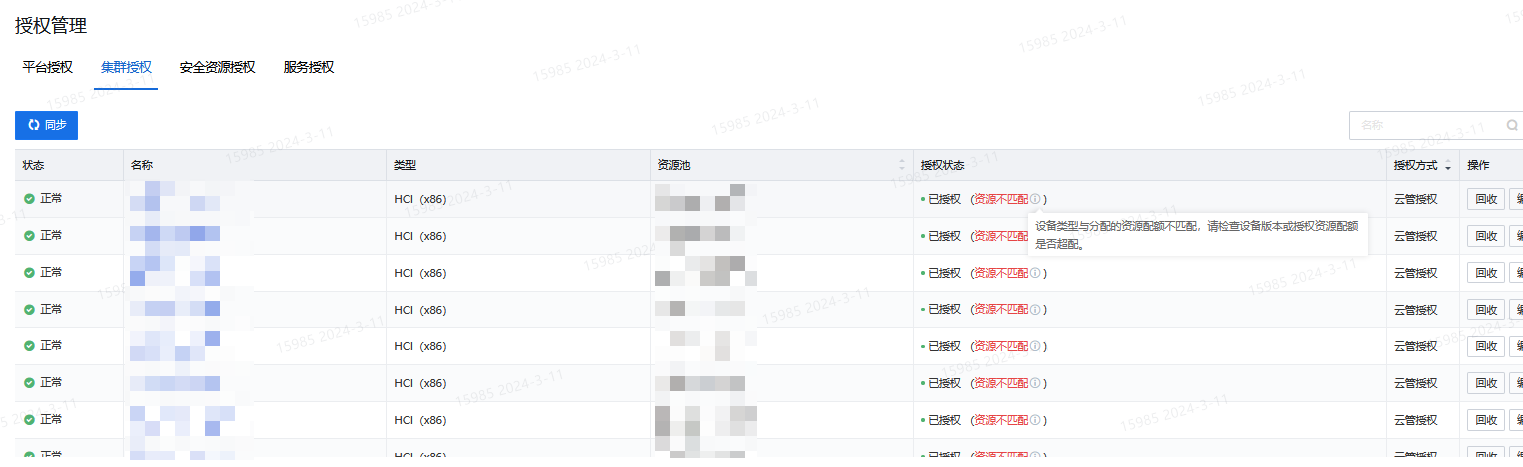
Warning Information
None
Effective troubleshooting steps
Check the authorization of aSV for aDESK on SCP, the CPU and memory limits of Virtual Machine, and click [View Details]. If the CPU and memory limits exceed 64, the above problems will occur.
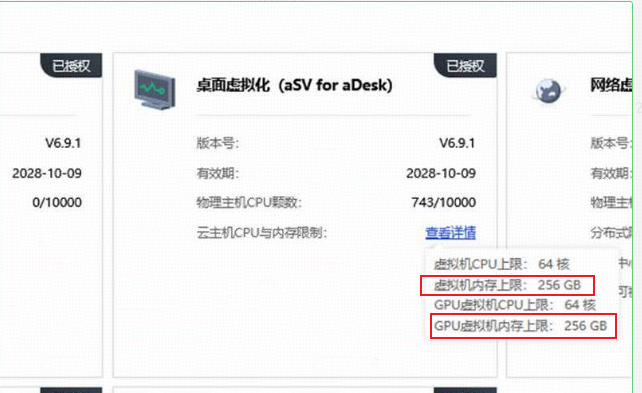
The correct answer should be:
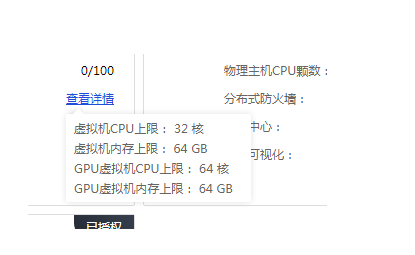
Root cause
aDESK had a need to increase the CPU and memory limits, and communicated with HCI to make adjustments, but SCP was not notified, so SCP did not adapt;
It has been fed back to the demand and will be solved in the 6100 official package
solution
- If there is no requirement to create more than 64G memory, just change the CPU and memory limits to the correct ones;
- If there is a need to create a VDI Virtual Machine more than 64G memory, Cluster can use independent Licensing;
Operation Impact Scope
None
Is this a temporary solution?
Yes
Original Link
https://support.sangfor.com.cn/cases/list?product_id=36&type=1&category_id=27011&isOpen=true