
[SCP] SCP Demo License Residual
Issue Description
SCP demo license has been expired and has already subscribed to a new license.
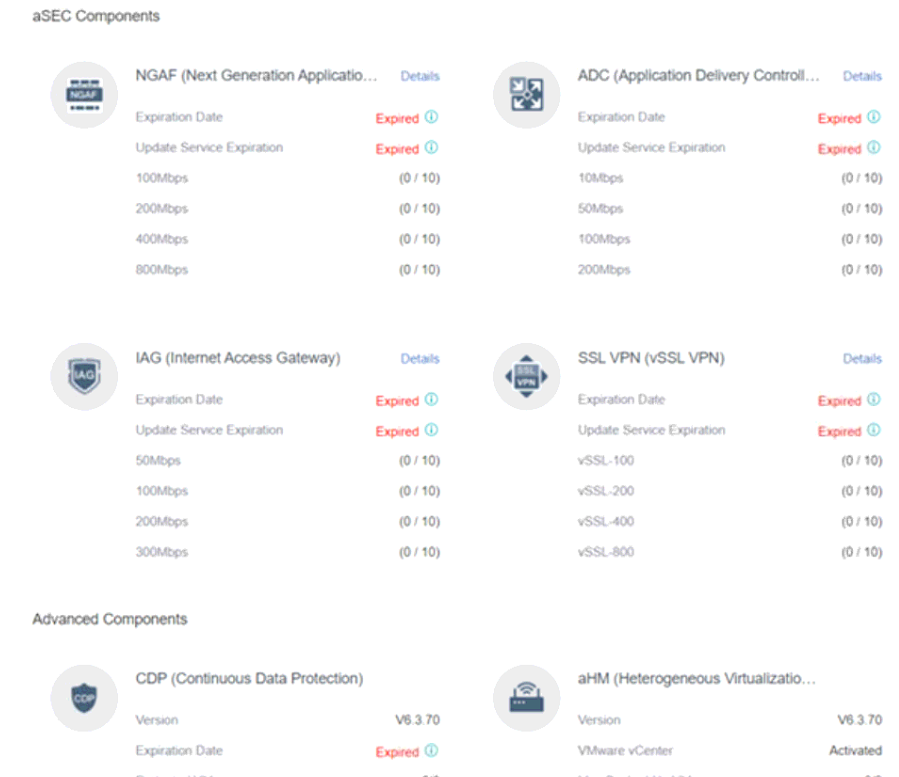
However, when imported the new license into SCP, the SCP still showing NGAF, SSL, ADC etc. has been expired.
Error/Warning Information
Handling Process
-
Ensure these unsubscribed modules are not in use.
-
Locate the exact module name through SCP backend.
acmp_sn_tool --summary -s | jshon | grep product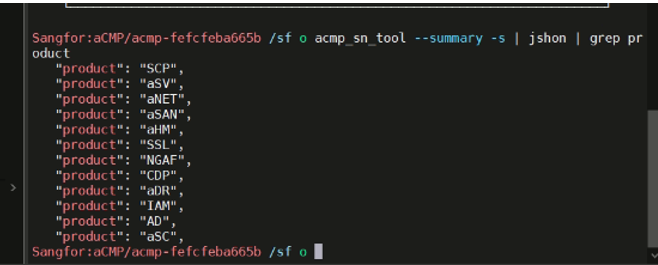
-
Manually remove the unsubscribed modules and restart the licensing service.
acmp_sn_tool -U NGAF; systemctl restart authorize_server.service -
Refresh the SCP Web UI console and the license warning would be gone.
Root Cause
SCP demo license will residual on system backend and caused license display abnormal.
Solution
Refer to the handling process.
Suggestions
If the scenario varies from the above or the solution doesn’t work, kindly consult specialist or R&D for further verification.