
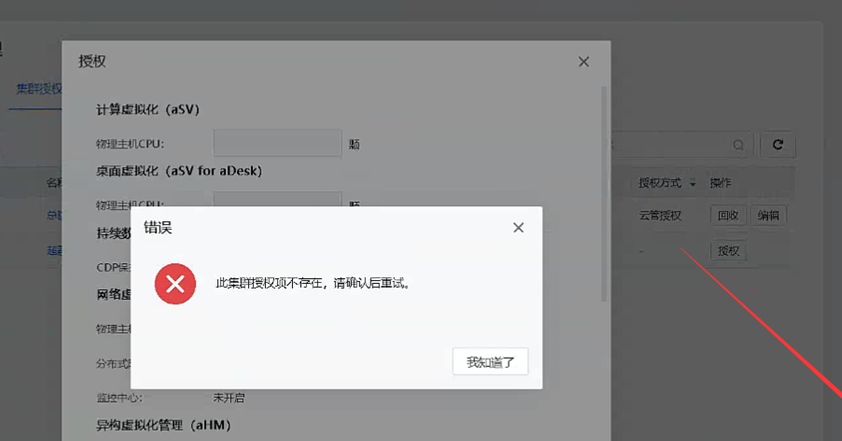
[SCP] SCP prompts that the Cluster Licensing item does not exist when authorizing the Cluster. Please try again later.
Problem Description
When SCP is Licensing a Cluster, it prompts that the Cluster Licensing item does not exist. Please try again later.
Warning Information
Effective troubleshooting steps
- Check the Licensing.
- Check the portal-api.log and fuel-api.log logs and find the following error: DB cannot find auth of cluster.
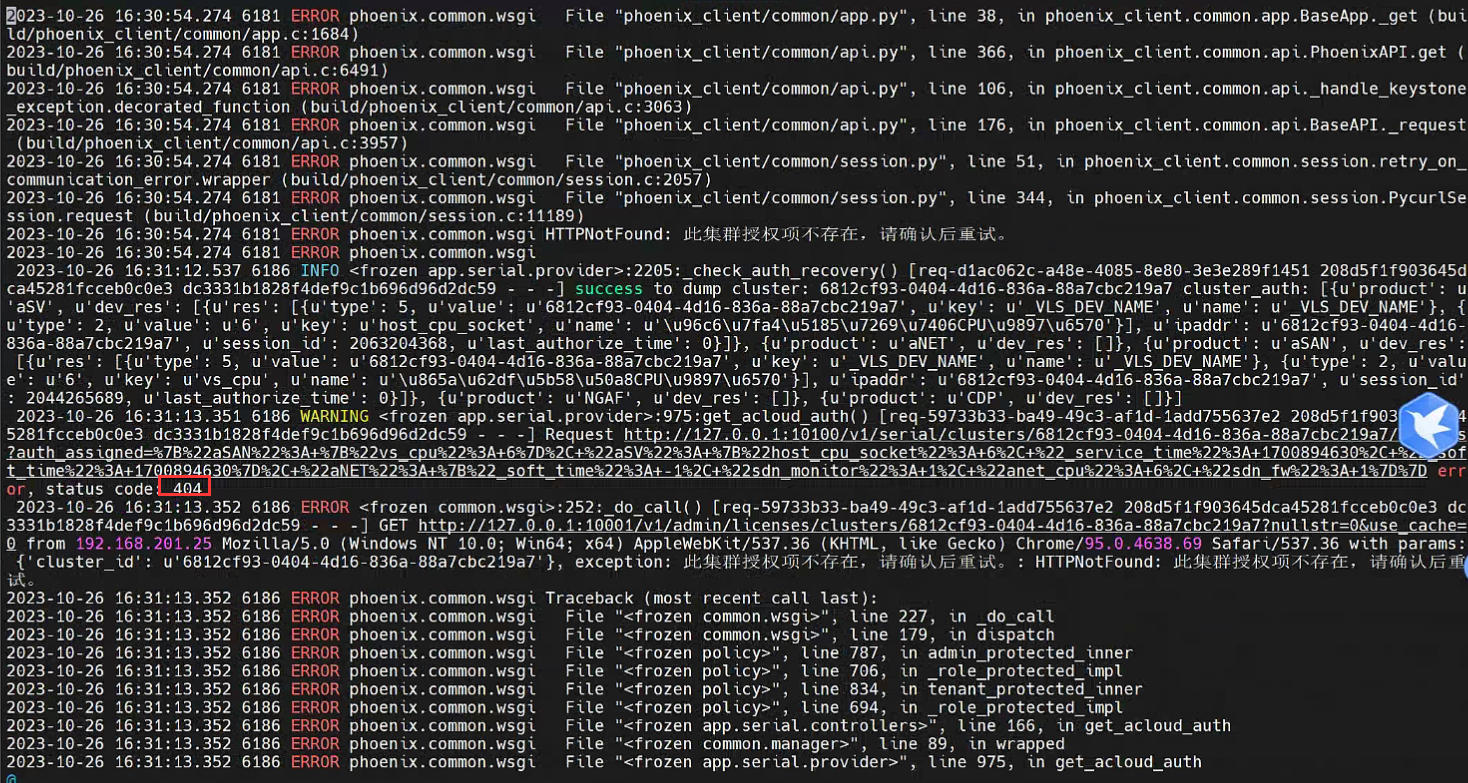
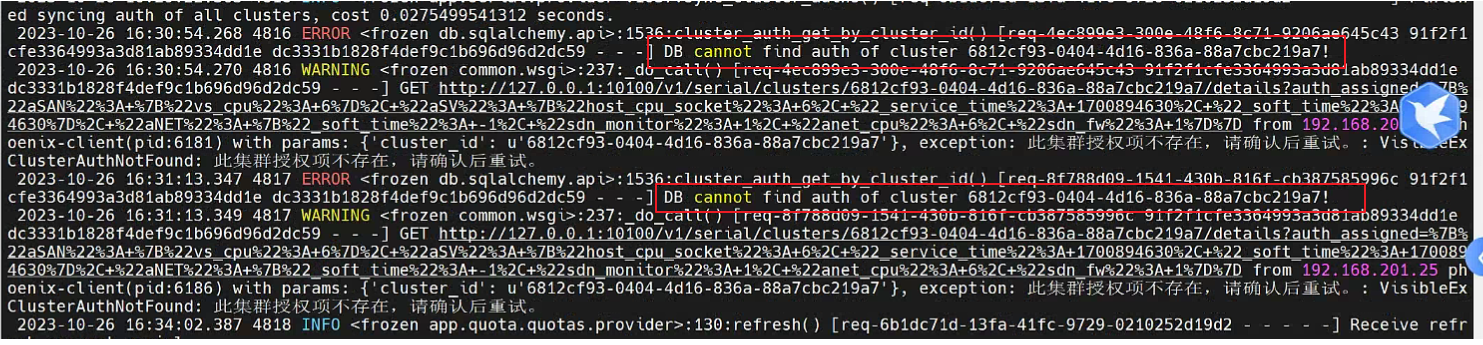
- If the above error occurs, go to Databases to view the fuel.cluster_auths table, filter by cluster ID, and see if there are any records in Databases.
Enter the following two lines of commands to enter Databases:
cr=$(crudini –get /sf/cfg/envpasswd.conf mysql platform_manage);pwd=$(python /sf/bin/encryption_tool.py –is_encrypt false –text "${cr}");mysqlx="mysql -uroot -p${pwd}";
$mysqlx
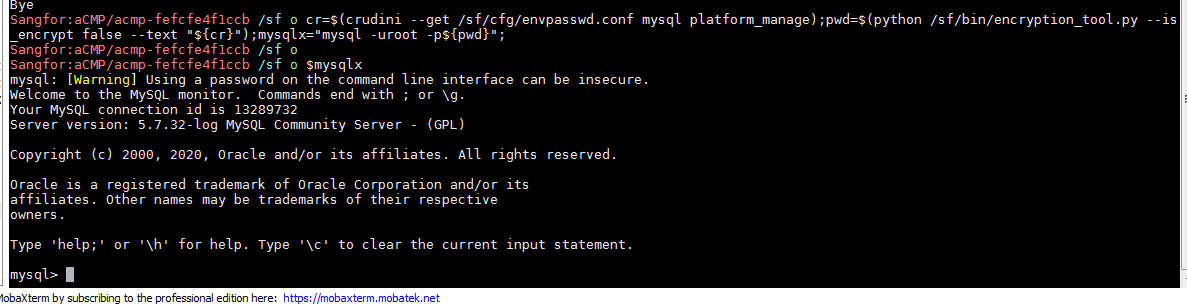
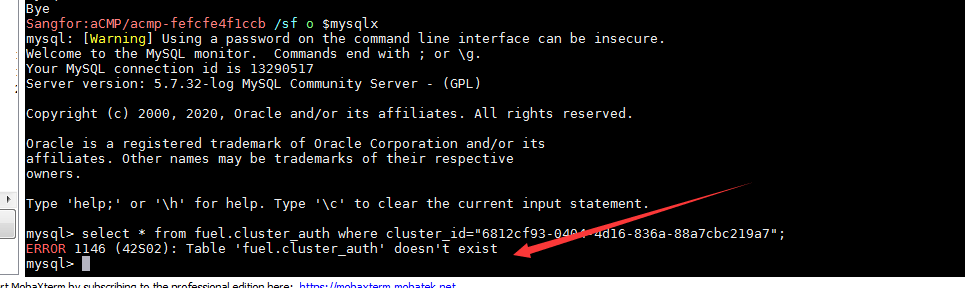
Then execute the select * from fuel.cluster_auth where cluster_id="xxxx"; command to query the database and find that there is no record in it. The cluster_id of this case is 6812cf93-0404-4d16-836a-88a7cbc219a7, and it is found that there is no such record in the database.
Root cause
There is no Licensing record for the Cluster in the database, so authorization cannot be issued.
solution
Delete the abnormal Cluster and its Resource Pool, and then manage them again.
Original Link
https://support.sangfor.com.cn/cases/list?product_id=36&type=1&category_id=24625&isOpen=true