
[SCP] SCP620 Reliability Center detects network port error and fails to detect network port information
Problem Description
Reliability Center shows that the network port status is abnormal, but when performing an immediate test, an error message is displayed: Failed to detect network port information
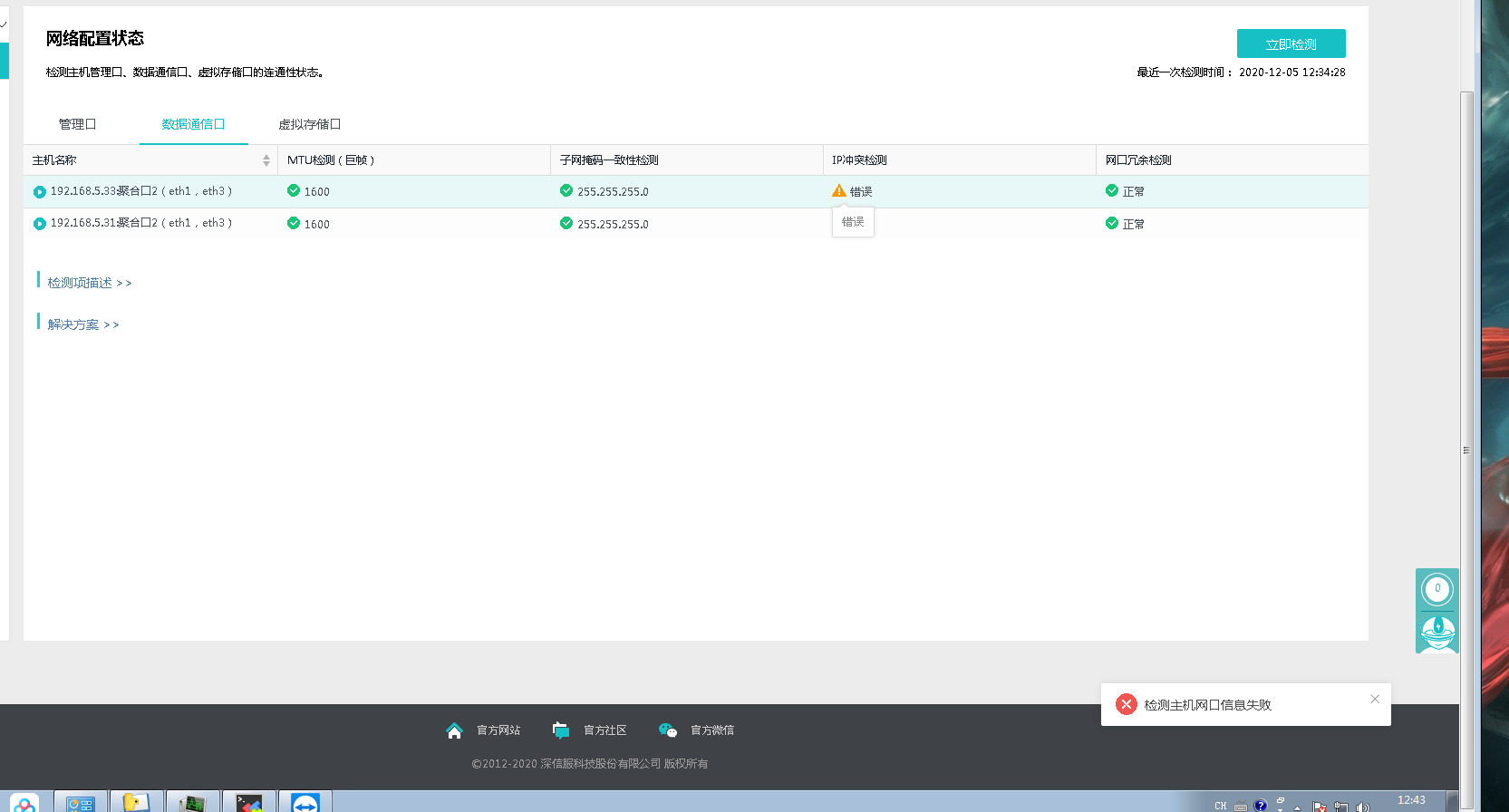
Effective troubleshooting steps
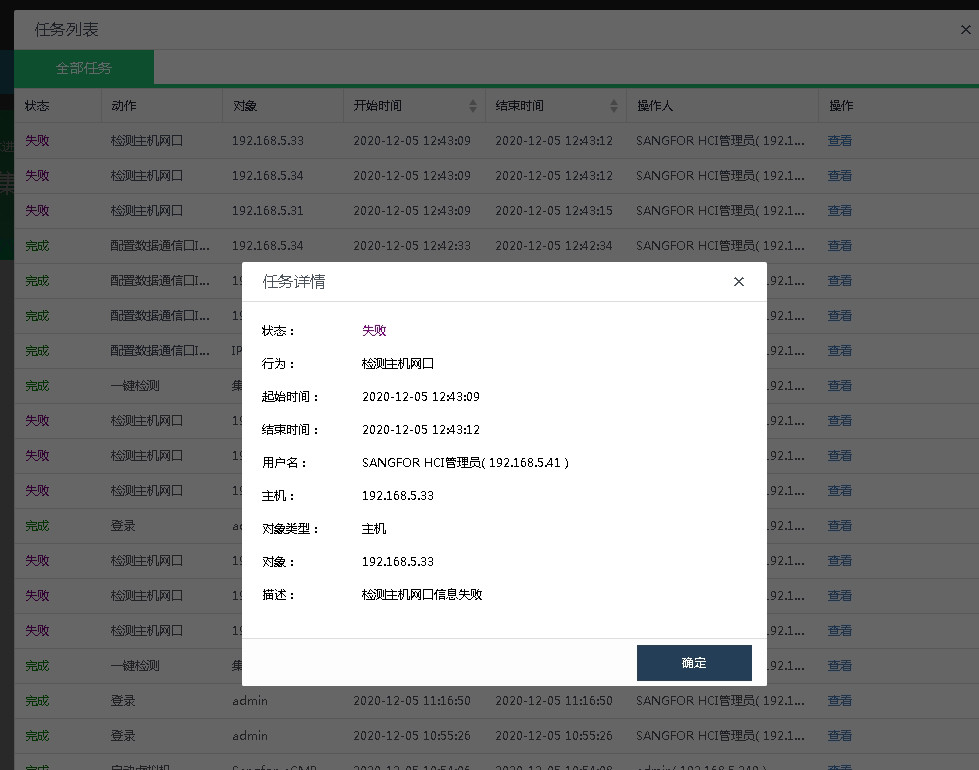
Checking the HCI also shows the error Operation Logs, indicating that the specific detection operation is performed on the HCI.
There are also related errors in the background daemon log
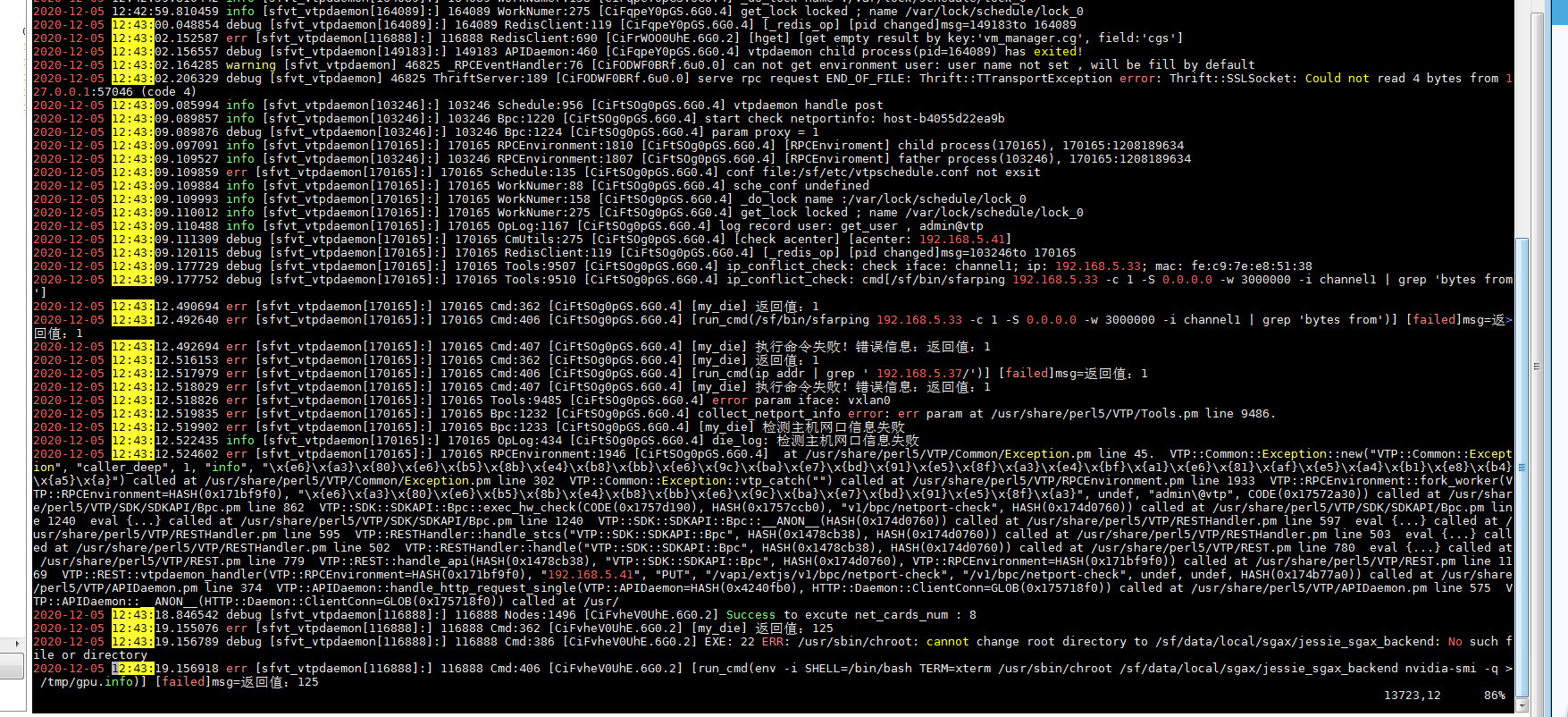
After consulting R&D, it was confirmed that it was caused by a known issue of HCI620. The network port detection script missed the vxlan0 network port, and a patch was needed to solve it.
Root cause
The network port detection script missed the vxlan0 network port
solution
Apply the Service Pack or upgrade to version 630 to solve the problem! 20201126–620 Fix the network port detection problem (1).rar (413.54 KB)

Original Link
https://support.sangfor.com.cn/cases/list?product_id=36&type=1&category_id=19501&isOpen=true