
SCP show cluster status abnormal
Issue Description
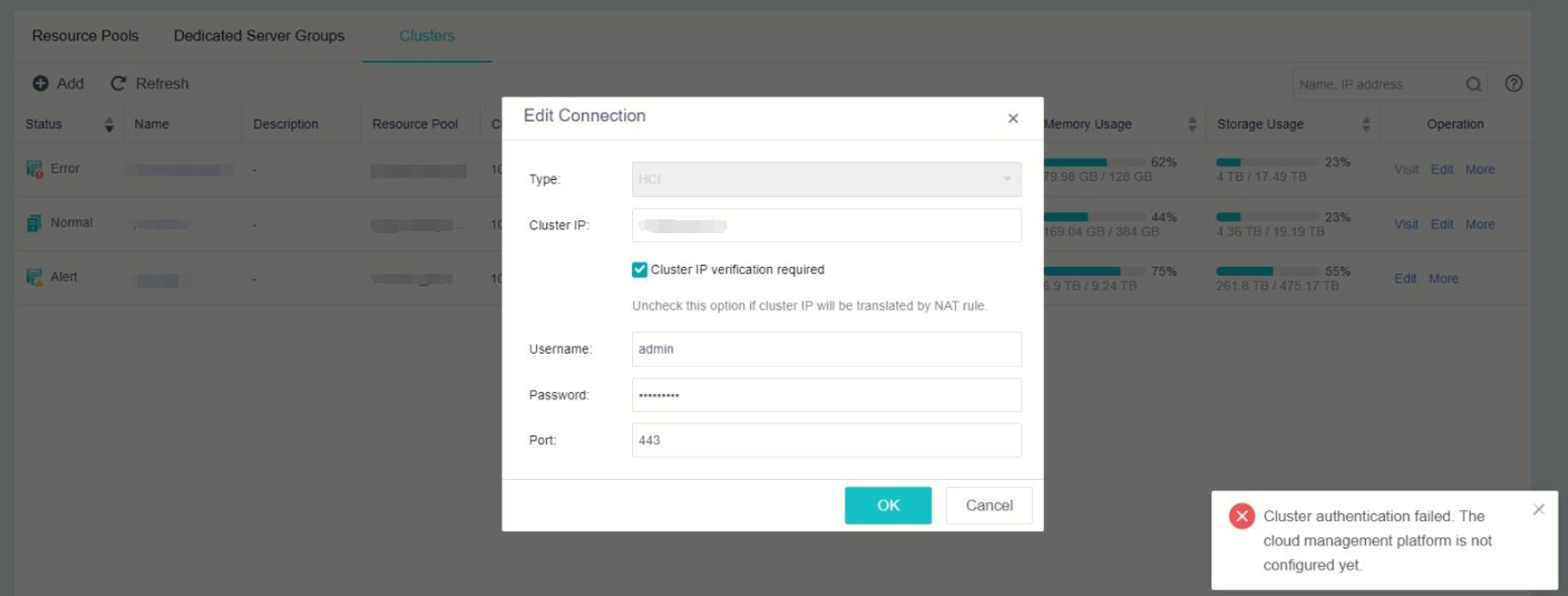
SCP showing the cluster password incorrect, re-type the password it show "Cluster authentication failed. The cloud management platform is not configured"
Error/Warning Information
Handling Process
1.Try change password on HCI cluster and update the password in SCP, result are the same.
2.Check on the sfvt_vtpdaemon log, found that it show "Cloud management not configure" and acenter.json file not exist
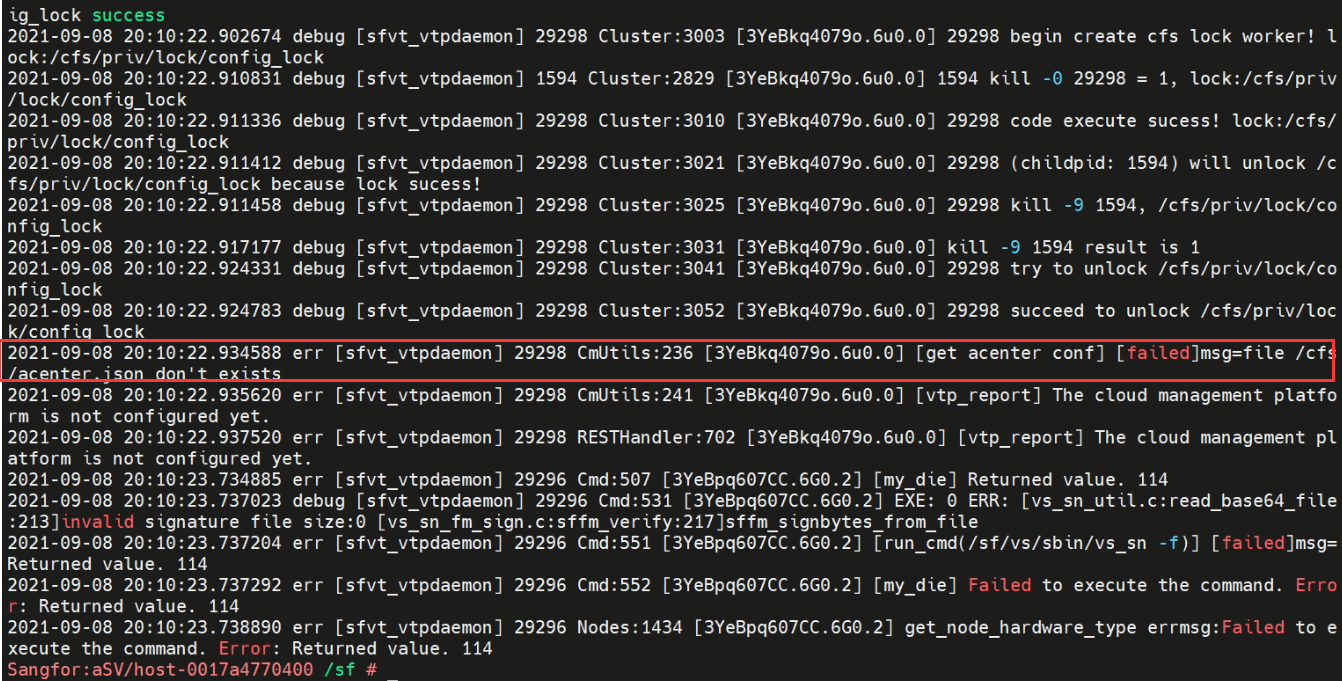
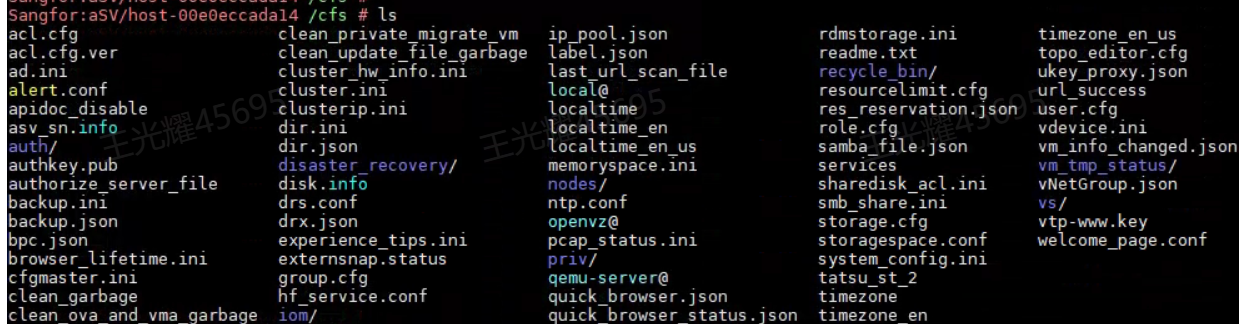
3.Use ls command to check the acenter.json file is not exist.
Root Cause
It’s because of the acenter.json file missing.
Solution
1.Check is the SCP got tenant or DR task or not. If no, proceed to re-add the cluster.
2.If cannot re-add cluster, copy the file from another cluster that same version.
2.1 Download the file from anothet cluster.
2.2 Replace acenter parameters.Make sure the IP and ID filled correctly.

-IP is the SCP IP.
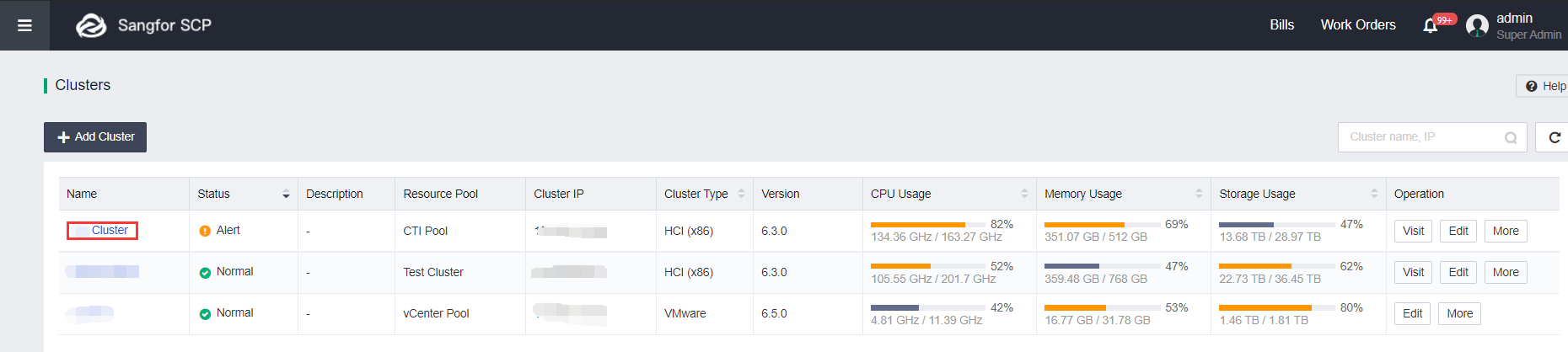
-ID can get from SCP cluster page, click on the abnormal cluster and copy the ID from URL.
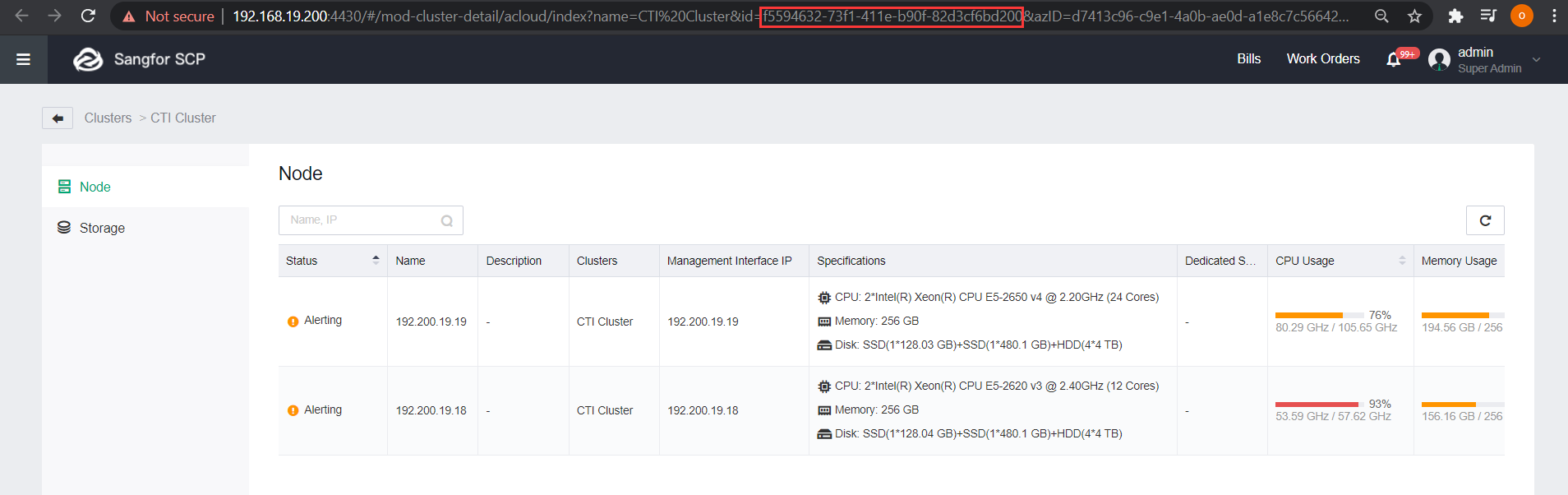
2.3. Upload the file to /cfs/
2.4 Use command /sf/etc/init.d/vtpdaemon restart; to restart the vtpdaemon process. Make sure there is no ongoing task before restarting the process.
2.5 On SCP, upgrade the password again.