
[SCP] Tenant failed to create virtual network device, reason: No image available in Resource Pool image
Problem Description
Tenant failed to create a virtual network device. The reason is: there is no available image Resource Pool (supported versions 7.1R3 and 8.0.8). Download image from the Sangfor community and then upload it to the Resource Pool.
Warning Information
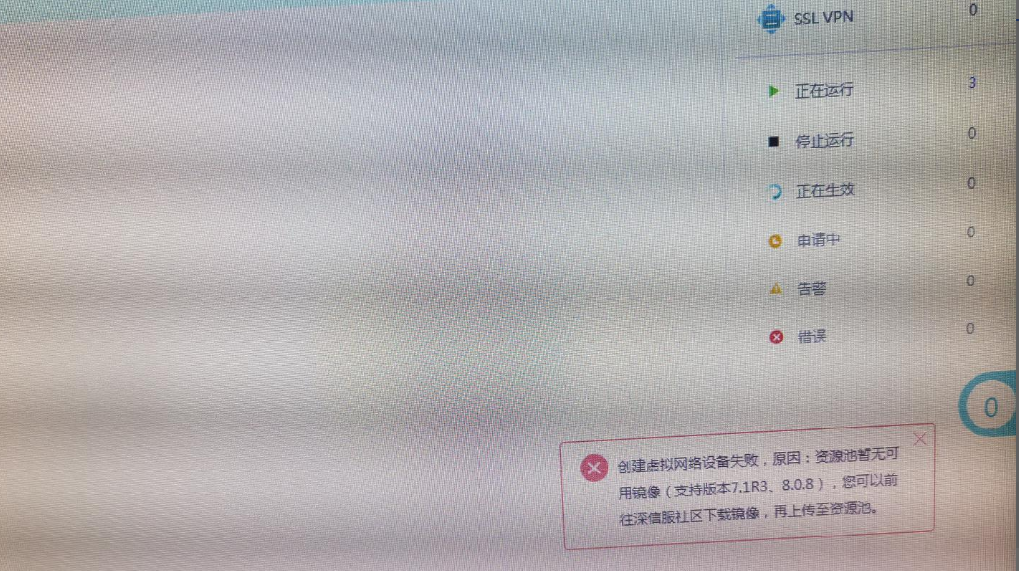
Effective troubleshooting steps
- Check whether Resource Pool has uploaded image

- Check whether Tenant has Allocate NFV Quota
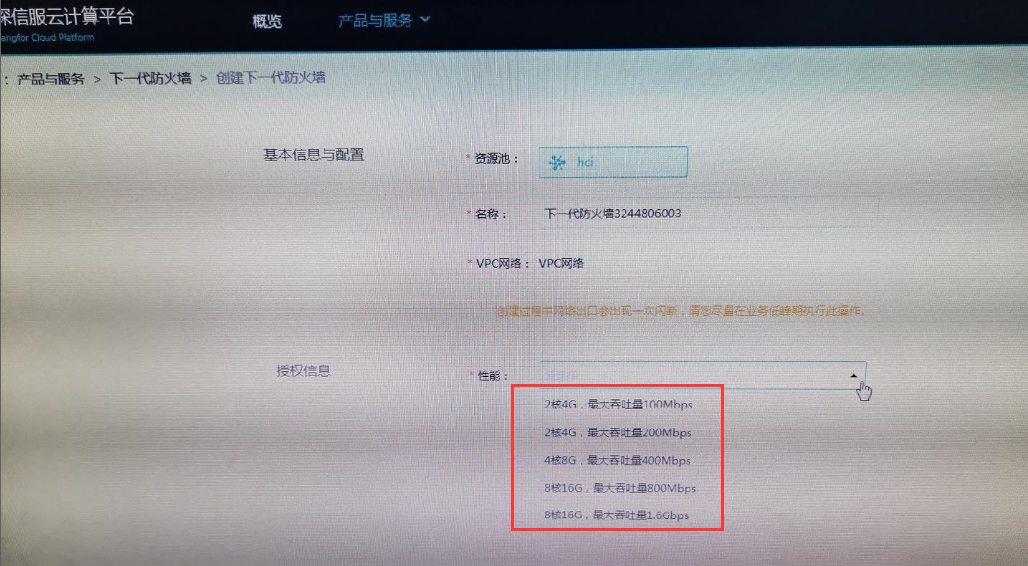
- Check whether the NFV template image is consistent with the SCP support list. The SCP Tenant uses a separate image package and needs to download an independent image. FTP finds the corresponding NFV template and downloads, uploads, and allocates image for normal use.
Root cause
The NFV image uploaded is the HCI one
solution
SCP Tenant use it as a separate image package and need to download and upload a separate image
Suggestions and Conclusion
Check the supported version and image release time of the NFV and SCP correspondence table to distinguish whether it is an HCI image or an SCP image
Original Link
https://support.sangfor.com.cn/cases/list?product_id=36&type=1&category_id=19492&isOpen=true