
[SCP] Unable to select Virtual Machine when enabling cloud host security protection image
Problem Description
Deploy the aSecurity. The EDR vma format image has been uploaded to SCP, but the image cannot be selected when the Virtual Machine security protection component is enabled!
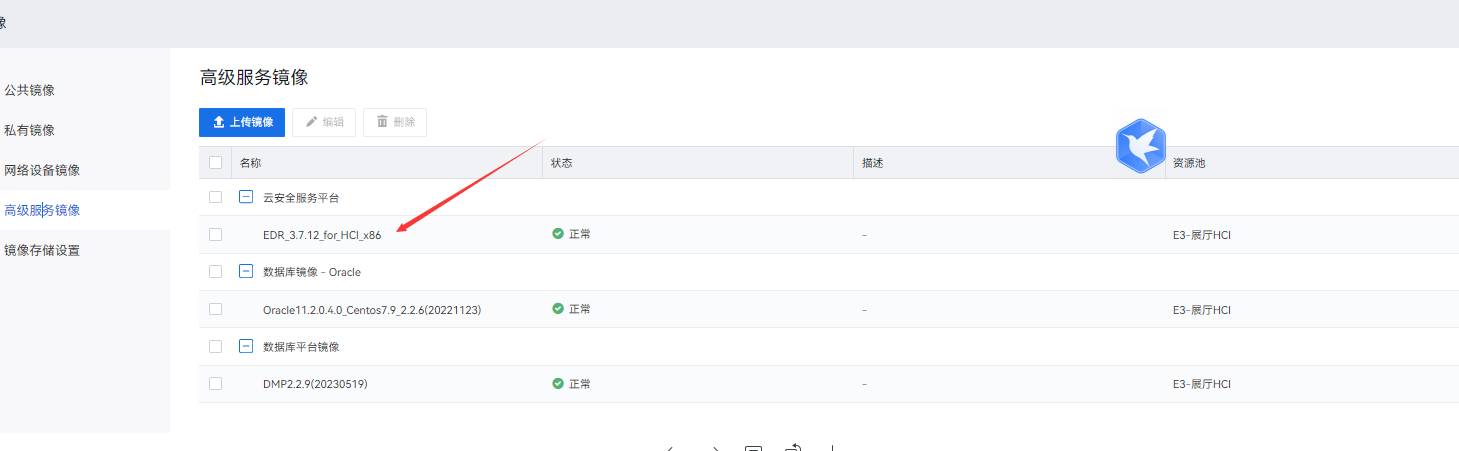
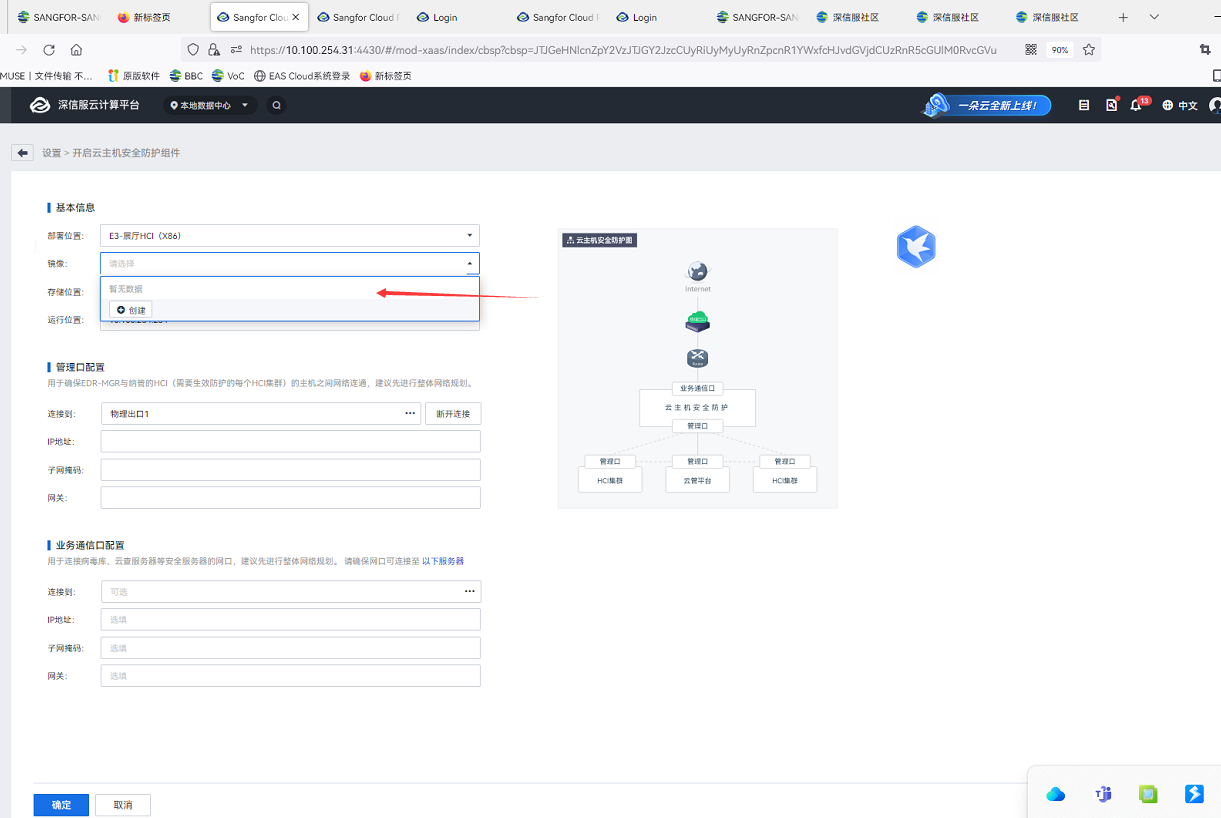
Effective troubleshooting steps
- Confirm that "aSEC installation" Completed
- Make sure vma is downloaded from the community official website link and verify that the MD5 value is correct
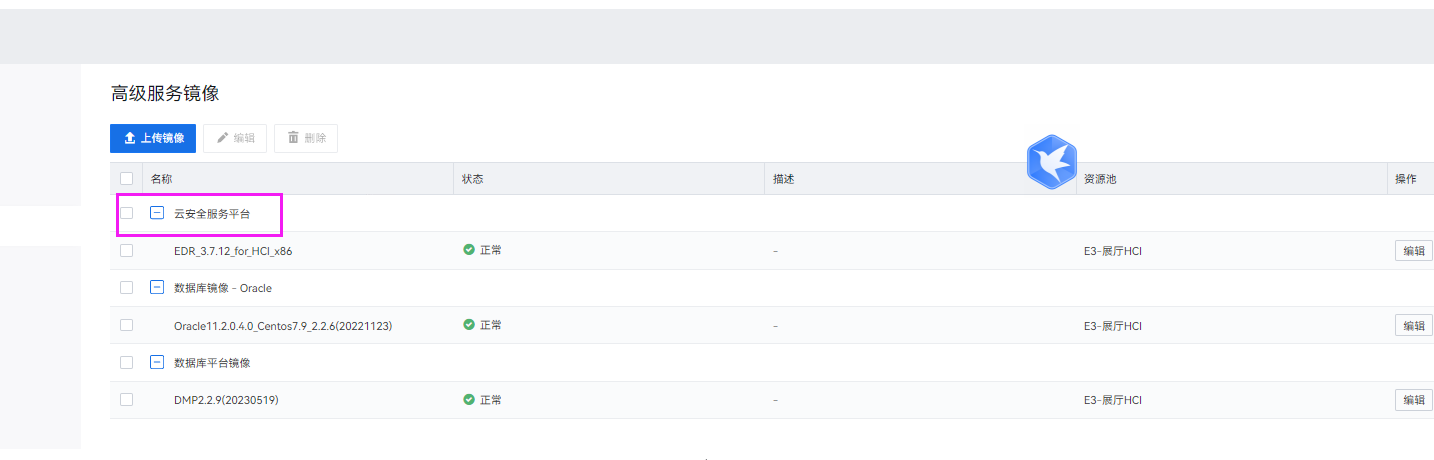
- Check again and find that the image service type is wrong. The cloud security service platform is cssp. Here we should select the service type: Virtual Machine security protection
Root cause
image service type is selected incorrectly.
solution
Re-upload image and select Virtual Machine Security Protection as the service type.
Operation Impact Scope
no effect
Suggestions and Conclusion
There are still many friends who encounter pitfalls here. The user manual is also very clear. Please pay more attention to it during subsequent deployment~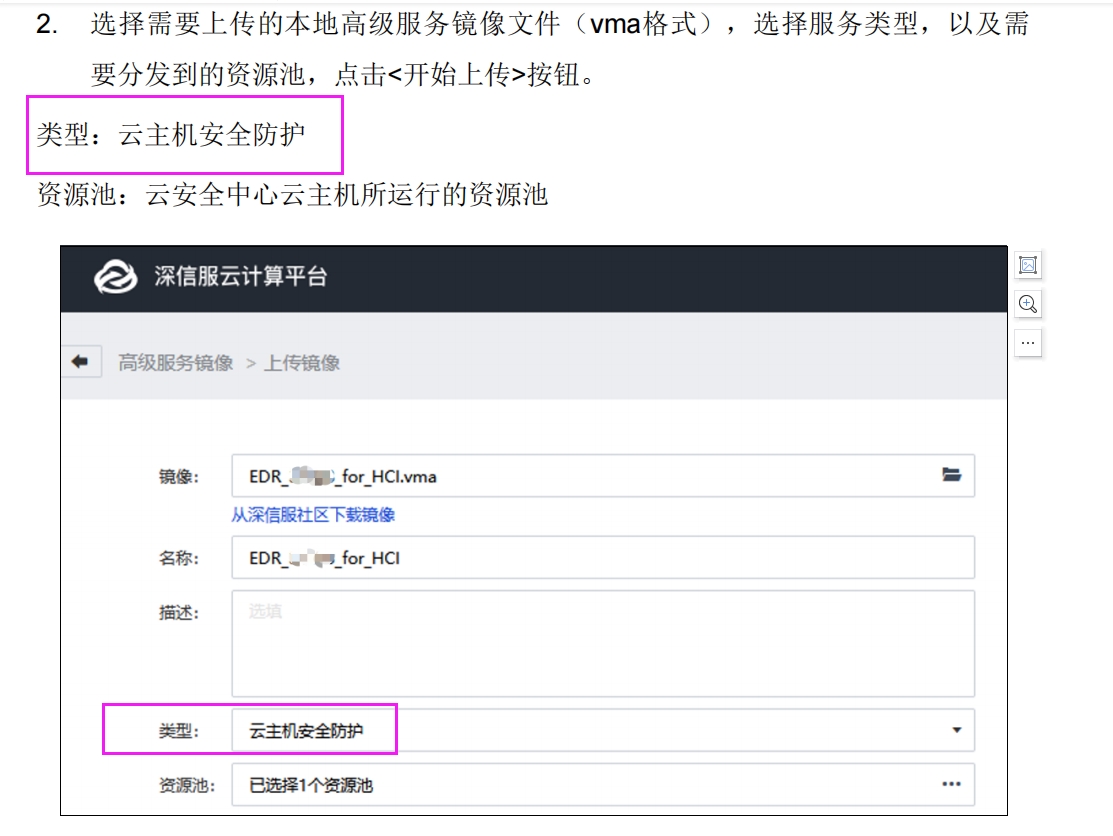
Original Link
https://support.sangfor.com.cn/cases/list?product_id=36&type=1&category_id=23464&isOpen=true