
[SCP] Uploading local image to SCP reports error and image fails
Problem Description
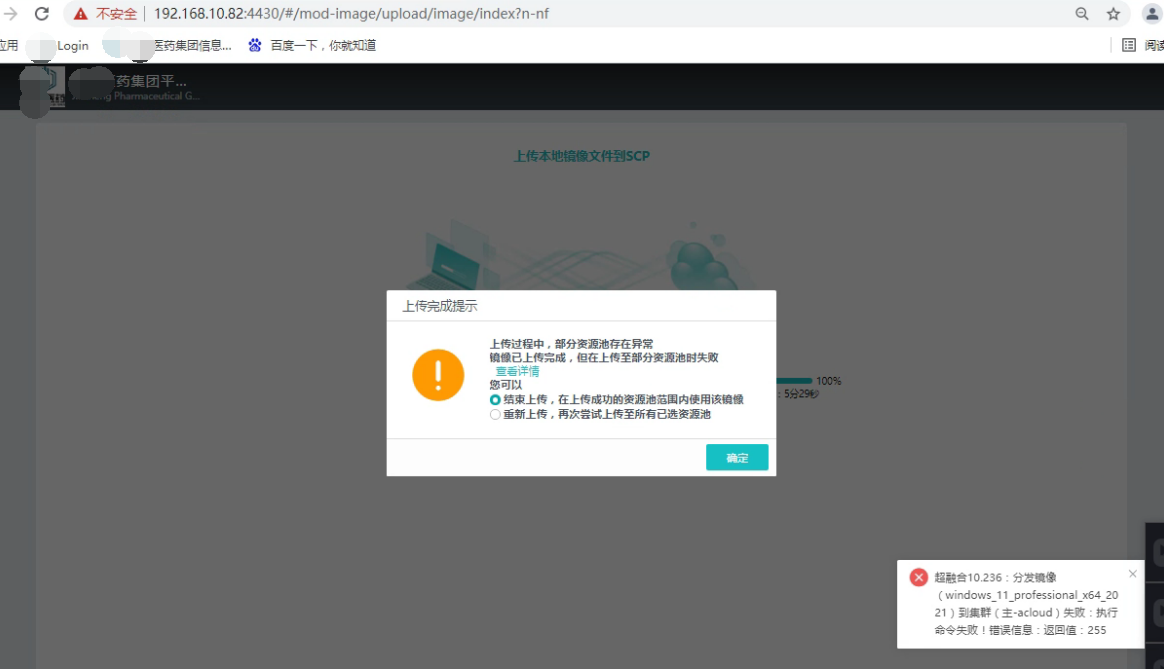
SCP630R1 manages two 630R1HCIs. When uploading a local image and selecting two HCI Resource Pool at the same time, only one can succeed. A pop-up window appears on the interface: During the upload process, some Resource Pool have exceptions. image has been uploaded, but failed to be uploaded to some Resource Pool.
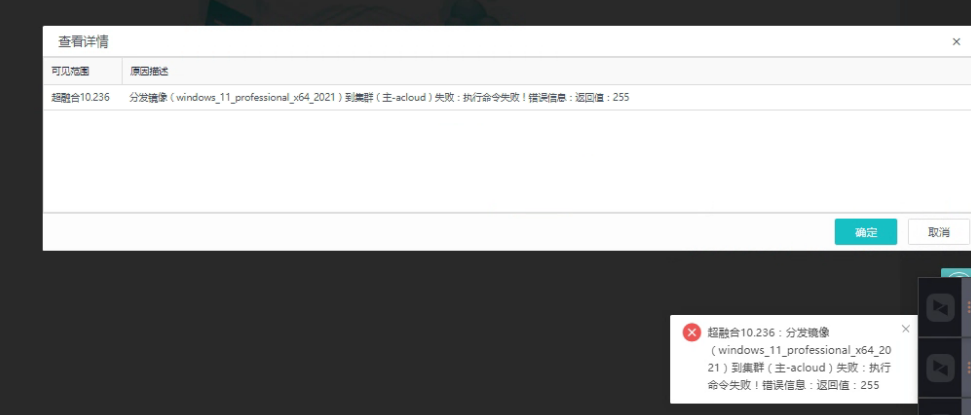
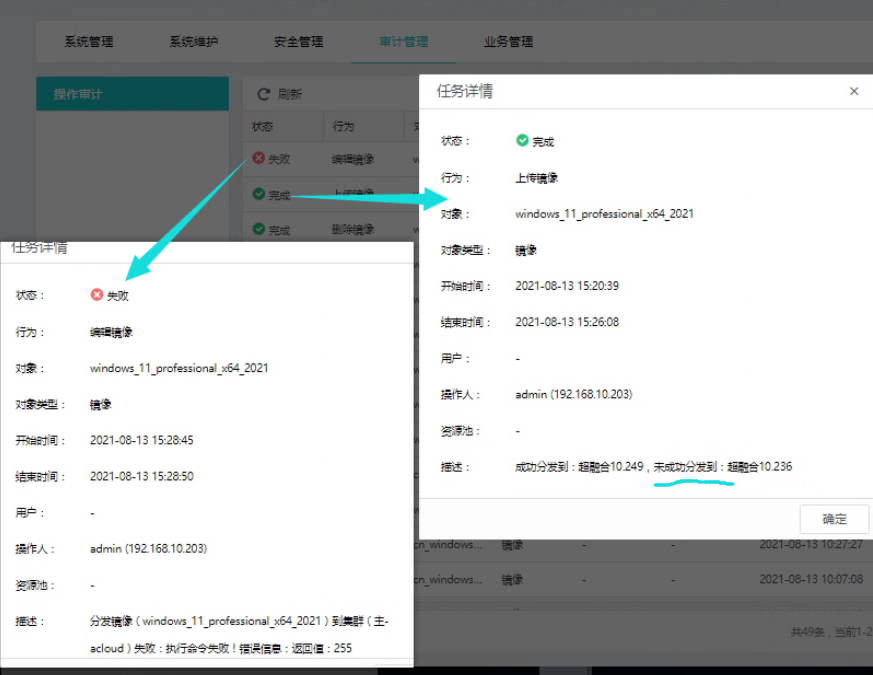
Operation Logs error: Failed to distribute image (xxx) to Cluster (xxx): Failed to execute command! Error message: Return value: 255
Warning Information
Effective troubleshooting steps
- Test and select two resource pools for uploading. Only one can be successful, and the other one fails to be distributed.
- Test and upload by selecting only one resource pool, and it will be successful.
- Check that both HCI22 ports are closed. Open port 22 of the failed HCI Cluster, and then select both resource pools to upload normally without errors. Customers may wonder why the HCI Cluster 22 can be successful when it is turned off, but the other HCI needs to be turned on to succeed?
Root cause
It doesn't matter whether the upload and HCI22 ports are open, but port 22 is required for distribution. The essence of the process of selecting multiple HCI resource pools for upload at the same time is upload: upload to only one of the HCIs first, and then distribute: copy and transfer to other HCIs.
solution
As the processing
Original Link
https://support.sangfor.com.cn/cases/list?product_id=36&type=1&category_id=19529&isOpen=true