
[SCP] VM transmissions failed from DC site to DR site.
Issue Description
In some cases, users have reported that VM transmissions are stuck on the SCP DC site, but no running or failed tasks are visible for the respective VM in the HCI UI.
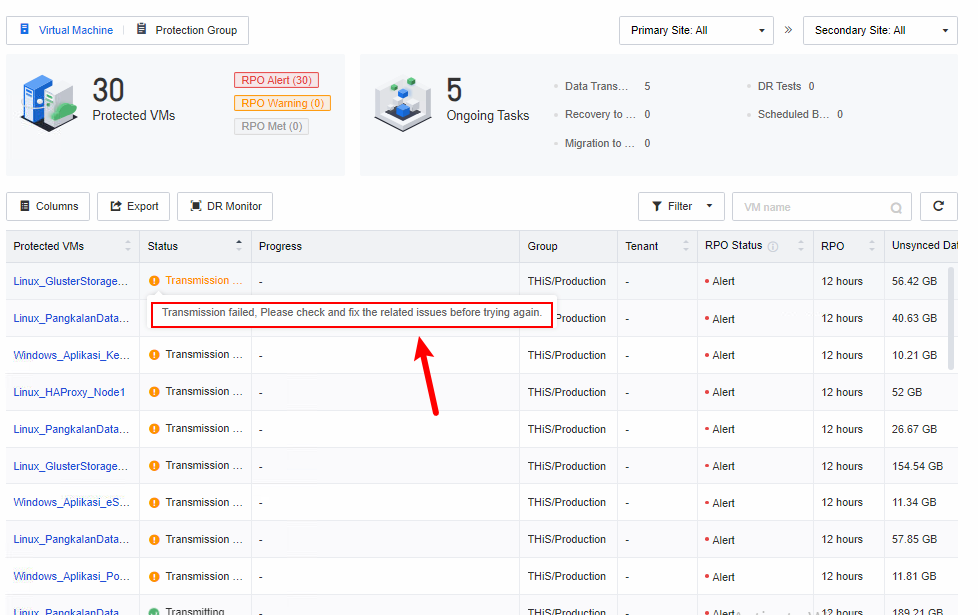
Error/Warning Information
Tranmission failed, Please check and fix the related issues before trying again.
Handling Process
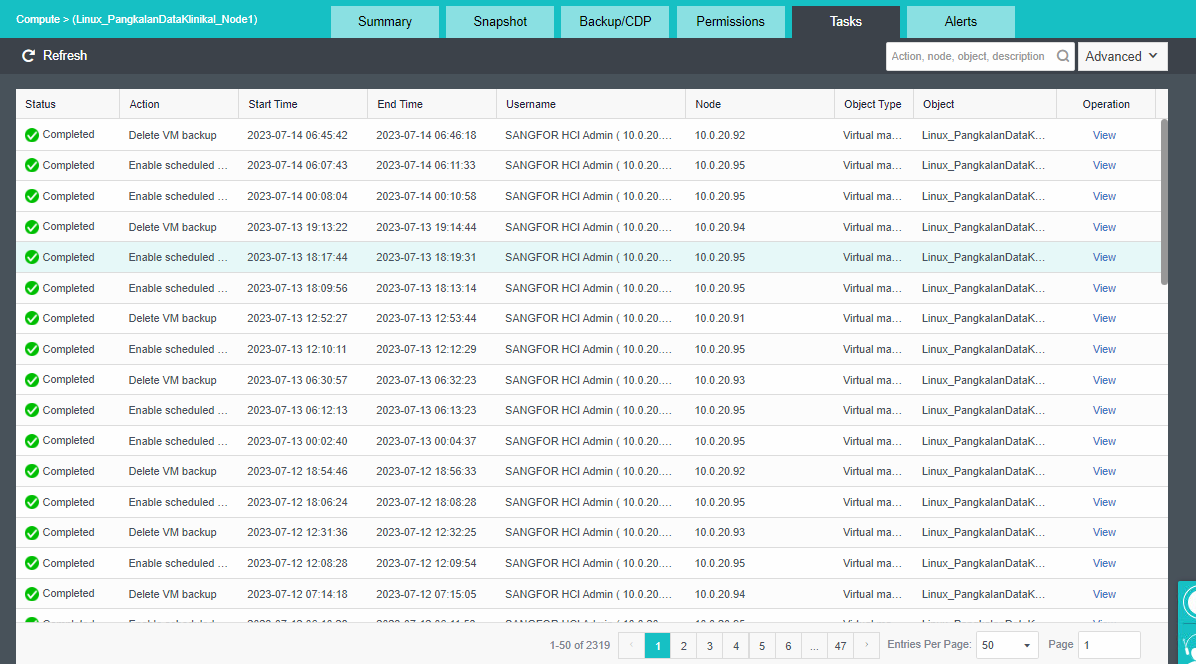
1) Check the tasks for the respective VM to verify if any tasks are running. (Eventually, no failed tasks were found.)
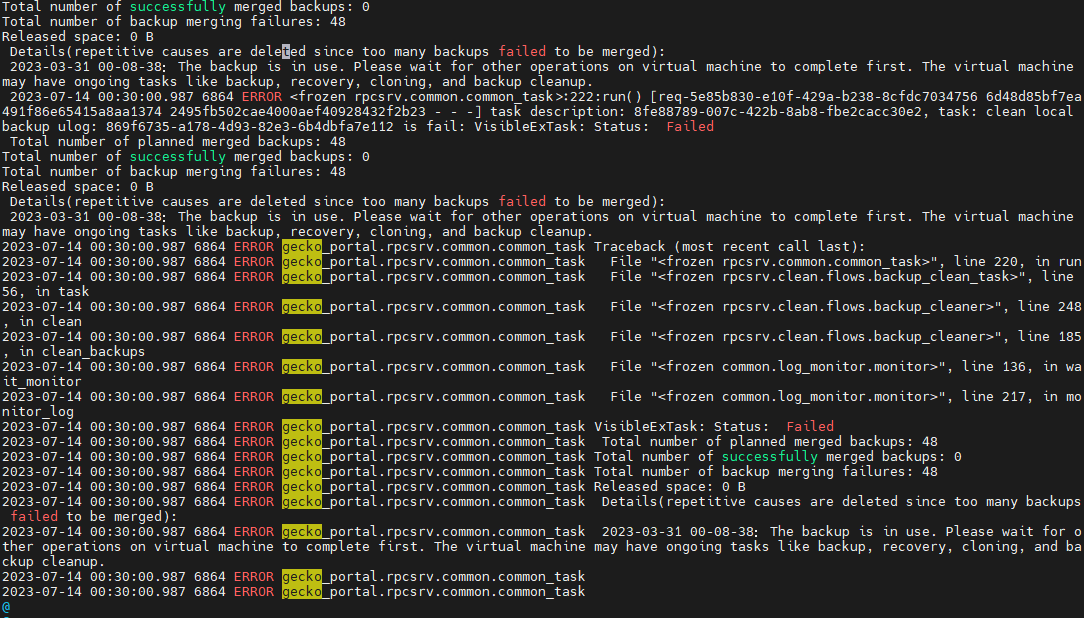
2) Enter the SCP backend and check the gecko-config logs. There were some errors related to backup transmissions.
Root Cause
Suspected the VM Transmissions were stuck during the DR policy execution.
Solution
-
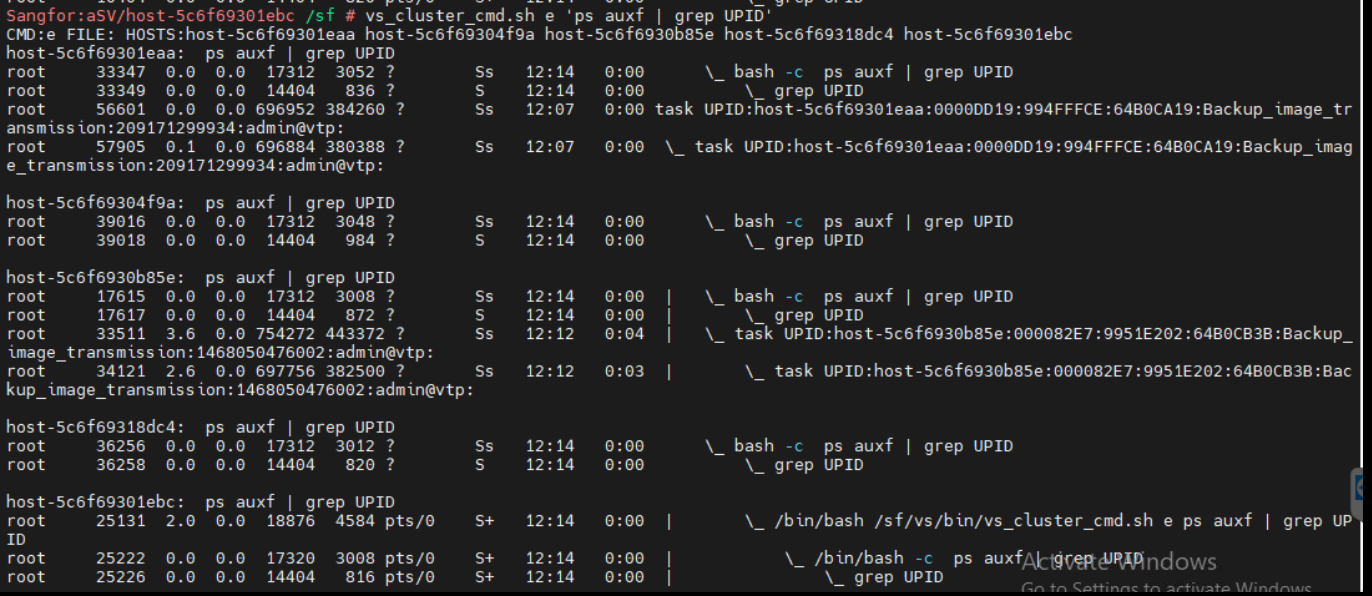
On backend of the DC HCI site, vs_cluster_cmd e "ps auxf | grep UPID’.
(This is to check to which processes are running in each node concurrently.)
-
Enter ps auxf | grep rsync . (Rsync is common for operating systems to synchronize files and directories between different locations.)
The running rsync process is shown with PID of 17270.

-
Based on the results above, there is an rsync process with PID 17270 that is currently stuck. It is suspected that this process is causing the VM transmission to fail. In this case, we will attempt to kill the rsync process with the corresponding PID.
kill -9 17270 -
Apply the steps above to each nodes that has the rsync process running, and kill each of them accordingly.
-
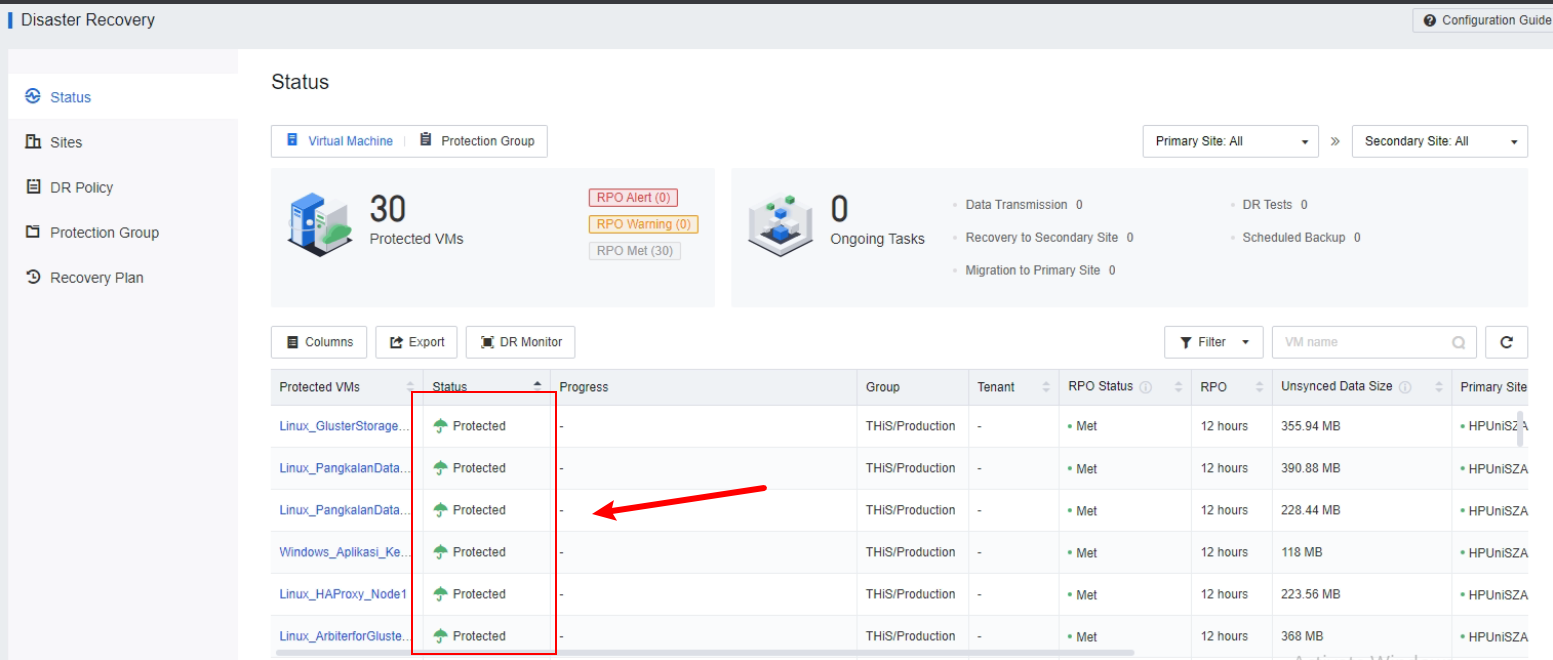
After killing the related rsync processes via the backend, the VM transmissions were able to execute normally.
Suggestions
Refer to the handling method.