
[SCP] When editing the Virtual Machine mutual exclusion policy, the selected Virtual Machine Run Location is inconsistent.
Problem Description
When editing Virtual Machine mutual exclusion policy, it prompts that the selected Virtual Machine Run Location is inconsistent. Please shut down Virtual Machine first and change it to the same location
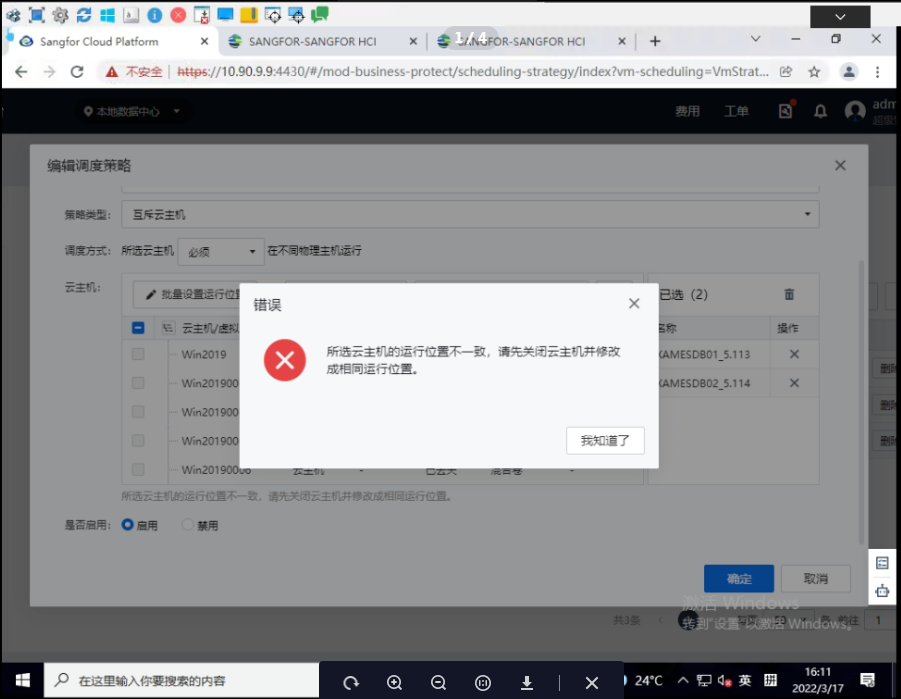
Warning Information
The selected Virtual Machine Run Location is inconsistent, please shut down the Virtual Machine first and change it to the same location
Root cause
After configuring the Virtual Machine mutual exclusion policy, the customer changed the Run Location of one of the Virtual Machine to the specified Run Location.
The front-end UI restricts the Virtual Machine in a scheduling strategy from having a fixed Run Location, otherwise the scheduling strategy will be invalid.
solution
Change the Virtual Machine Run Location to automatic selection
Original Link
https://support.sangfor.com.cn/cases/list?product_id=36&type=1&category_id=19566&isOpen=true