
[SCP+HCI] SCP 680 edits virtual machine network card activation error
Problem Description
Version information: SCP 680 + HCI 630R1
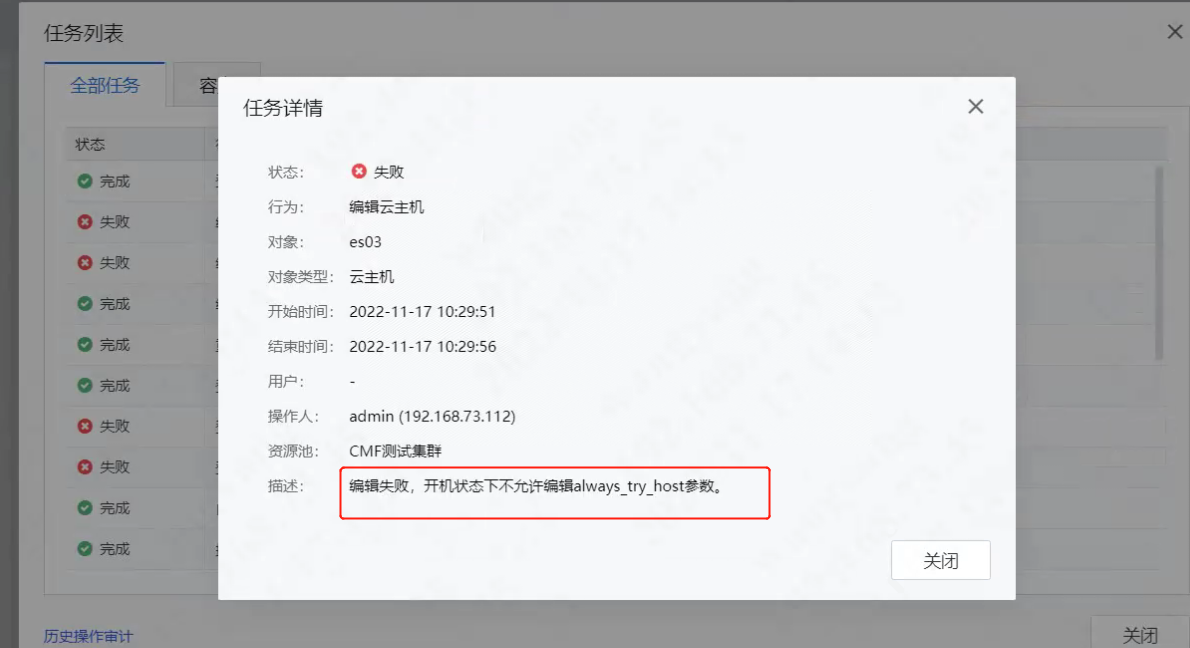
Problem phenomenon: Failed to use the admin account to edit and enable the network card for the corresponding VM virtual machine on SCP
Error message: Editing failed. Editing the always_try_host parameter is not Allow the Power On state, as shown in the following figure:
scp modify Virtual Machine 1.png (291.61 KB)
Effective troubleshooting steps
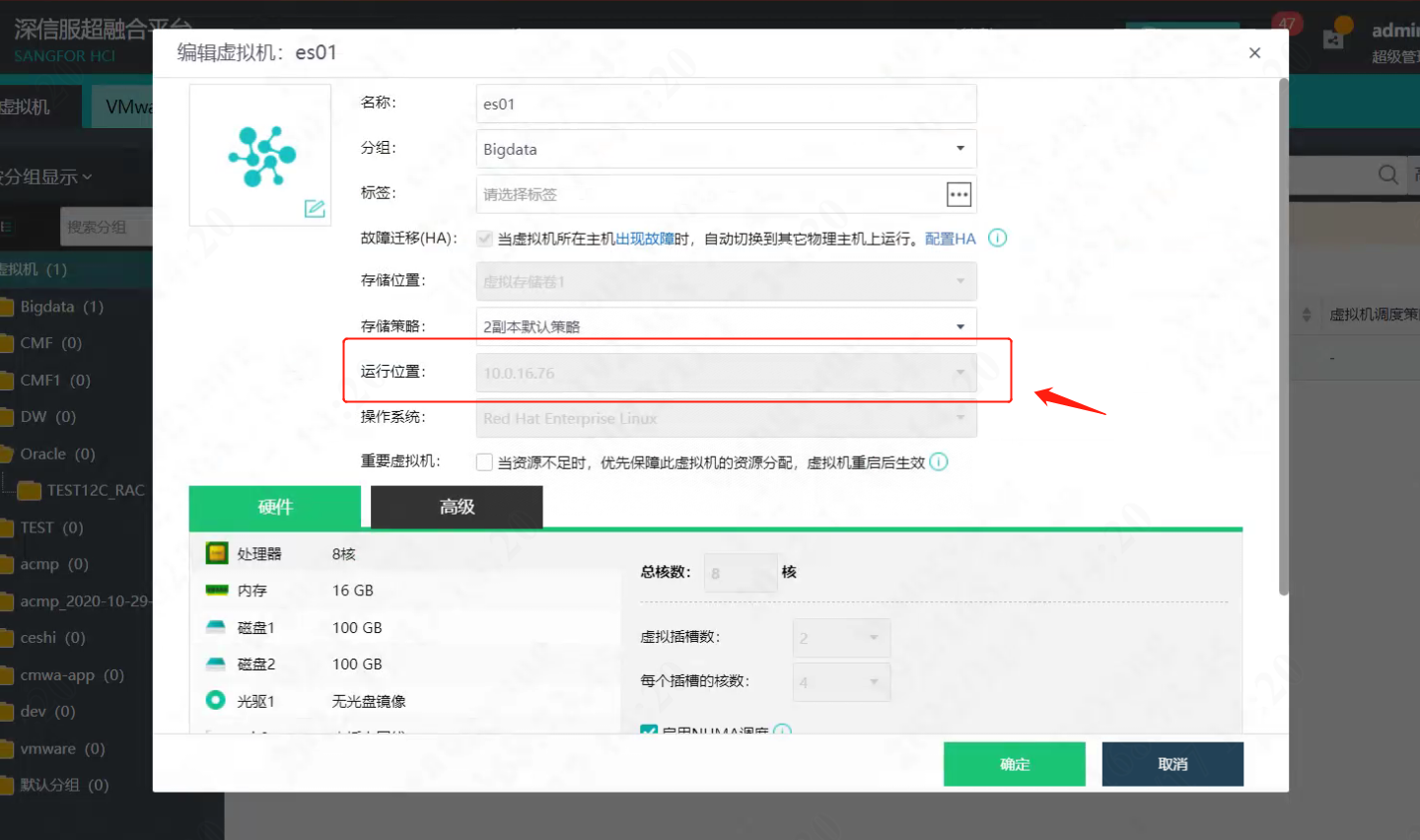
- Check whether the configuration of the Run Location of the virtual machine on SCP is consistent with that on HCI. The SCP configuration is shown in the following figure:
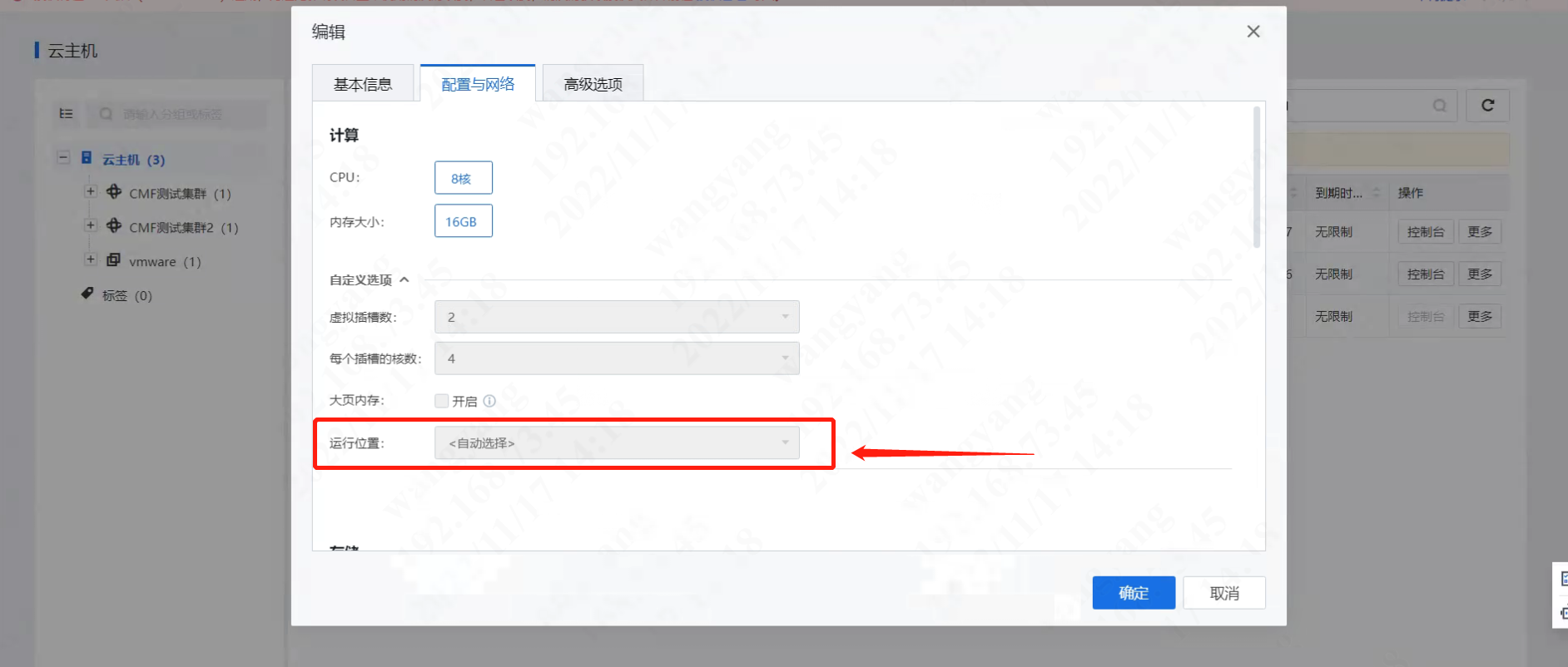
scp3.png (323.86 KB) - Check the configuration of the virtual machine on HCI. The HCI configuration is shown in the following figure:
HCI16.png (499.76 KB)
Root cause
- It was found that the configuration of the Run Location on HCI was inconsistent with the configuration Run Location on SCP, resulting in the failure to edit the network card information of this virtual machine on SCP;
- The current version of HCI cannot actively send synchronization configuration to the SCP side. Therefore, when customers perform certain operations on HCI, the operations will not be modified on SCP. The unsynchronized configuration information will cause modification errors on SCP.
solution
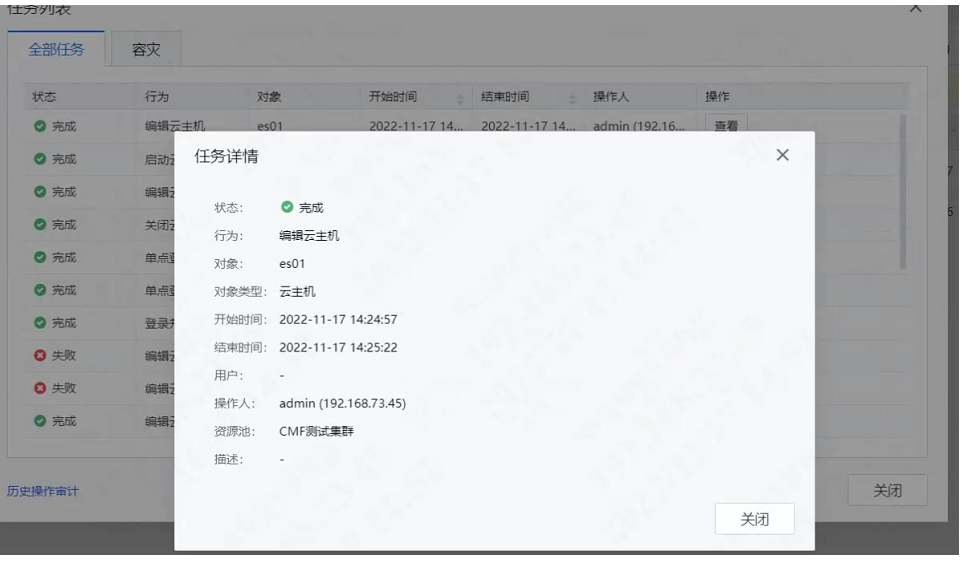
- If the customer Allow to shut down the business virtual Shut Down (must follow the change Workflow), shut down the business virtual machine on SCP, shut Shut Down and then Power On. SCP will re-send the configuration file to the virtual machine on HCI, keep the configuration file consistent, and enable the network card function after Power On, as shown in the following figure:
WeChat screenshot_20221117155234.png (267.22 KB) - If the customer's business does not Allow Shut Down, directly edit the virtual machine on HCI to enable the network card;
Suggestions and Conclusion
- It is recommended that customers use SCP to operate virtual machines in the future. Do not operate on HCI unless it is Critical.
- Submit product optimization bugs on the SCP side, optimize SCP to support reverse synchronization from bottom to top, and the configuration on the HCI can be synchronized to SCP for testing, thereby improving the product experience of SCP.
Original Link
https://support.sangfor.com.cn/cases/list?product_id=36&type=1&category_id=19630&isOpen=true