
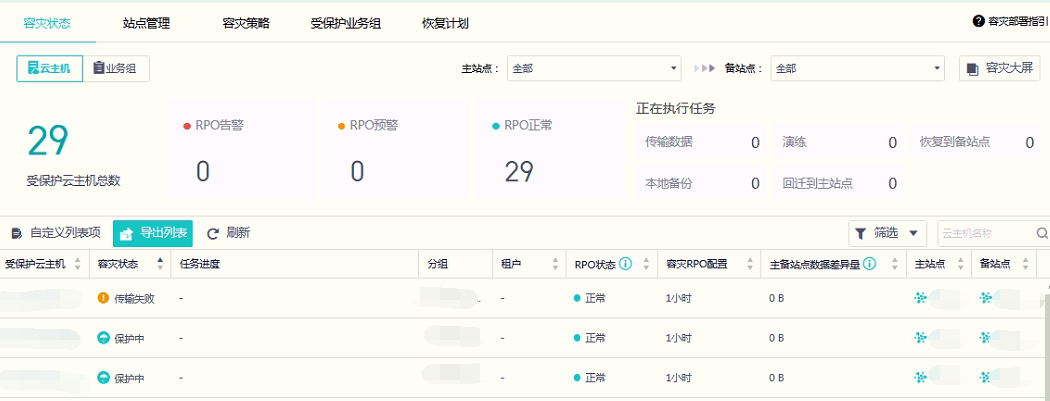
VM CDP backup normal, but DR status show backup failed/transmission failed.
Issue Description
CDP backup normal, but DR status show abnormal(backup failed/transmission failed)
Handling Process
1.Perform checking on the DR status, found RPO is optimal now.
2.Perform checking on task list, do not found any failed task for the vm.
3.Perform checking on the vm task logs, found dont have failed task within this week.
4.Accessed to SCP backend, and enter mysql database.
For SCP6.3.0 and above, mysql access has been restricted. Please get the command from specialist to enable the access.
Command: mysql gecko_config
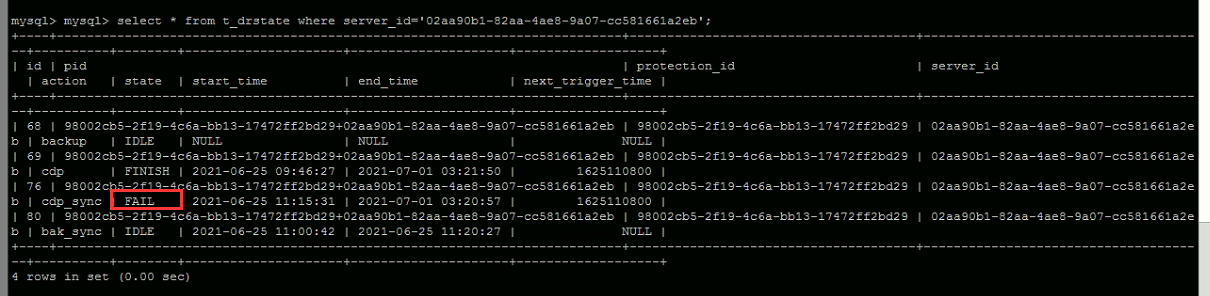
5.Enter the command below to query out the backup task status of the VM from database.
select from t_drstate where server_id=’02aa90b1-82aa-4ae8-9a07-cc581661a2eb’;
Server ID can be obtained from the URL of VM summary page, example is shown as below:

6.Found there is CDP task with FAIL status.
7.Update the CDP task status to FINISH by command below:
update t_drstate set state=’FINISH’ where server_id=’02aa90b1-82aa-4ae8-9a07-cc581661a2eb’ and action=’cdp_sync’;
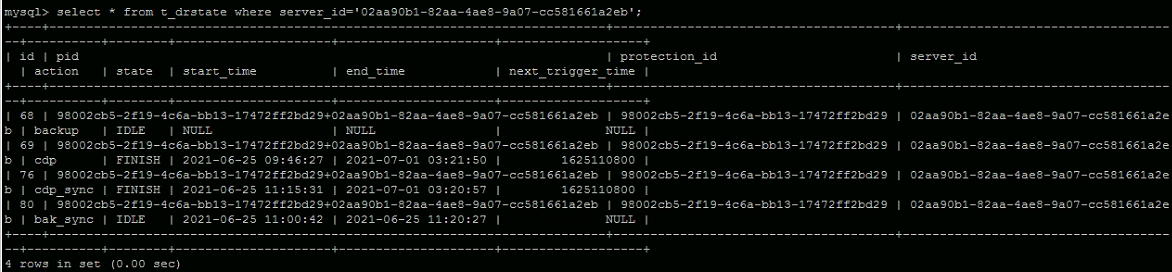
8.Checked on the status on web UI again, found issue resolved.
Root Cause
DR status abnormal due to FAIL task is not updated on backend.
Solution
Update the FAIL task status to FINISH on mysql database.