
【SSL VPN】Mobile device unable access VPN resource
Issue Description
The local DNS server has been configured on the SSL VPN for the mobile device to resolve the domain. However the PC user are able to resolved correctly while mobile user are unable resolved correctly resulting unable access.
Error/Warning Logs

Handling Process
- Verify if the resource are conifgured as L3 resource.
- Verify if the internal DNS server are able to correctly resolved the domain.
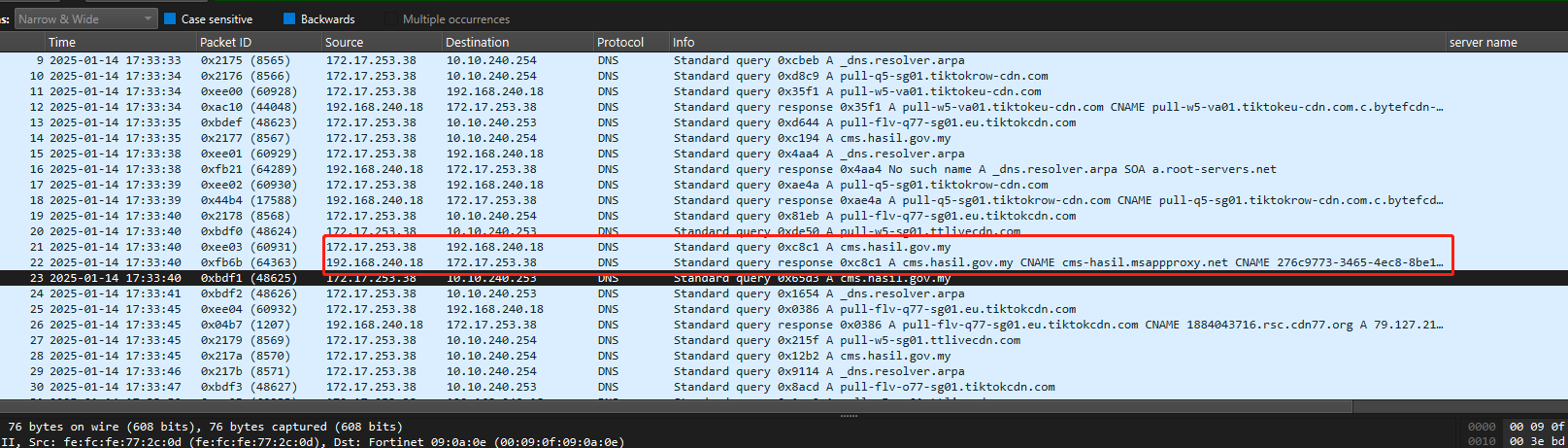
- Perform the packet capture verify the DNS query of mobile user. Identify that the DNS server return the result with CNAME.
Root cause
The SSL VPN does not support return CNAME record and only support return A record to mobile client.
Solution
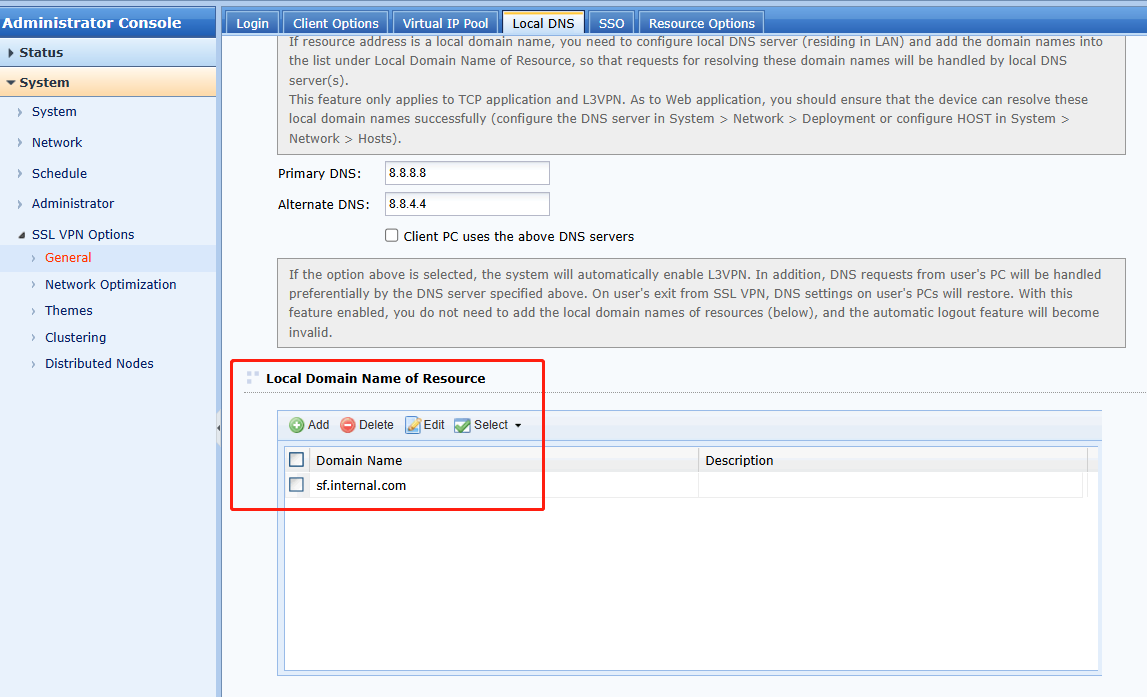
- Configure the domain as Local Domain Name of Resource. (optional)
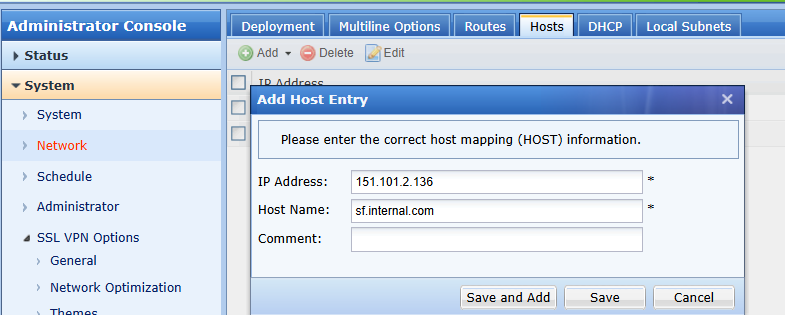
- Configure the Host entry for the domain.
- If the domain could be resolved by the public DNS will require to configure it as SSL VPN resource and assign to users (Optional)

Note: For the mobile Chrome users if the DNS server is 8.8.8.8, the Chrome broswer will utilize HTTPS to perform the query resulting the DNS query unable be intercept by Easy Connect.